Advanced Guide
>
Scanning
>
Scanning with the Bundled Application Software
>
Utilizing Images in MP
Navigator EX
> Sending via E-mail
S504
Sending via E-mail
Send scanned images via e-mail.
Important
MP Navigator EX is compatible with the following e-mail software programs:
- Microsoft Outlook
- Windows Live Mail
- Windows Mail (Windows Vista)
- Outlook Express (Windows XP)
(If an e-mail software program does not operate properly, check that the program's MAPI is enabled.
To enable MAPI, refer to the manual of the e-mail software program.)
Note
If an e-mail software program is not selected, manually attach the scanned and saved image to e-
mail.
1.
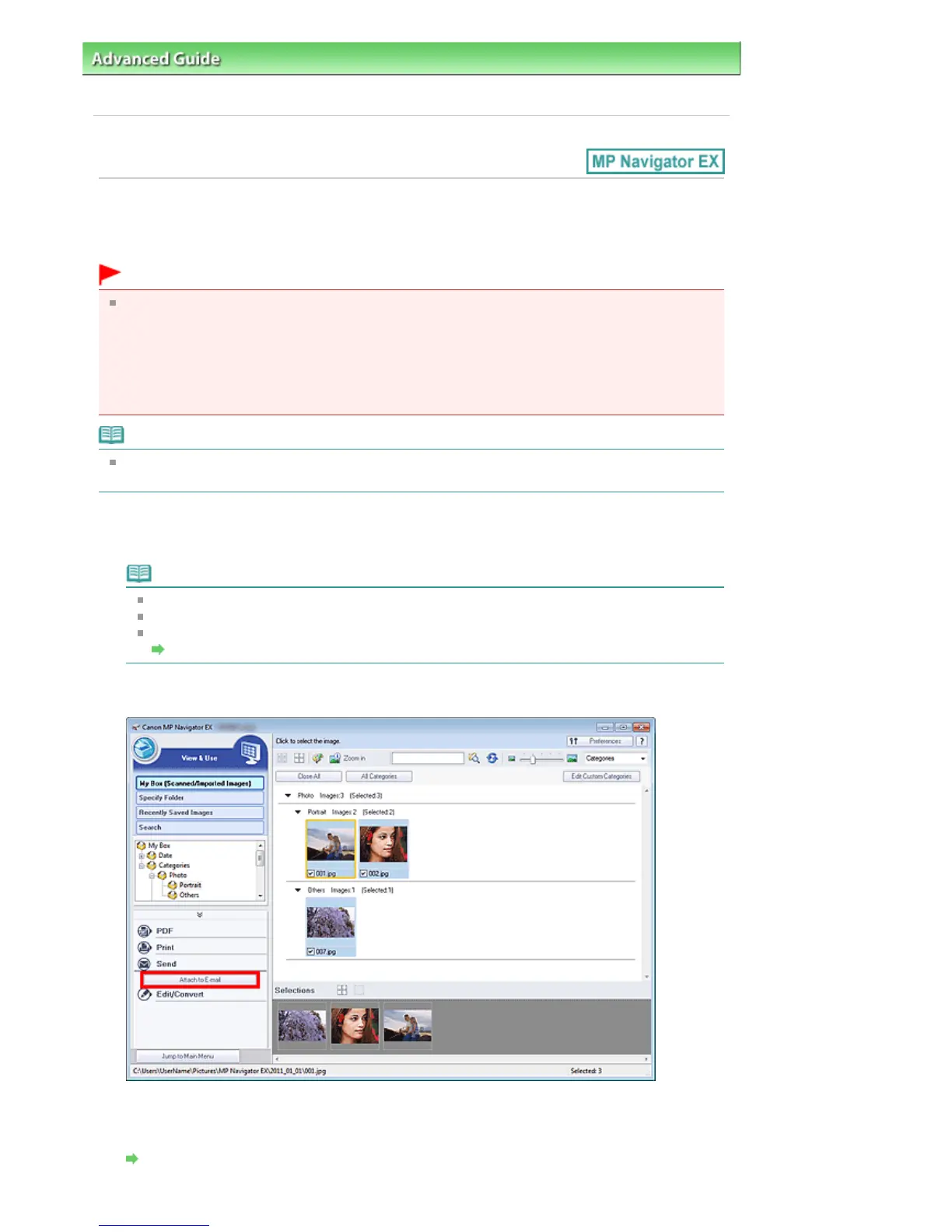
Scan documents into MP Navigator EX and save them, then open the View & Use
Note
Only PDF and JPEG files can be attached to e-mail.
See "
Let's Try Scanning
" to scan images into MP Navigator EX.
You can also select images saved on a computer.
Opening Images Saved on a Computer
2.
Click Send, then click Attach to E-mail on the list.
3.
Set the e-mail software program and file save options as required.
Specify the e-mail software program, destination folder and file name.
Send via E-mail Dialog Box
Seite 436 von 922 SeitenSending via E-mail















 To Next Page