Advanced Guide
>
Printing from a Computer
>
Printing with Other Application Software
>
Changing the
Print Quality and Correcting Image Data > Changing Color Properties to Improve Coloration
P408
Changing Color Properties to Improve Coloration
This feature is unavailable when the XPS printer driver is used.
The Photo Optimizer PRO function corrects colors of digital camera images or scanned images. It is
specially designed to compensate for color shift, overexposure, and underexposure.
The procedure for performing Photo Optimizer PRO is as follows:
1.
Open the
printer driver setup window
2.
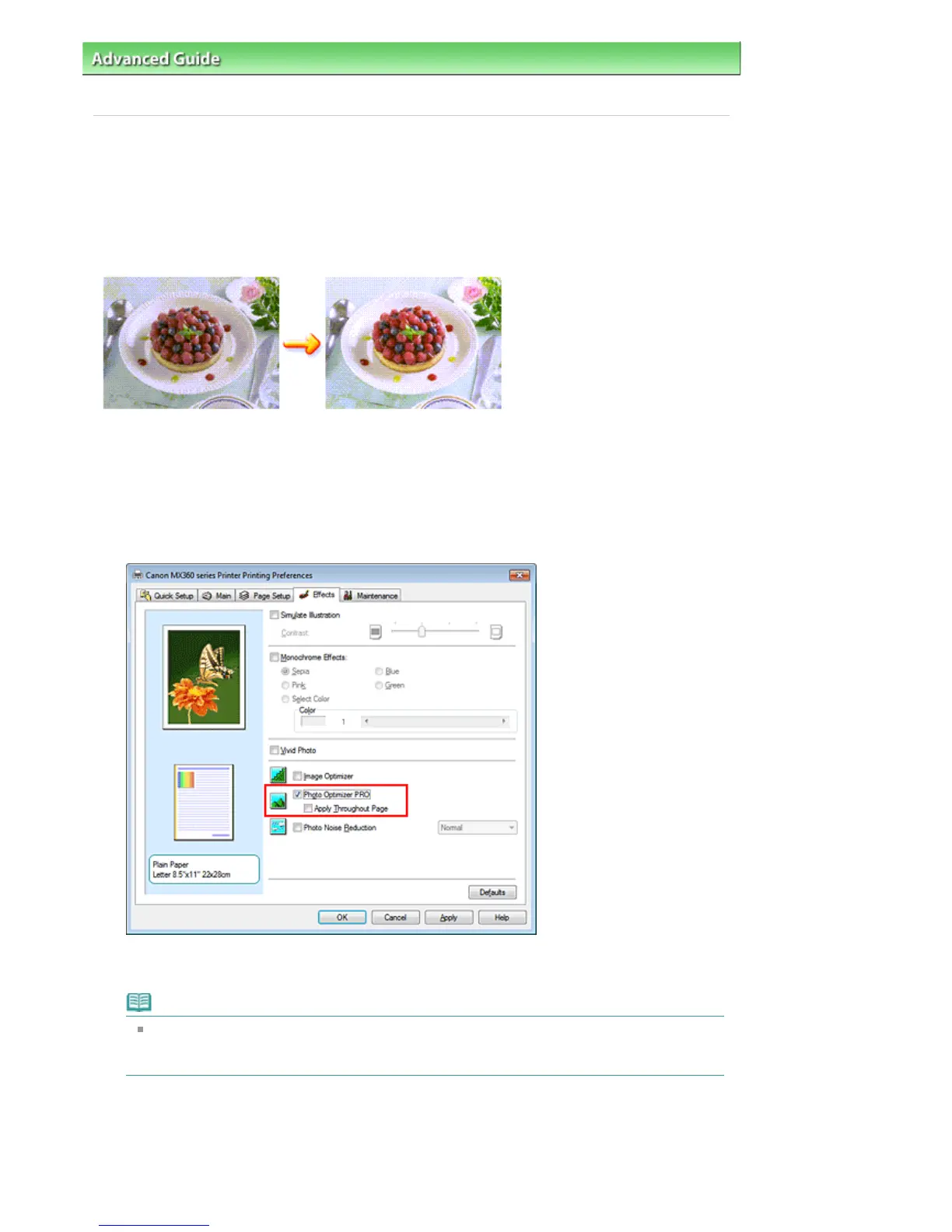
Set Photo Optimizer PRO
Check the Photo Optimizer PRO check box on the Effects tab.
Normally there is no need to check the Apply Throughout Page check box.
Images within each page are optimized on an image-by-image basis.
Note
Check the Apply Throughout Page check box when printing image data that has been
processed, such as being cropped or rotated. In this case the entire page will be treated as a
single image to be optimized.
3.
Complete the setup
Click OK.
When you execute print, the printer corrects the photo coloring and prints out the photos.
Seite 334 von 922 SeitenChanging Color Properties to Improve Coloration















 To Next Page