Advanced Guide
>
Troubleshooting
> Document Jams in the ADF
U342
Document Jams in the ADF
Important
When you turn off the machine to remove the jammed document, make sure of the following.
The power cannot be turned off while the machine is sending or receiving a fax, or when the
received fax or the unsent fax are stored in the machine's memory.
Make sure if the machine completed sending or receiving all the faxes before disconnecting the
power cord.
If you unplug the power cord, all the faxes stored in the machine's memory are deleted.
If the
Stop button is pressed while the machine is scanning the document:
If you press the
Stop
button during scanning, Close the feeder cover [OK] ->Eject the document
appears on the LCD. Press the
OK
button so that the remaining document is automatically fed out.
Removing the jammed document from the Document Tray:
Remove the document following the procedure below.
1.
If printing is in progress, press the Stop
button.
2.
Turn off the machine.
3.
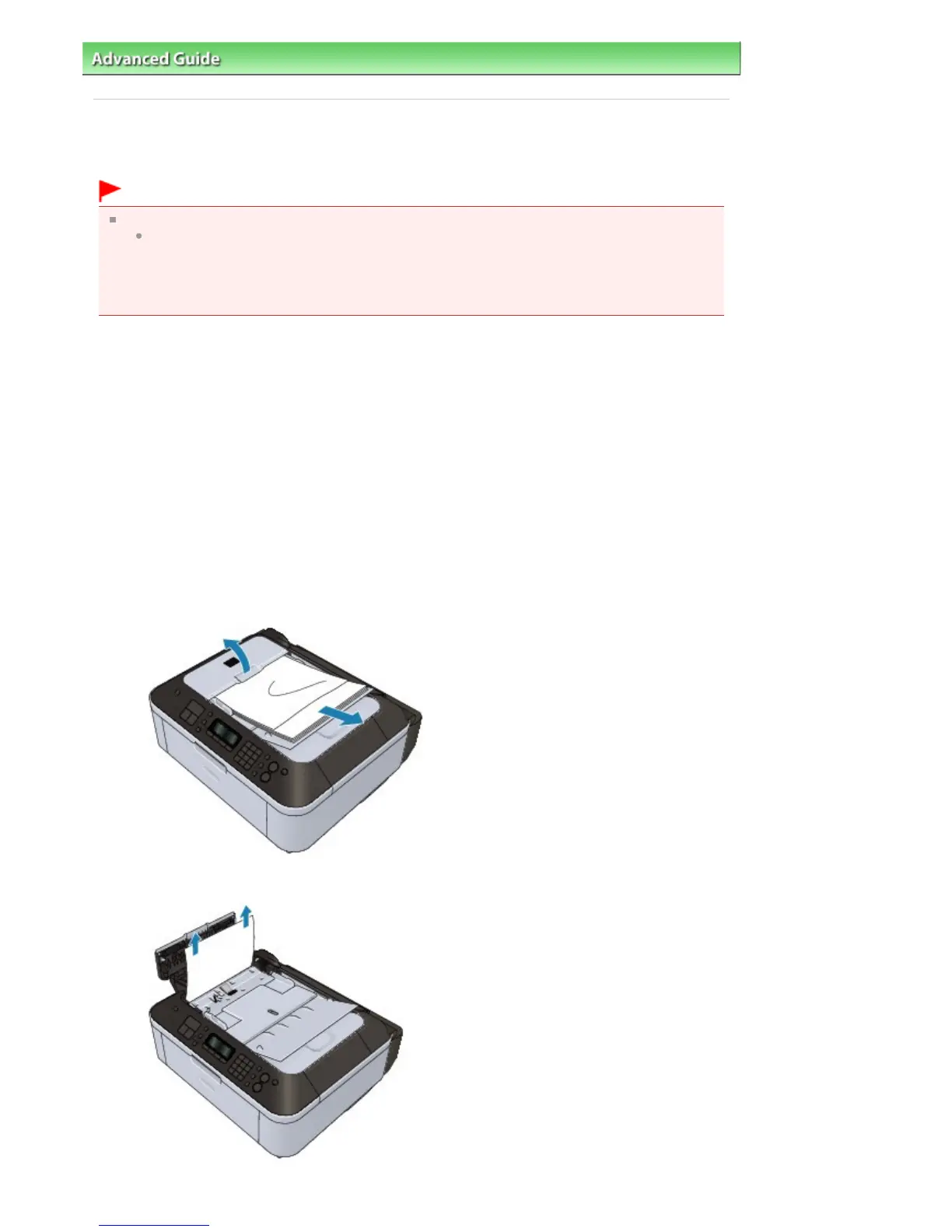
If a multi-page document is loaded, remove any pages other than the jammed page from
the ADF, then open the Document Feeder Cover.
4.
Pull out the jammed document from the ADF.
Seite 844 von 922 SeitenDocument Jams in the ADF















 To Next Page