Advanced Guide
>
Appendix
> Notice for Unplugging the Power Cord
U516
Notice for Unplugging the Power Cord
To unplug the power cord, follow the procedure below.
Important
When you unplug the power cord, press the
ON
button, then confirm that the
POWER
lamp is off.
Unplugging the power cord while the machine is still on may cause drying or clogging of the Print
Head and print quality may be reduced.
The power cannot be turned off while the machine is sending or receiving a fax, or when the
received fax or the unsent fax are stored in the machine's memory. Make sure if the machine
completed sending or receiving all the faxes before disconnecting the power cord.
The machine cannot send or receive faxes when the power is turned off.
If you unplug the power cord, all the documents stored in the machine's memory are deleted.
Print necessary documents or save them to the USB flash drive before unplugging the power cord.
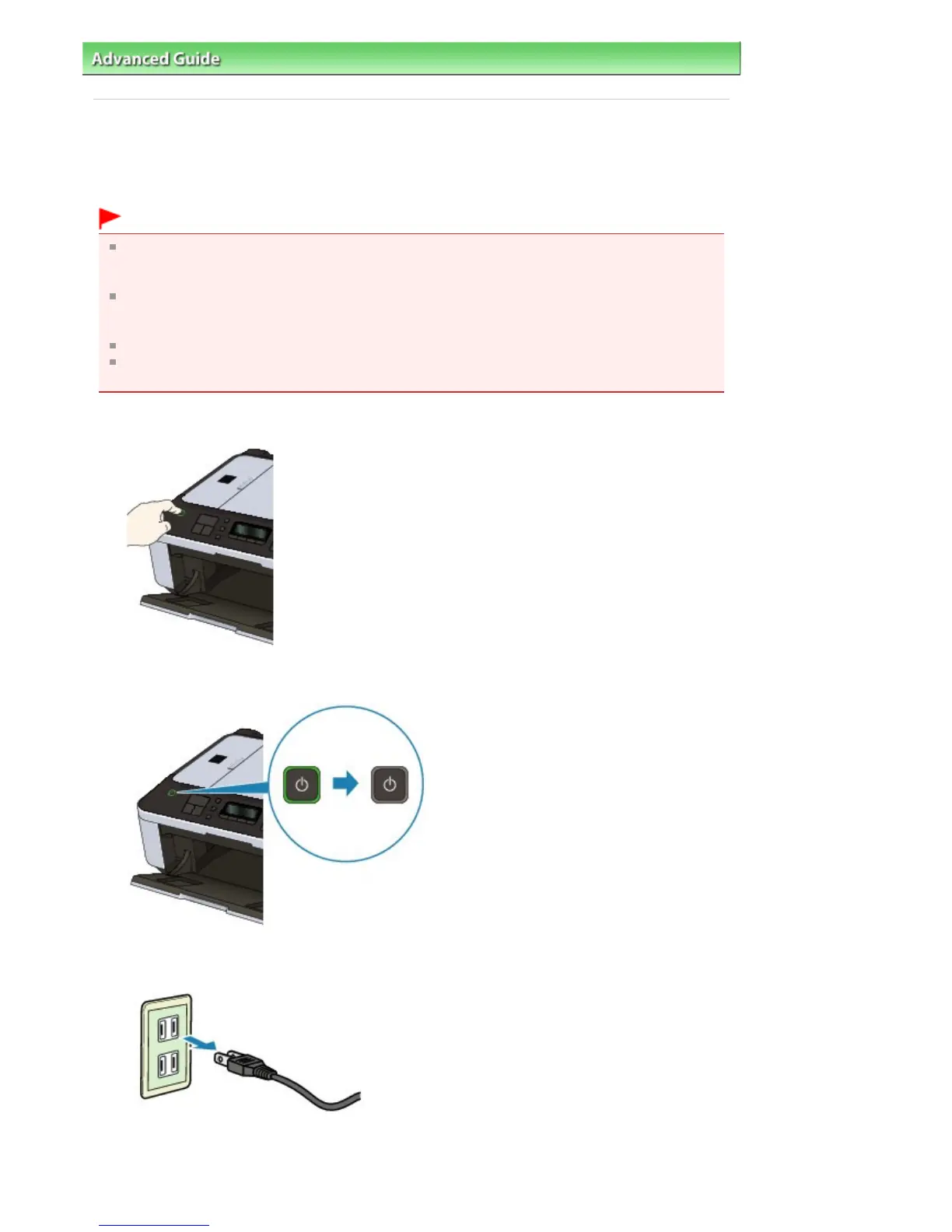
1.
Press the
ON
button to turn the machine off.
2.
Confirm that the
POWER
lamp is off.
3.
Unplug the power cord.
The specification of the power cord differs depending on the country or region of use.
Seite 912 von 922 SeitenNotice for Unplugging the Power Cord















 To Next Page