Advanced Guide
>
Printing from a Computer
>
Printing with the Bundled Application Software
>
Other
Settings
> Framing Photos
A087
Framing Photos
You can add frames to images.
Important
You cannot add frames to images in Stickers and Layout Print.
Select the image you want to frame in the Edit screen and click (Edit Image) or double-click the
image.
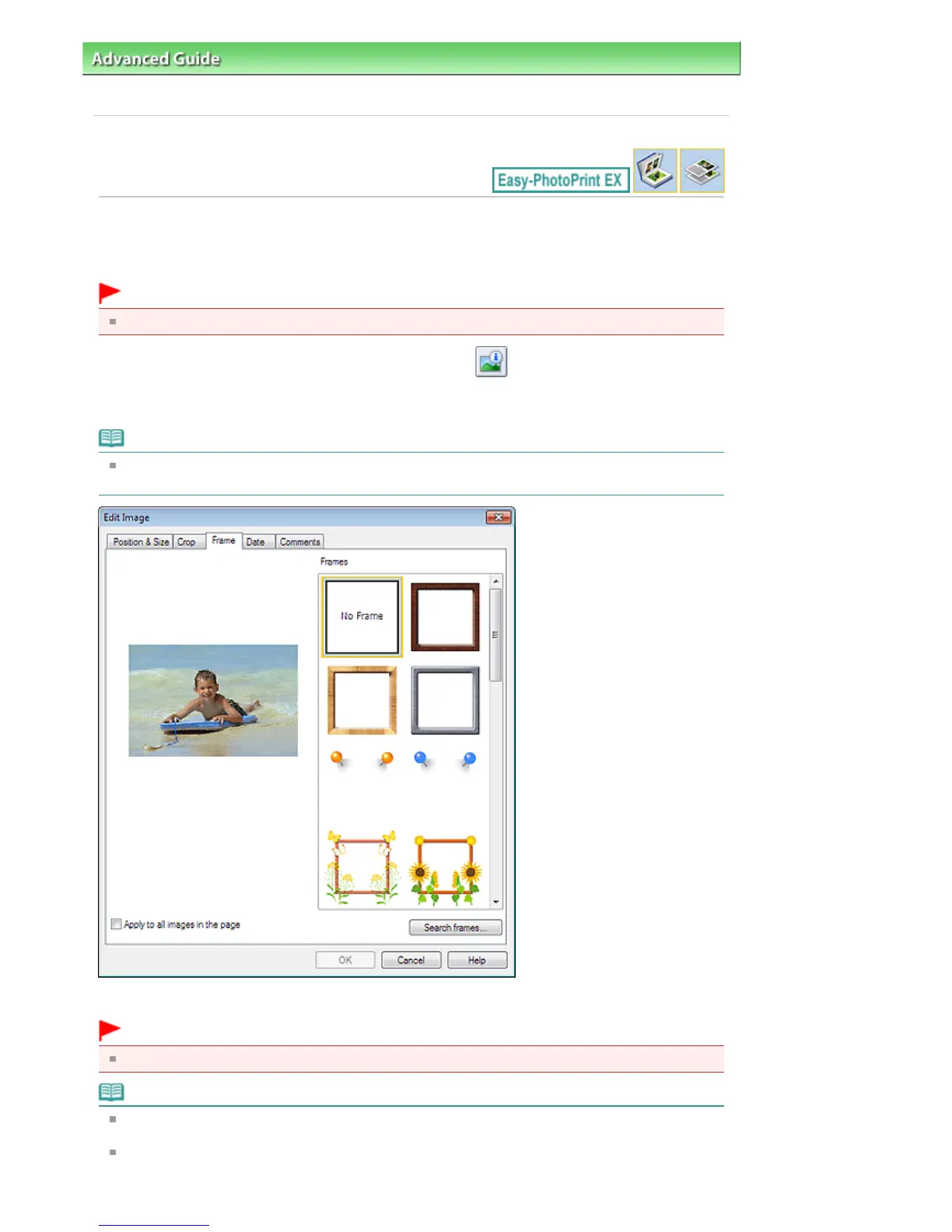
Click the Frame tab in the Edit Image dialog box.
Note
The screen(s) for Album printing is (are) used as example(s) in the following descriptions. The
screen(s) may vary depending on what you create.
Select the frame you want to use from Frames and click OK.
Important
You cannot print dates on framed photos.
Note
Select the Apply to all images in the page checkbox to add the same frame to all the images on a
selected page at one time.
Various frames are available on our website besides those saved in the application.
Click Search frames... to access the Canon website from which you can download additional
Seite 258 von 922 SeitenFraming Photos















 To Next Page