Advanced Guide
>
Troubleshooting
> Cannot Install the MP Drivers
U308
Cannot Install the MP Drivers
If the installation does not start even after the
Setup CD-ROM
is inserted
into your computer's disc drive:
Start the installation following the procedure below.
1.
Select items from the Start menu as shown below.
In Windows 7 or Windows Vista, click Start then Computer.
In Windows XP, click Start then My Computer.
2.
Double-click the CD-ROM icon on the displayed window.
If the contents of the CD-ROM are displayed, double-click MSETUP4.EXE.
Note
If the CD-ROM icon is not displayed, try the following:
Remove the CD-ROM from your computer, then insert it again.
Restart your computer.
If the icon is still not displayed, try different discs and see if they are displayed. If other discs are
displayed, there is a problem with the
Setup CD-ROM
. In this case, contact the service center.
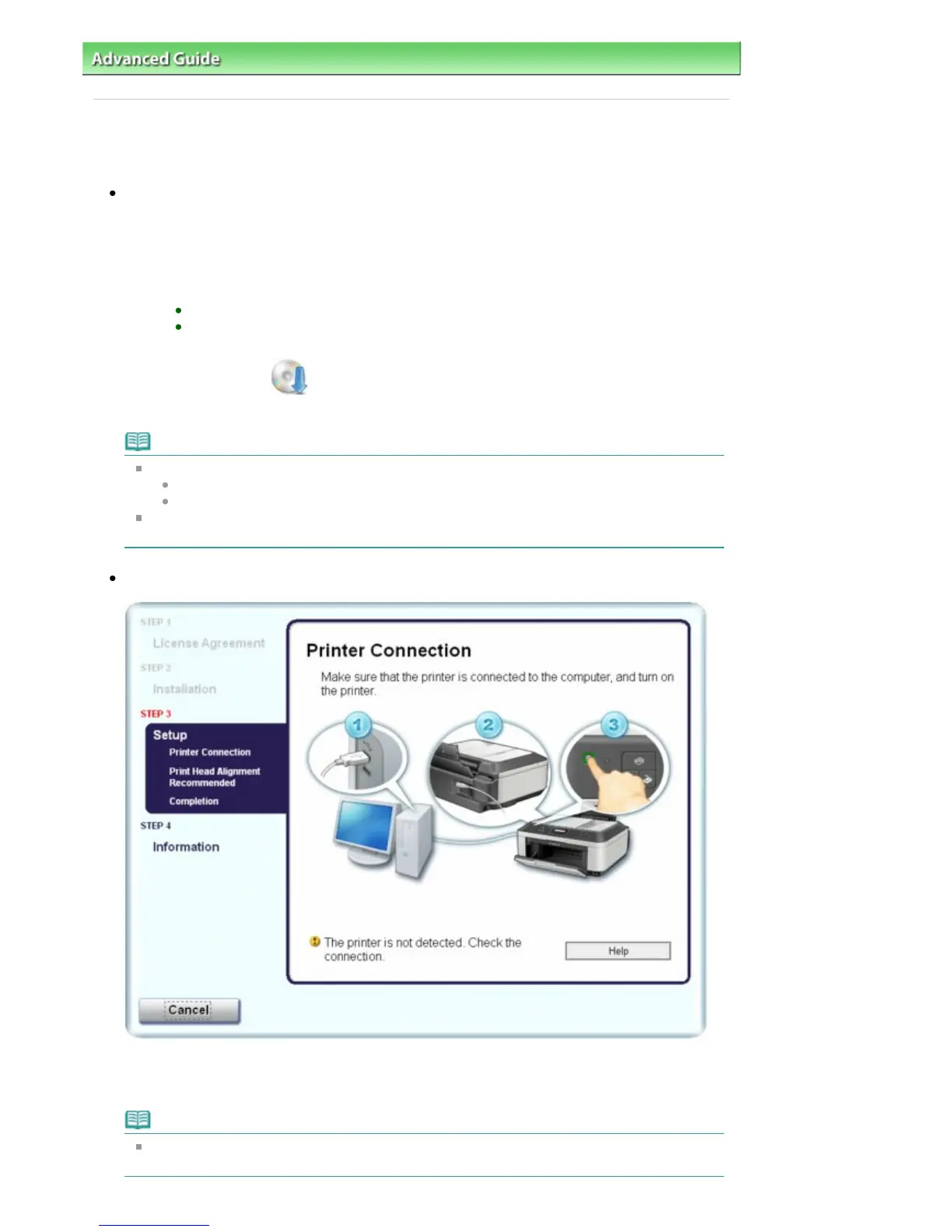
If you are unable to proceed beyond the Printer Connection screen:
If you are unable to proceed beyond the Printer Connection screen, make sure that the USB cable is
securely plugged into the USB port of the machine and is connected to the computer, and then
follow the procedure below to reinstall the MP Drivers.
Note
The printer is not detected. Check the connection. may be displayed depending on the
computer you use. In this case, follow the procedure below to reinstall the MP Drivers.
Seite 811 von 922 SeitenCannot Install the MP Drivers















 To Next Page