Advanced Guide
Troubleshooting
Contents
>
Faxing > Receiving Faxes
C159
Receiving Faxes
This section describes the preparation necessary for receiving a fax and how to receive a fax. This
section also describes the operation to print documents stored in the machine's memory such as when
ink or paper runs out.
Preparing for Receiving a Fax
Receiving a Fax
Receiving a Fax Temporarily in the Machine's Memory (Memory Receiving)
Printing Documents in the Machine's Memory
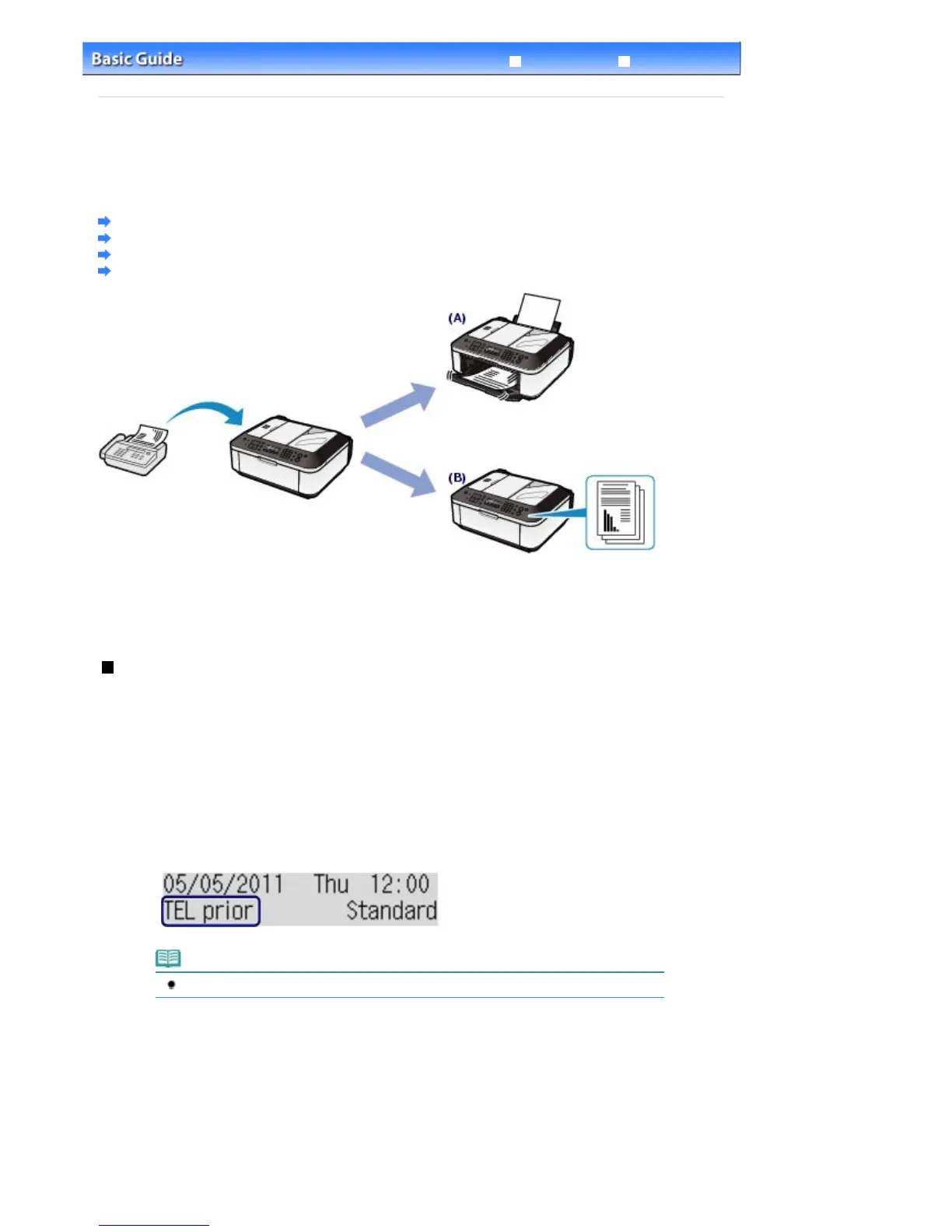
(A) Prints a received fax.
See
Receiving a Fax
.
(B) Stores a received fax in the machine's memory without printing it.
See
Receiving a Fax Temporarily in the Machine's Memory (Memory Receiving)
.
Preparing for Receiving a Fax
Prepare for receiving a fax according to the following procedure.
1.
Make sure that the power is turned on.
See
Operation Panel
.
2.
Make sure of the receive mode setting.
(1)
Press the
FAX
button.
(2)
Confirm the receive mode.
Note
To change the receive mode, see
Setting the Receive Mode
.
3.
Load paper.
See
Loading Plain Paper / Photo Paper
.
Here we make sure that the plain paper is loaded in the Rear Tray.
4.
Specify the paper settings as necessary.
(1)
Press the
Settings
button.
The Page size screen will appear.
Seite 38 von 922 SeitenReceiving Faxes















 To Next Page