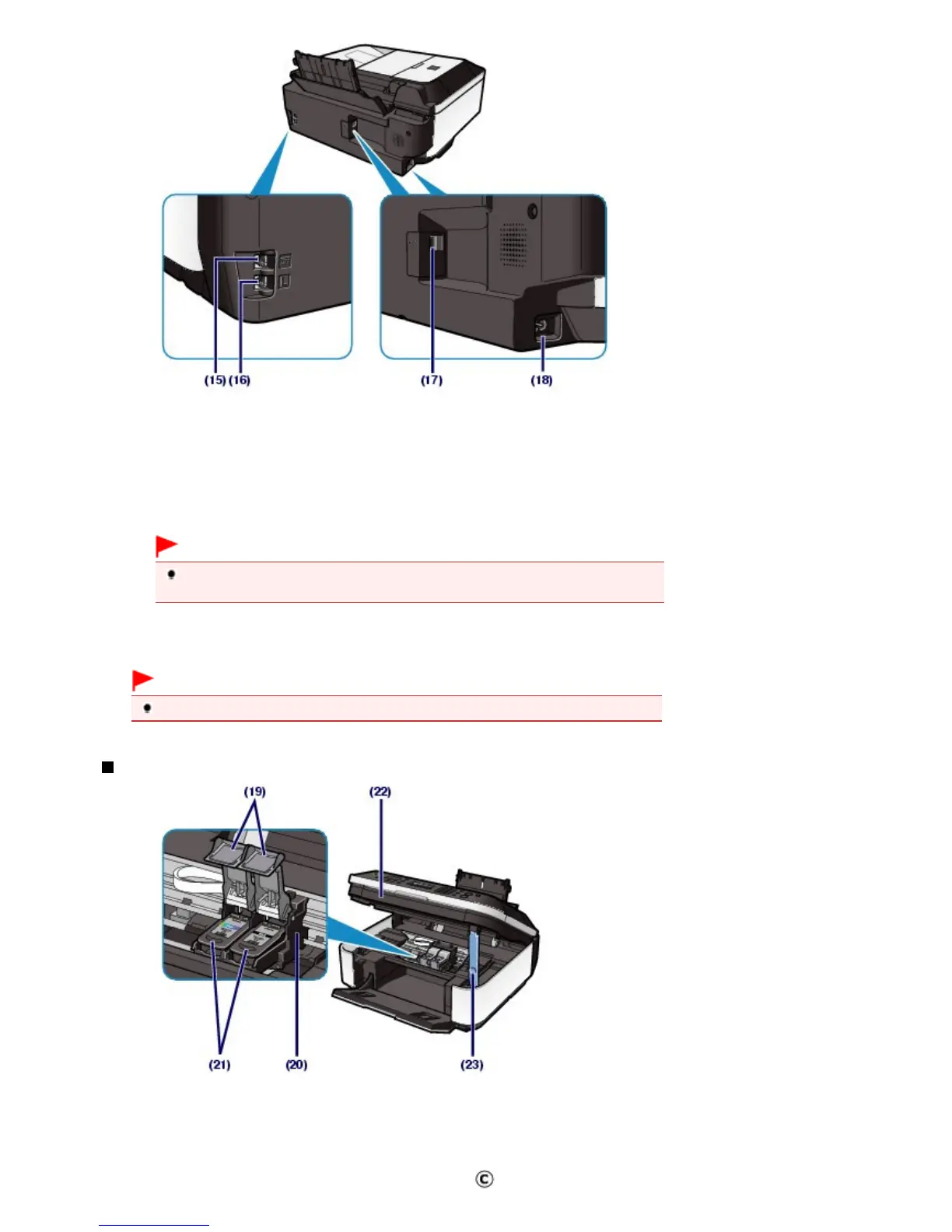
(15)
External Device Jack
Connect an external device such as telephone or answering machine.
(16)
Telephone Line Jack
Connect the telephone line.
(17)
USB Port
Plug in the USB cable to connect the machine with a computer.
Important
Do not plug in or unplug the USB cable while the machine is printing or scanning originals
(18)
Power Cord Connector
Plug in the supplied power cord.
Important
Do not touch the metal casing.
Inside View
(19)
Ink Cartridge Locking Covers
Lock the FINE Cartridges into place.
(20)
FINE Cartridge Holder
Install the FINE Cartridges.
The Color FINE Cartridge should be installed into the left slot ( ) and the Black FINE Cartridge should be
Seite 6 von 922 SeitenMain Components















 To Next Page