Advanced Guide
>
Printing Using the Operation Panel of the Machine
>
Copying > Setting Items
U032
Setting Items
You can change the copy settings such as the page size, media type, or intensity.
In Copy mode, press the
Settings
button repeatedly to switch the setting item. Use the
button to
select the setting, then press the
OK
button.
The LCD returns to the Copy standby screen when the changing of copy settings is complete.
Note
The * (asterisk) on the LCD indicates the current setting.
Some settings cannot be specified in combination with the setting of other setting items or the copy
menu.
The settings of the page size, media type, etc. are retained even if the machine is turned off.
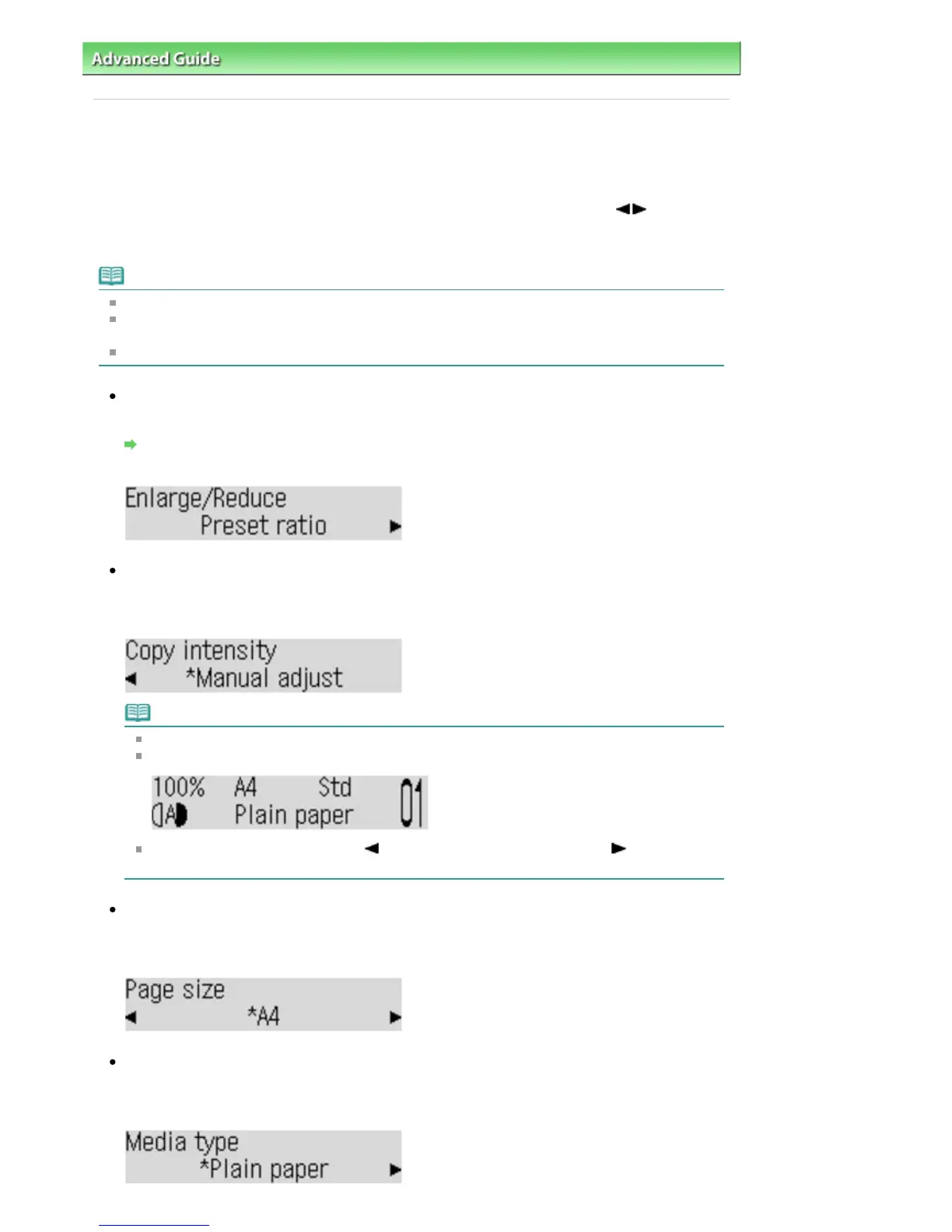
Enlarge/Reduce
Select the reduction/enlargement method.
Reducing or Enlarging a Copy
Ex:
Copy intensity
Change the intensity.
Ex:
Note
If you select Auto adjust (A), load the original on the Platen Glass.
If you select Auto adjust (A), A appears on the LCD.
If you select Manual adjust, use the button to decrease the intensity or the
button to
increase it.
Page size
Select the page size of the loaded paper.
Ex:
Media type
Select the media type of the loaded paper.
Ex:
Seite 350 von 922 SeitenSetting Items















 To Next Page