Advanced Guide
>
Appendix
> Editing the Print Document or Reprinting from the Print History
P048
Editing the Print Document or Reprinting from the Print History
This function is unavailable when the standard IJ printer driver is used.
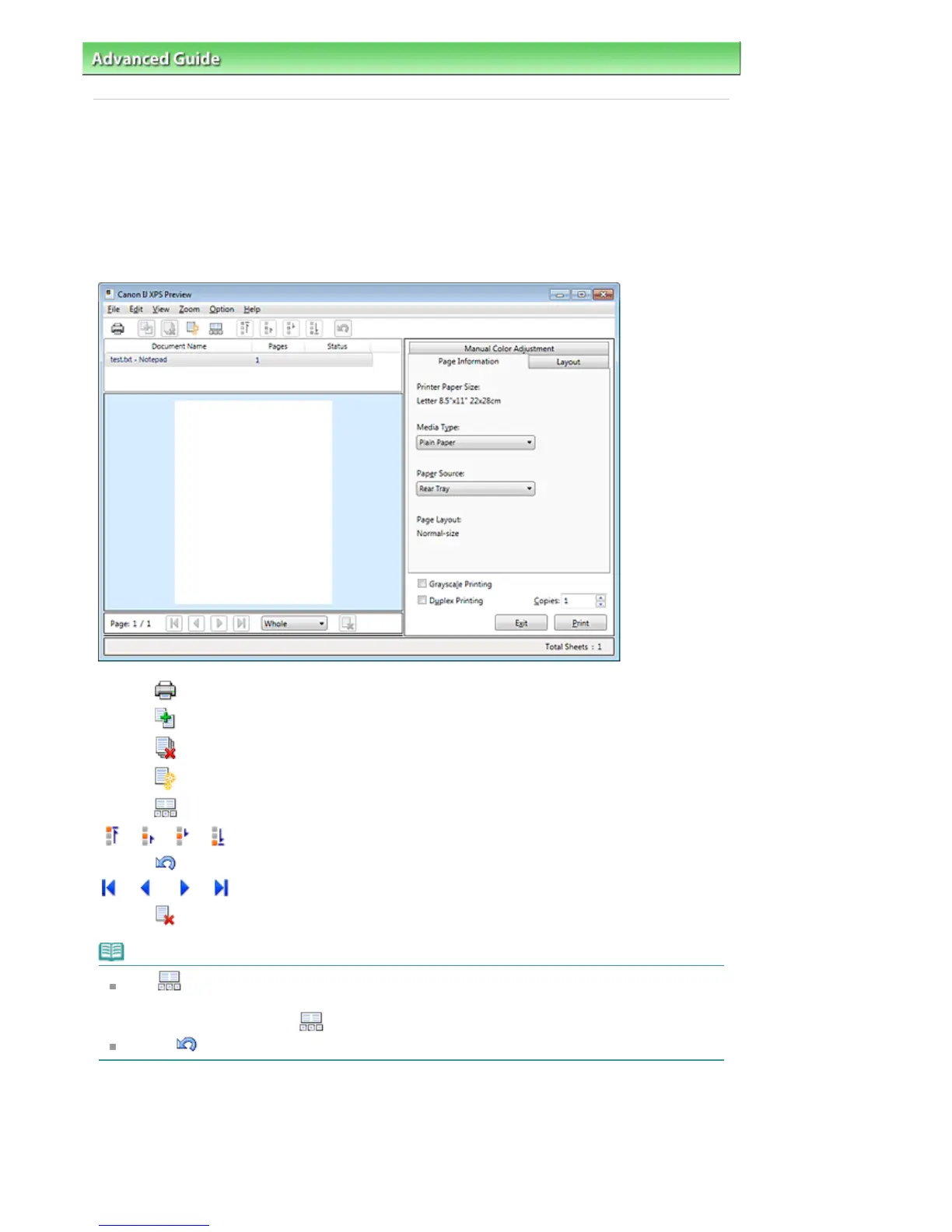
In the Canon IJ XPS preview window, you can edit the print document or retrieve the document print
history to print the document.
The procedure for using the Canon IJ XPS Preview is as follows:
Print
Combine Documents
Delete Document
Reset Documents
View Thumbnails
Move Document
Undo
Move Page
Delete Page
Note
Click View Thumbnails to view all print pages of the print document selected from the
Document Name list.
To hide the print pages, click
View Thumbnails again.
Clicking
Undo reverses the change that just performed.
Editing and Printing a Print Job
When printing multiple documents or pages, you can combine documents, change the print sequence of
the documents or pages, or delete documents or pages.
Open the
printer driver setup window
Seite 899 von 922 SeitenEditing the Print Document or Reprinting from the Print History















 To Next Page