Advanced Guide
>
Printing from a Computer
>
Printing with Other Application Software
>
Various Printing
Methods
> Fit-to-Page Printing
P004
Fit-to-Page Printing
The procedure for printing a document that is automatically enlarged or reduced to fit the page size to be
used is as follows:
1.
Open the
printer driver setup window
2.
Set fit-to-page printing
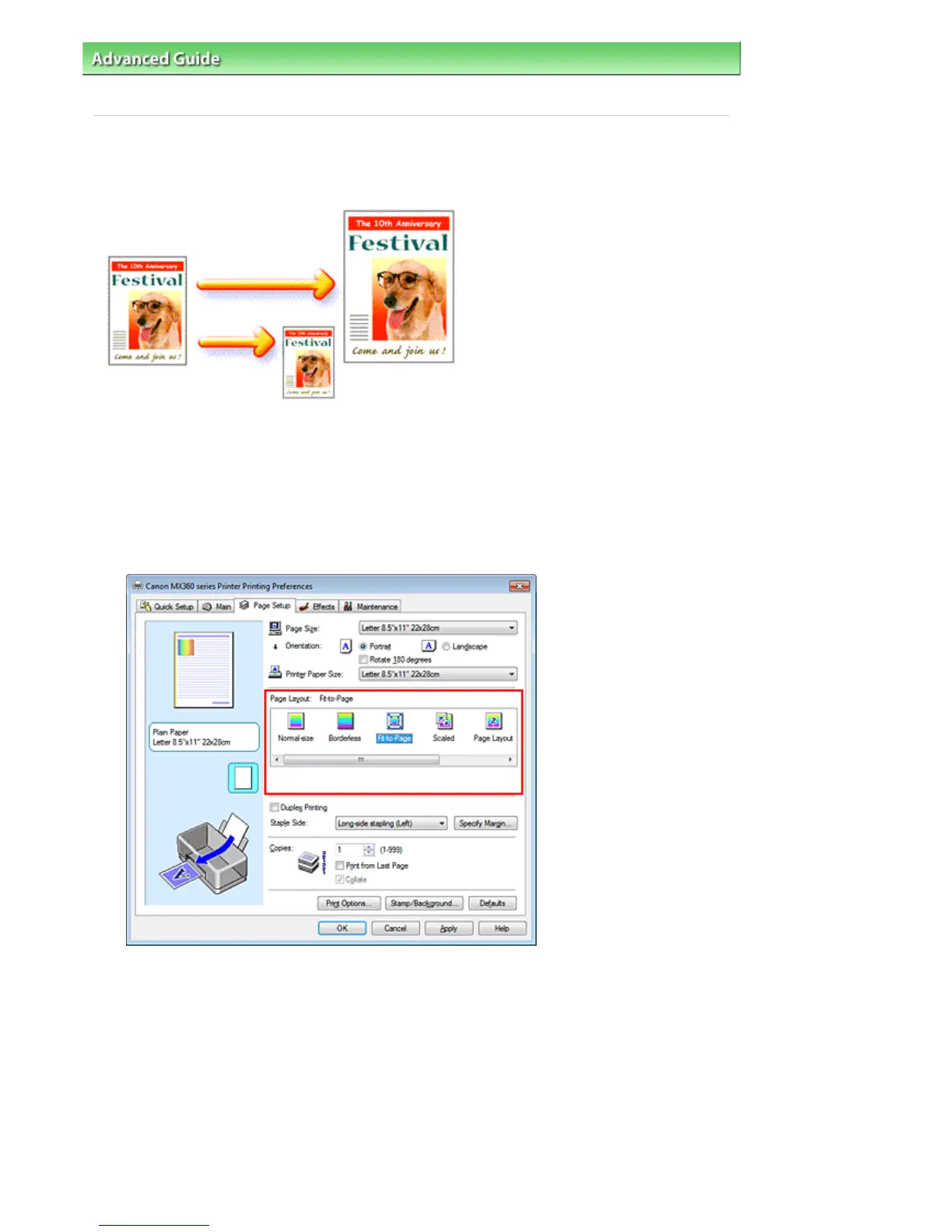
Select Fit-to-Page from the Page Layout list on the Page Setup tab.
3.
Select the paper size for the data
Using Page Size, select the page size that is set with your application software.
4.
Select the print paper size
Select the size of the paper loaded in the machine from the Printer Paper Size list.
When the Printer Paper Size is smaller than the Page Size, the page image will be reduced. When
the Printer Paper Size is larger than the Page Size, the page image will be enlarged.
The current settings are displayed in the settings preview on the left side of the printer driver.
Seite 280 von 922 SeitenFit-to-Page Printing















 To Next Page