Advanced Guide
>
Printing from a Computer
>
Printing with the Bundled Application Software
>
Other
Settings
> Setting Holidays
A099
Setting Holidays
You can add holidays to your calendar.
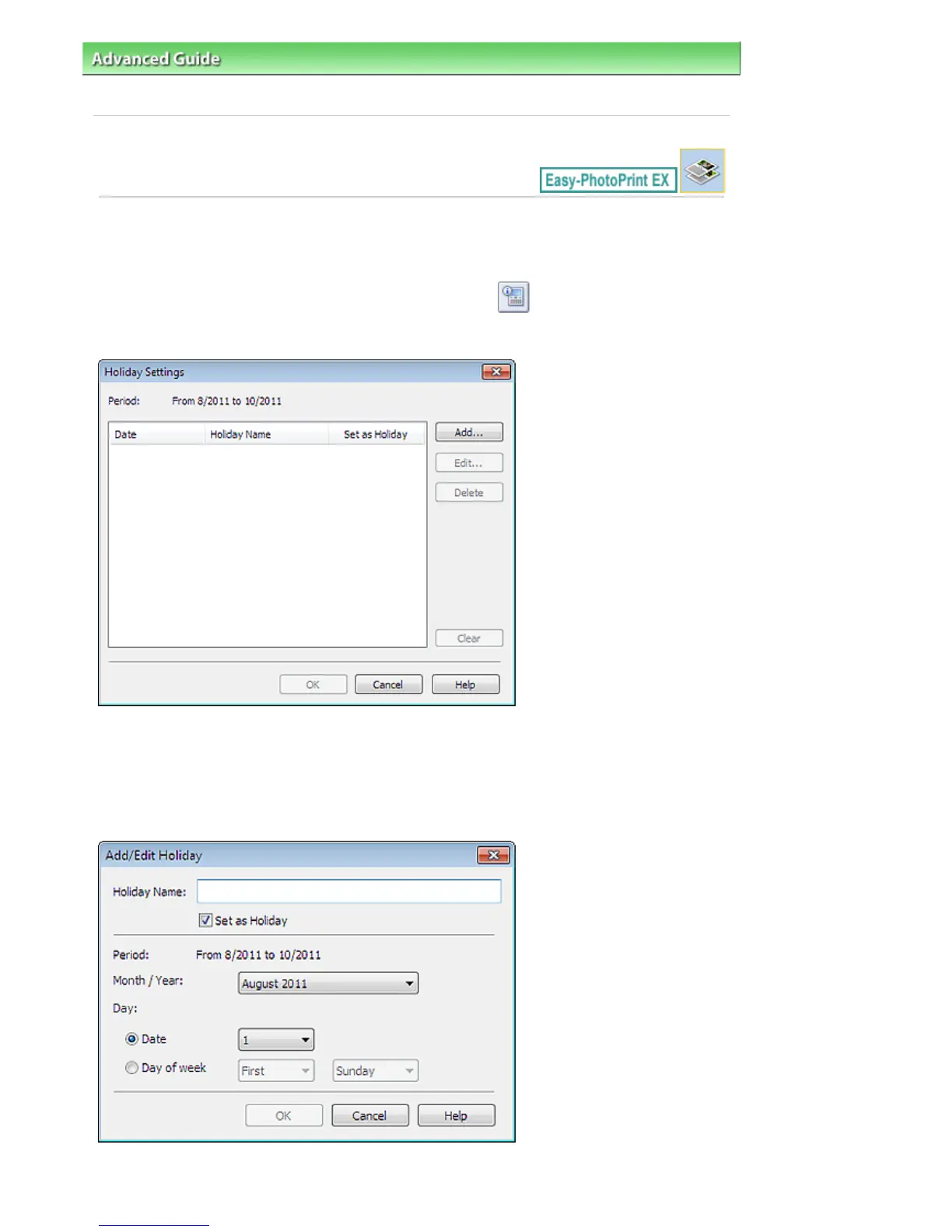
Click Set Holidays... in the Page Setup screen of Calendar, or click (Setup Period/Holiday) in the
Edit screen and click Set Holidays... in the Calendar General Settings dialog box to display the Holiday
Settings dialog box.
To add a holiday, click Add.... The Add/Edit Holiday dialog box appears. To edit a saved holiday, select it
and click Edit....
To delete a holiday, select it and click Delete. To delete all the saved holidays within your calendar
period, click Clear.
In the Add/Edit Holiday dialog box that appears by clicking Add... or Edit..., you can specify the name and
date of the holiday.
Enter the name in Holiday Name and specify the date.
Seite 265 von 922 SeitenSetting Holidays















 To Next Page