Advanced Guide
>
Scanning
>
Scanning with the Bundled Application Software
>
Let's Try Scanning
>
Scanning Photos and Documents
S102
Scanning Photos and Documents
Scan photos and documents placed on the Platen.
1.
Place the document on the Platen.
Placing Documents
2.
Start MP Navigator EX and open the Navigation Mode screen.
Starting MP Navigator EX
3.
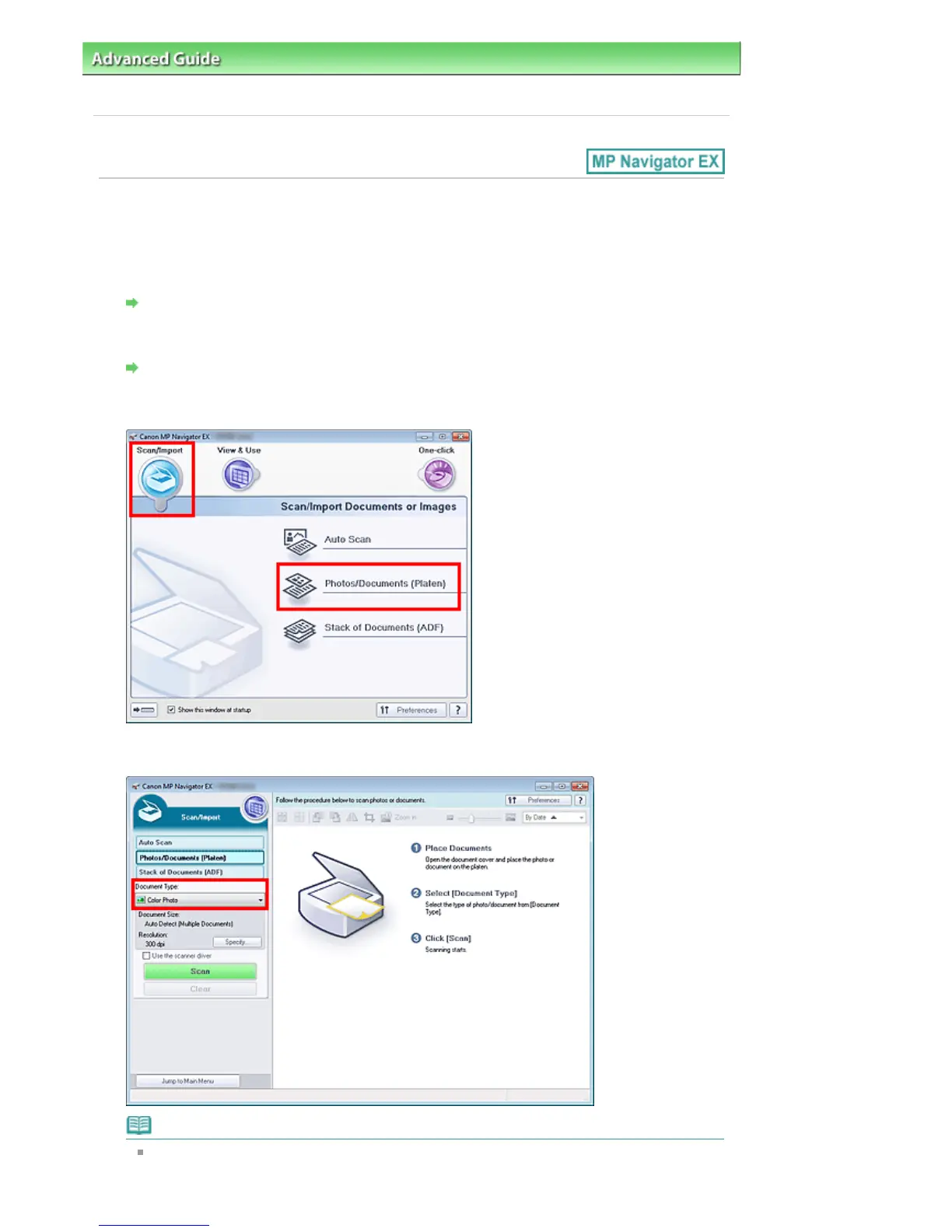
In Scan/Import, click Photos/Documents (Platen).
4.
Select Document Type according to the document to be scanned.
Note
When you select Magazine(Color), the descreen function will be enabled and scanning takes
longer than usual. To disable the descreen function, deselect the Descreen checkbox in the
Seite 392 von 922 SeitenScanning Photos and Documents















 To Next Page