Advanced Guide
>
How to Use This Manual
> Registering Documents to My Manual
Registering Documents to My Manual
Register frequently read documents as My Manual documents so that you can refer to those documents
easily at any time.
1.
Display the document
Display the document to be added to My Manual.
2.
Click
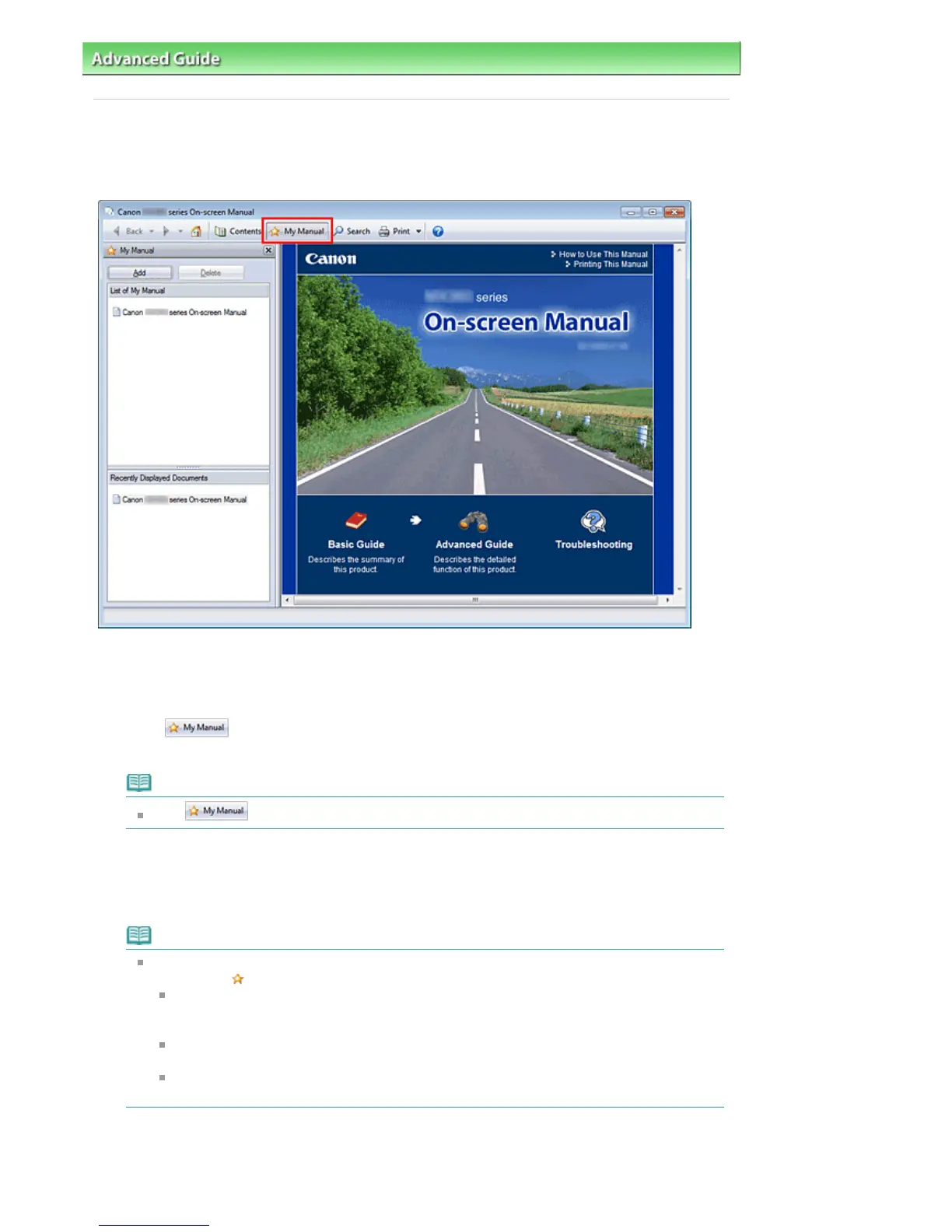
The My Manual pane is displayed to the left of the on-screen manual.
Note
Click
to close or display the My Manual pane.
3.
Register the document to My Manual
Click Add.
The title of the currently displayed document is added to List of My Manual.
Note
You can also add documents to My Manual by the following methods. If you add a document to
My Manual, a
mark is displayed in the document icons in the contents pane.
From the Recently Displayed Documents list, double-click the document title that you want
to add to My Manual or select the document title and press the Enter key to display the title,
and then click Add.
Right-click the document title displayed in the contents pane or right-click the explanation
In the contents pane, select the document title that you want to add to My Manual, and then
click Add to My Manual at the bottom right of the contents pane.
4.
Display My Manual
When you double-click a document title displayed in List of My Manual or select a document title and
press the Enter key, that document is displayed in the explanation window.
Seite 137 von 922 SeitenRegistering Documents to My Manual















 To Next Page