Advanced Guide
>
Printing from a Computer
>
Printing with the Bundled Application Software
>
Printing
Calendars
> Selecting the Paper and Layout
A042
Selecting the Paper and Layout
1.
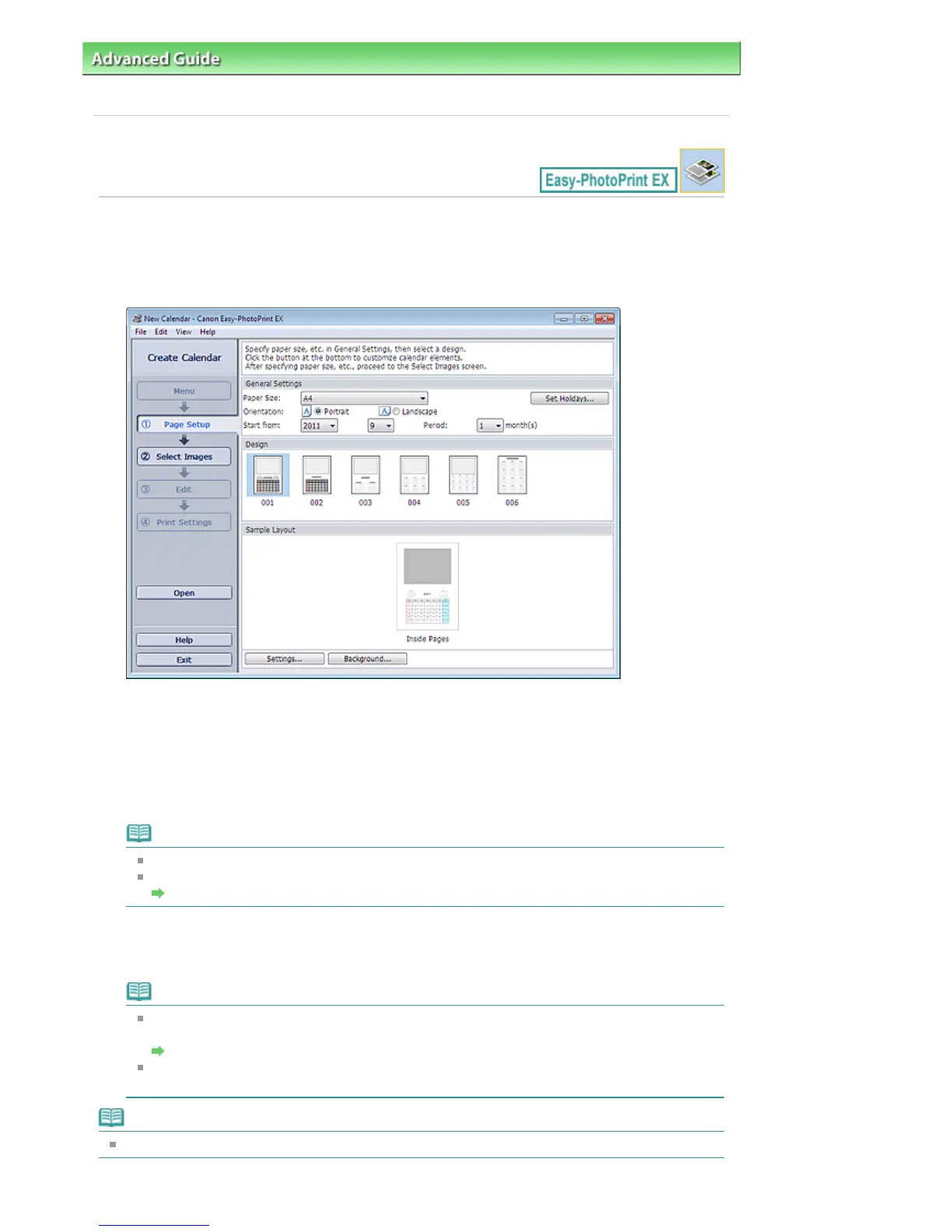
Click Calendar from Menu.
The Page Setup screen appears.
2.
Set the following items in the General Settings section:
Paper Size
Orientation
Start from
Period
Note
See Help on the paper size that can be selected.
You can add holidays to your calendar.
Setting Holidays
3.
Select a layout for Design.
If necessary, make advanced settings on the calendar and set the background.
Note
You can customize the calendar display (font colors of the dates and days of the week, position
and size of the calendar, etc.).
Setting Calendar Display
You can paint the background in a single color or paste an image file to it in the Change
Background dialog box. To display the Change Background dialog box, click Background....
Note
See Help for details on the Page Setup screen.
Seite 168 von 922 SeitenSelecting the Paper and Layout















 To Next Page