Advanced Guide
>
Printing from a Computer
>
Printing with Other Application Software
>
Changing the
Print Quality and Correcting Image Data > Selecting a Combination of the Print Quality Level and a
Halftoning Method
P011
Selecting a Combination of the Print Quality Level and a
Halftoning Method
You can individually set the combined representation method for the print quality level and the halftoning
method.
The procedure for setting the print quality level and the halftoning method is as follows:
1.
Open the
printer driver setup window
2.
Select the print quality
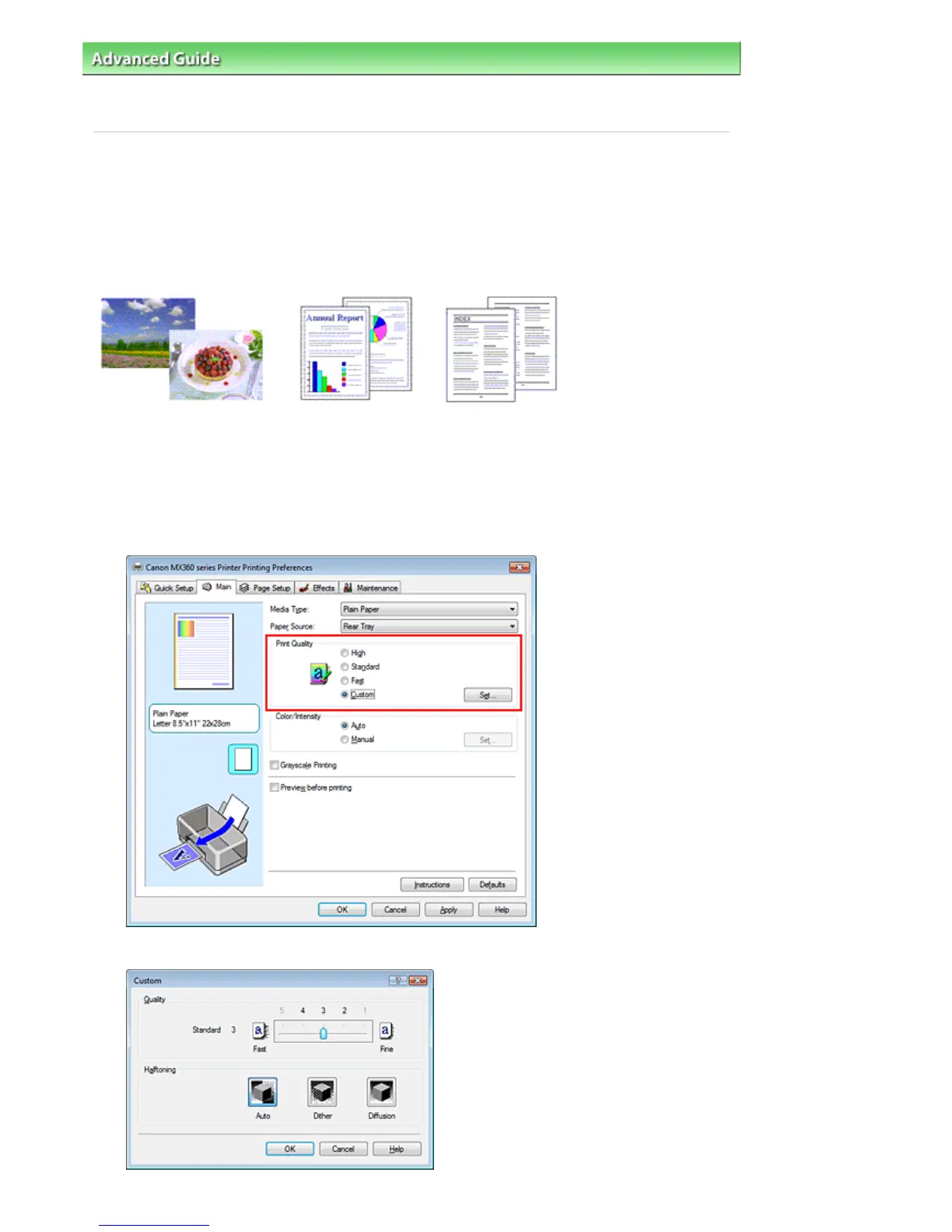
Select Custom for Print Quality on the Main tab, and click Set....
The Custom dialog box opens.
Seite 308 von 922 SeitenSelecting a Combination of the Print Quality Level and a Halftoning Meth...















 To Next Page