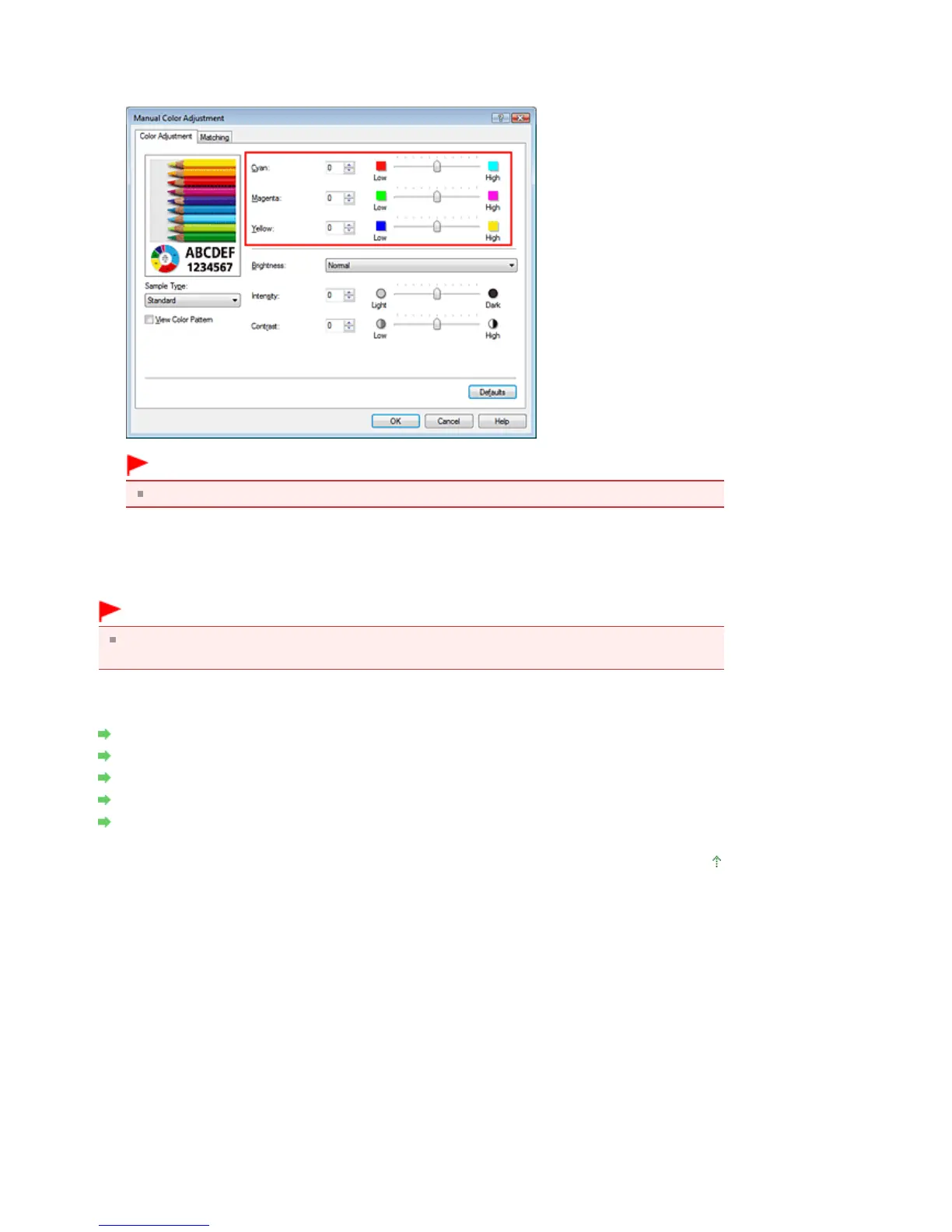
You can also directly enter a value linked to the slider. Enter a value in the range from -50 to 50. The
current settings are displayed in the settings preview on the left side of the printer driver.
After adjusting each color, click OK.
Important
Adjust the slider gradually.
4.
Complete the setup
Click OK on the Main tab.
When you execute print, the document is printed with the adjusted color balance.
Important
When the Grayscale Printing check box on the Main tab is checked, Cyan, Magenta, and Yellow
appear grayed out and are unavailable.
Related Topics
Selecting a Combination of the Print Quality Level and a Halftoning Method
Specifying Color Correction
Adjusting Brightness
Adjusting Intensity
Adjusting Contrast
Page top
Seite 322 von 922 SeitenAdjusting Color Balance















 To Next Page