Important
Large documents (such as A4 size photos)
that cannot be placed away from the edges/
arrow (alignment mark) of the Platen may be
saved as PDF files. To save in a format other
than PDF, scan by specifying the file format.
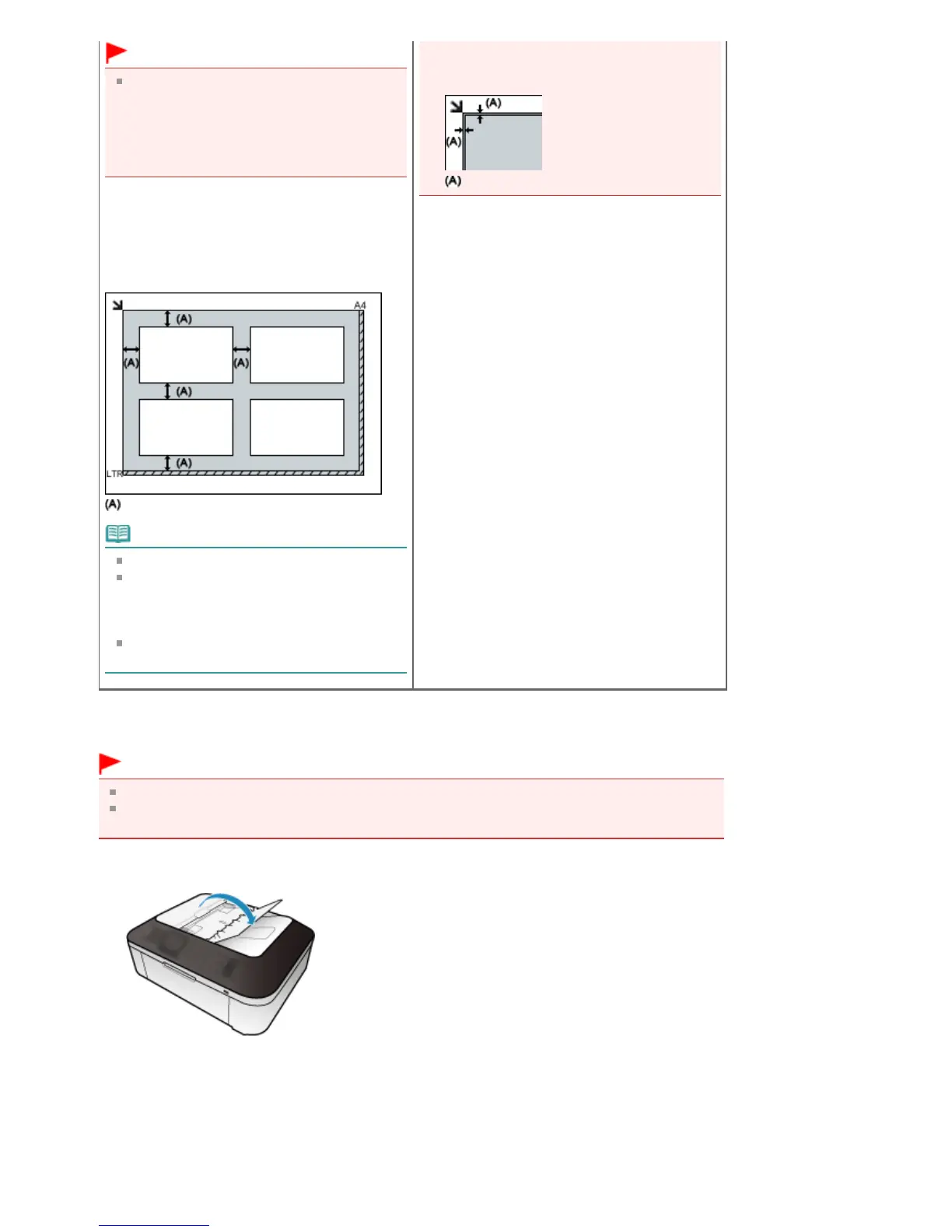
Placing Multiple Documents
Allow 0.4 inches (1 cm) or more space between
the edges (diagonally striped area) of the Platen
and documents, and between documents.
Portions placed on the diagonally striped area
cannot be scanned.
more than 0.4 inches (1 cm)
Note
You can place up to 12 documents.
You can place up to 4 documents when the
Compress scanned images when
transferring checkbox is selected on the "
General Tab" of the Preferences dialog box.
Positions of slanted documents (10 degrees
or less) are corrected automatically.
inwards from the alignment mark cannot be
scanned.
0.04 inches (1 mm)
Placing Documents (ADF (Auto Document Feeder))
Important
Place and align documents of the same size when scanning two or more documents.
When scanning from the ADF, the supported document sizes are A5 Portrait, B5, A4, Letter, and
Legal.
1.
Open the Document Tray.
2.
Place the documents on the ADF, then adjust the Document Guides to the width of
the documents.
Insert the documents face-up until a beep sounds.
Place the documents face-up to scan both sides of the documents.
Seite 370 von 922 SeitenPlacing Documents















 To Next Page