Advanced Guide
>
Scanning
>
Scanning with the Bundled Application Software
>
Utilizing Images in MP
Navigator EX > Saving
S112
Saving
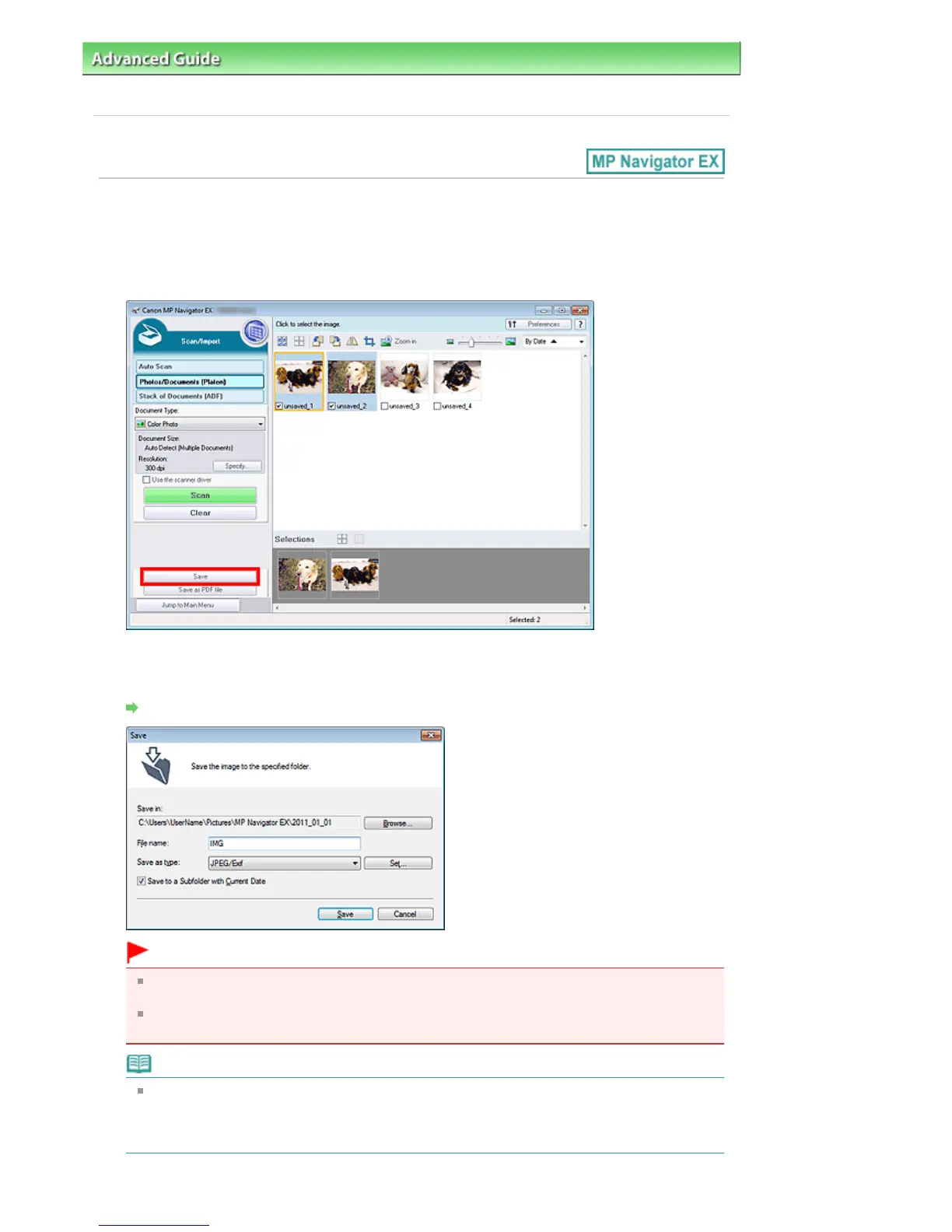
Save images scanned with MP Navigator EX to a computer.
1.
Select the checkboxes of the images you want to save, then click Save.
2.
In the Save dialog box, specify the save settings.
Specify the destination folder, file name, and file type.
Save Dialog Box
Important
You cannot select JPEG/Exif when Document Type is Text(OCR), Text(Simplex), or
Text(Duplex).
You cannot select JPEG/Exif when Black and White is selected for Color Mode on the Advanced
Mode tab of ScanGear (scanner driver).
Note
By default, the scanned images are saved in the following folders.
Windows 7: MP Navigator EX folder in My Pictures folder
Windows Vista: MP Navigator EX folder in Pictures folder
Windows XP: MP Navigator EX folder in My Pictures folder
Seite 425 von 922 SeitenSaving















 To Next Page