1.
In the View & Use window, select image/PDF files and click PDF.
2.
Click Create/Edit PDF file on the list.
Creating/Editing PDF Files
3.
Edit files in the Create/Edit PDF file window, then click Save Selected Pages or
Save All Pages.
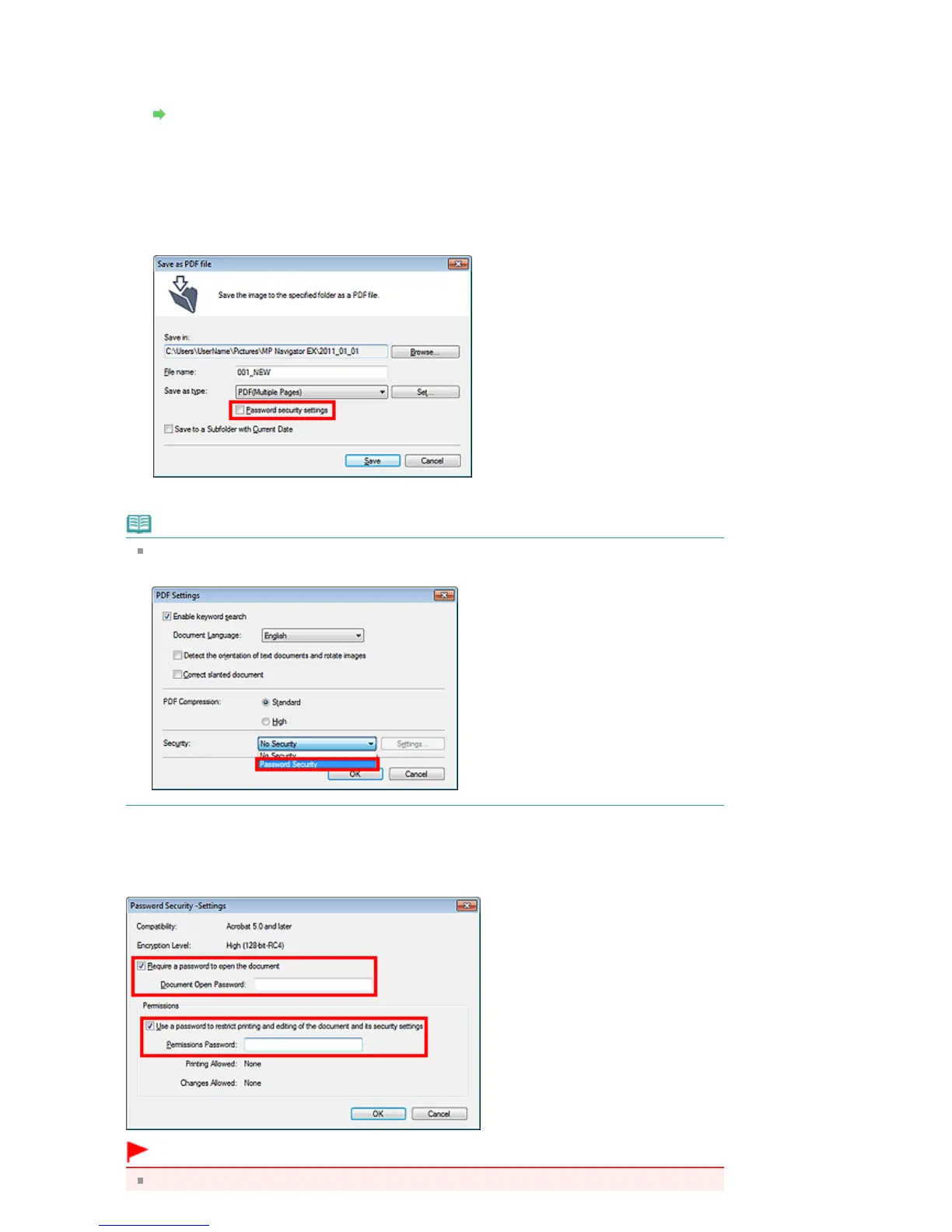
The Save as PDF file dialog box opens.
4.
Select the Password security settings checkbox.
The Password Security -Settings dialog box opens.
Note
You can also open the Password Security -Settings dialog box by clicking Set..., then selecting
Password Security for Security in the PDF Settings dialog box.
2.
Select the Require a password to open the document or Use a password to restrict
printing and editing of the document and its security settings checkbox, then enter a
password.
Important
Up to 32 single-byte alphanumeric characters can be used for the password. Passwords are
Seite 441 von 922 SeitenSetting Passwords for PDF Files















 To Next Page