Advanced Guide
>
Scanning
>
Scanning with the Bundled Application Software
>
MP Navigator EX Screens
> Scan Settings Dialog Box (Stack of Documents (ADF))
S720
Scan Settings Dialog Box (Stack of Documents (ADF))
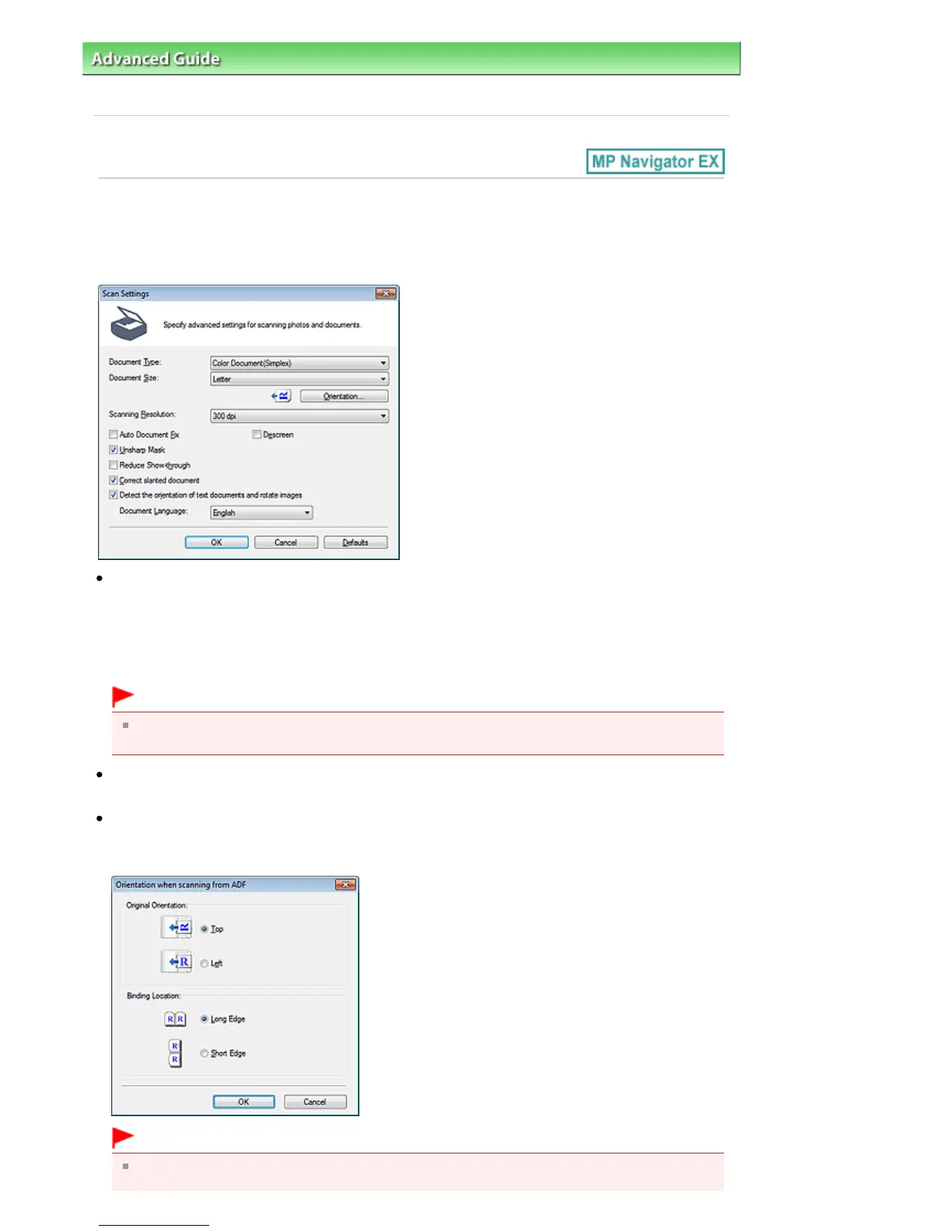
The Scan Settings dialog box opens when you click Specify... in the Scan/Import window.
In the Scan Settings dialog box, you can make advanced scan settings.
Document Type
Select the type of document to be scanned.
When scanning one side of each document: Color Document(Simplex), Black and White
Document(Simplex), or Text(Simplex)
When scanning both sides of each document: Color Document(Duplex), Black and White
Document(Duplex), or Text(Duplex)
Important
You cannot select Text(Simplex) or Text(Duplex) when the Compress scanned images when
transferring checkbox is selected on the " General Tab" of the Preferences dialog box.
Document Size
Select the size of the document to be scanned.
Orientation...
Set the orientation and stapling side of the documents to be scanned.
Click to open the Orientation when scanning from ADF dialog box.
Important
Binding Location cannot be specified when a simplex type such as Color Document(Simplex) is
selected for Document Type.
Seite 469 von 922 SeitenScan Settings Dialog Box (Stack of Documents (ADF))















 To Next Page