Note
A password will be required to add a password-protected PDF file.
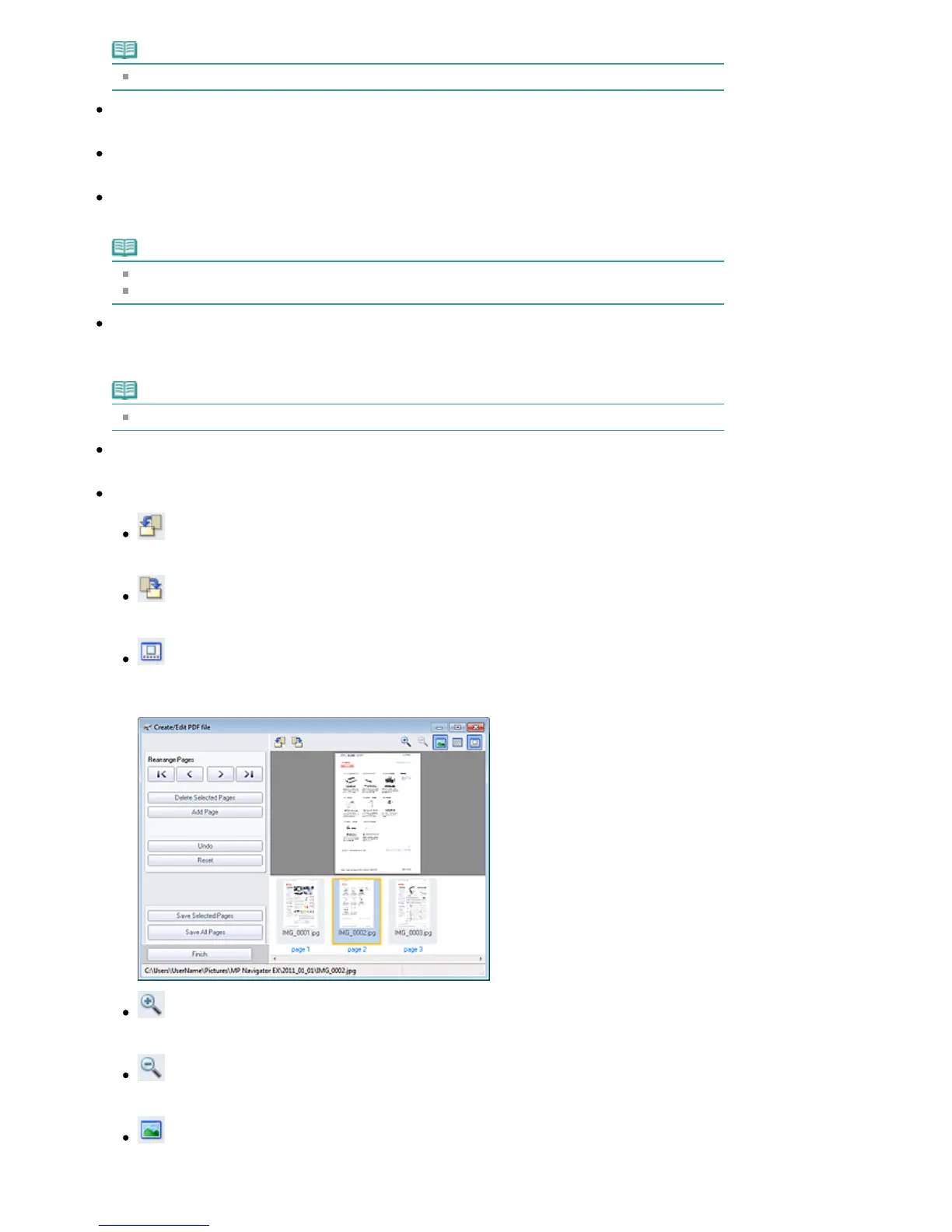
Undo
Cancels the latest change made.
Reset
Cancels all the changes made.
Save Selected Pages
Opens the Save as PDF file dialog box. Specify the save settings. Only the selected page is saved.
Note
When multiple pages are selected, a multiple-page PDF file is created.
See "
Save as PDF file Dialog Box
" for details on the Save as PDF file dialog box.
Save All Pages
Opens the Save as PDF file dialog box. Specify the save settings and save all pages in the list as one
PDF file or save all pages as separate PDF files.
Note
See "
Save as PDF file Dialog Box
" for details on the Save as PDF file dialog box.
Finish
Closes the Create/Edit PDF file window.
Toolbar
(Rotate Left)
Rotates the page 90 degrees counter-clockwise.
(Rotate Right)
Rotates the page 90 degrees clockwise.
(Preview Mode)
Switches to Preview Mode.
The selected page appears in Preview.
(Enlarge)
Enlarges the image displayed in Preview.
(Reduce)
Reduces the image displayed in Preview.
(Full-screen)
Displays the entire image.
Seite 483 von 922 SeitenCreate/Edit PDF file Window















 To Next Page