Advanced Guide
>
Scanning
>
Scanning with the Bundled Application Software
>
MP Navigator EX Screens
> Print Photo Dialog Box
S729
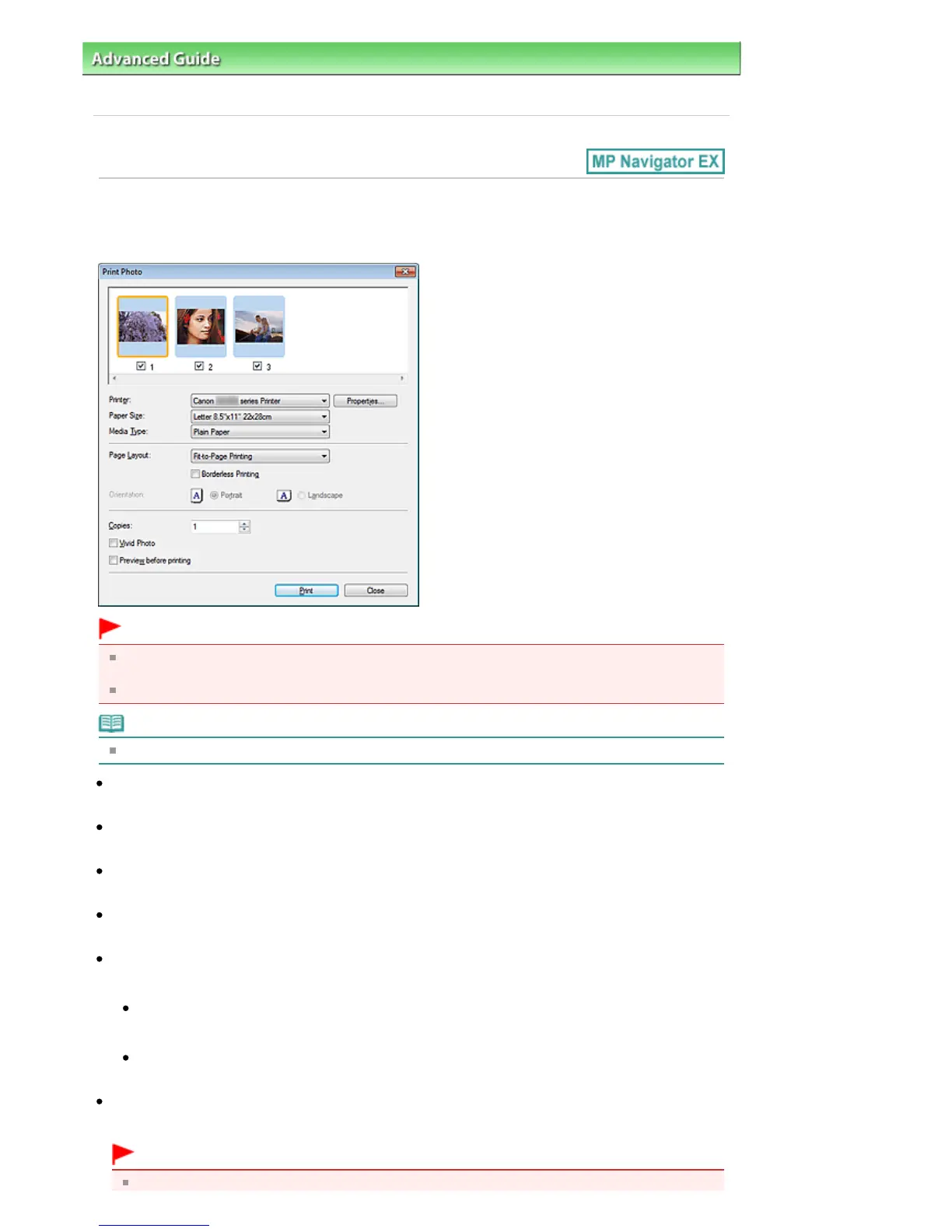
Print Photo Dialog Box
Click Print in the View & Use window, then click Print Photo on the list to open the Print Photo dialog box.
Important
The Print Photo dialog box will not open if Easy-PhotoPrint EX is installed. Easy-PhotoPrint EX starts
instead.
PDF files cannot be printed.
Note
Double-click an image to display it in a different window.
Printer
Select the printer to use.
Properties...
Displays the selected printer's advanced setting screen.
Paper Size
Select the size of paper for printing. Match the size to the size of the paper set in the machine.
Media Type
Select the type of paper for printing. Print quality may be fixed depending on the paper type.
Page Layout
Select a print type.
Normal-size Printing
Print one image per sheet.
Fit-to-Page Printing
Print an image at the paper size (enlarged or reduced).
Borderless Printing
Select this checkbox to print the image on an entire sheet of paper without borders.
Important
Page Layout setting will be disabled when you select Borderless Printing.
Seite 487 von 922 SeitenPrint Photo Dialog Box















 To Next Page