The File Name and Save in settings will be displayed.
Important
If you select this function, you will not be able to set passwords for PDF files.
File Name
Enter the file name of the image to be saved (up to 64 characters).
Save as type
Set this item using the Operation Panel of the machine.
Set...
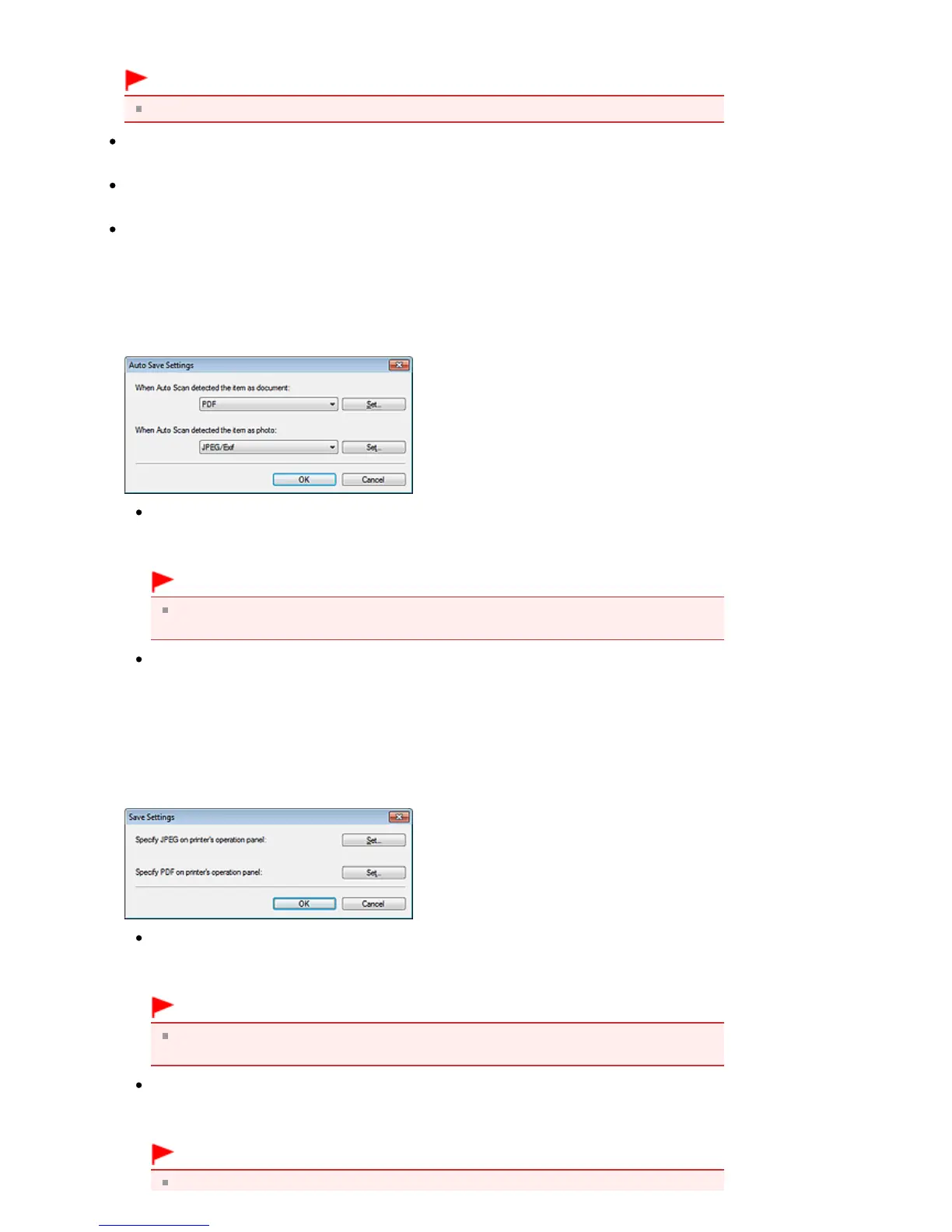
When Document Type is Auto Scan
The Auto Save Settings dialog box opens and you can specify the file format in which to save images
automatically and other advanced save settings. Select a file format for items detected as
documents, and for items detected as photos.
When JPEG/Exif is Selected
Click Set... to specify a compression type for JPEG files. Select High(Low Compression),
Standard, or Low(High Compression).
Important
This setting is not available when the Compress scanned images when transferring
checkbox is selected on the " General Tab" of the Preferences dialog box.
When PDF is Selected
Click Set... to make advanced settings for creating PDF files. See " PDF Settings Dialog Box
" for
details.
When Document Type is Document or Photo
The Save Settings dialog box opens and you can make advanced settings for saving images
scanned using the Operation Panel of the machine as JPEG or PDF files.
Specify JPEG on printer's operation panel
Click Set... to specify a compression type for JPEG files. Select High(Low Compression),
Standard, or Low(High Compression).
Important
This setting is not available when the Compress scanned images when transferring
checkbox is selected on the " General Tab" of the Preferences dialog box.
Specify PDF on printer's operation panel
Click Set... to make advanced settings for creating PDF files. See " PDF Settings Dialog Box
" for
details.
Important
Use the Operation Panel of the machine to set the compression type for saving.
Seite 531 von 922 SeitenScanner Button Settings Tab (Save to PC)















 To Next Page