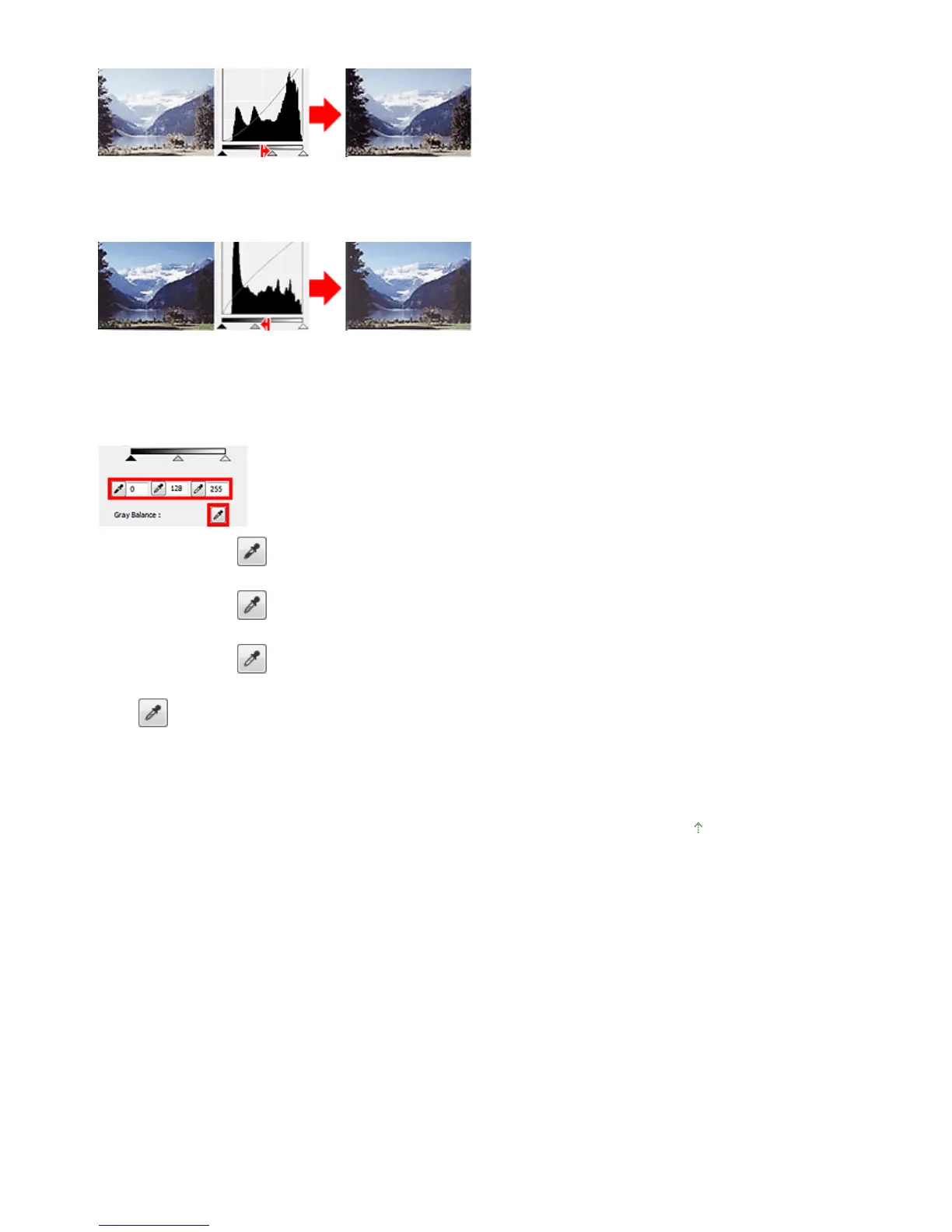
Move the Mid-point Slider toward the highlight side.
Images with more data distributed to the shadow side
Move the Mid-point Slider toward the shadow side.
Adjusting Histograms (Using the Droppers)
When you select a Channel and click the Black-point, Mid-point or White-point Dropper, the mouse
pointer on the preview image changes to a dropper. Click a Dropper displayed below the histogram to
change the setting.
- The point clicked with (Black-point Dropper) will be the darkest point. You can also enter a value (0
to 245).
- The point clicked with (Mid-point Dropper) will be the middle of the tonal range. You can also enter
a value (5 to 250).
- The point clicked with (White-point Dropper) will be the brightest point. You can also enter a value
(10 to 255).
- Click
(Dropper) for Gray Balance and click the area you want to adjust the color in the preview
image.
The clicked point will be set as the achromatic color reference, and the rest of the image is adjusted
accordingly. For instance, if snow in a photo appears bluish, click the bluish part to adjust the whole
image and reproduce natural colors.
Page top
Seite 568 von 922 SeitenAdjusting Histogram















 To Next Page