Advanced Guide
>
Maintenance
>
Aligning the Print Head > Aligning the Print Head
U096
Aligning the Print Head
If printed ruled lines are misaligned or print results are otherwise unsatisfactory, adjust the print head
position.
Note
If the remaining ink level is low, the print head alignment sheet will not be printed correctly. Replace
the FINE Cartridge whose ink is low.
Routine Maintenance
1.
Make sure that the power is turned on.
2.
Load a sheet of A4 or Letter-sized plain paper in the Rear Tray.
3.
Open the Paper Output Tray gently.
4.
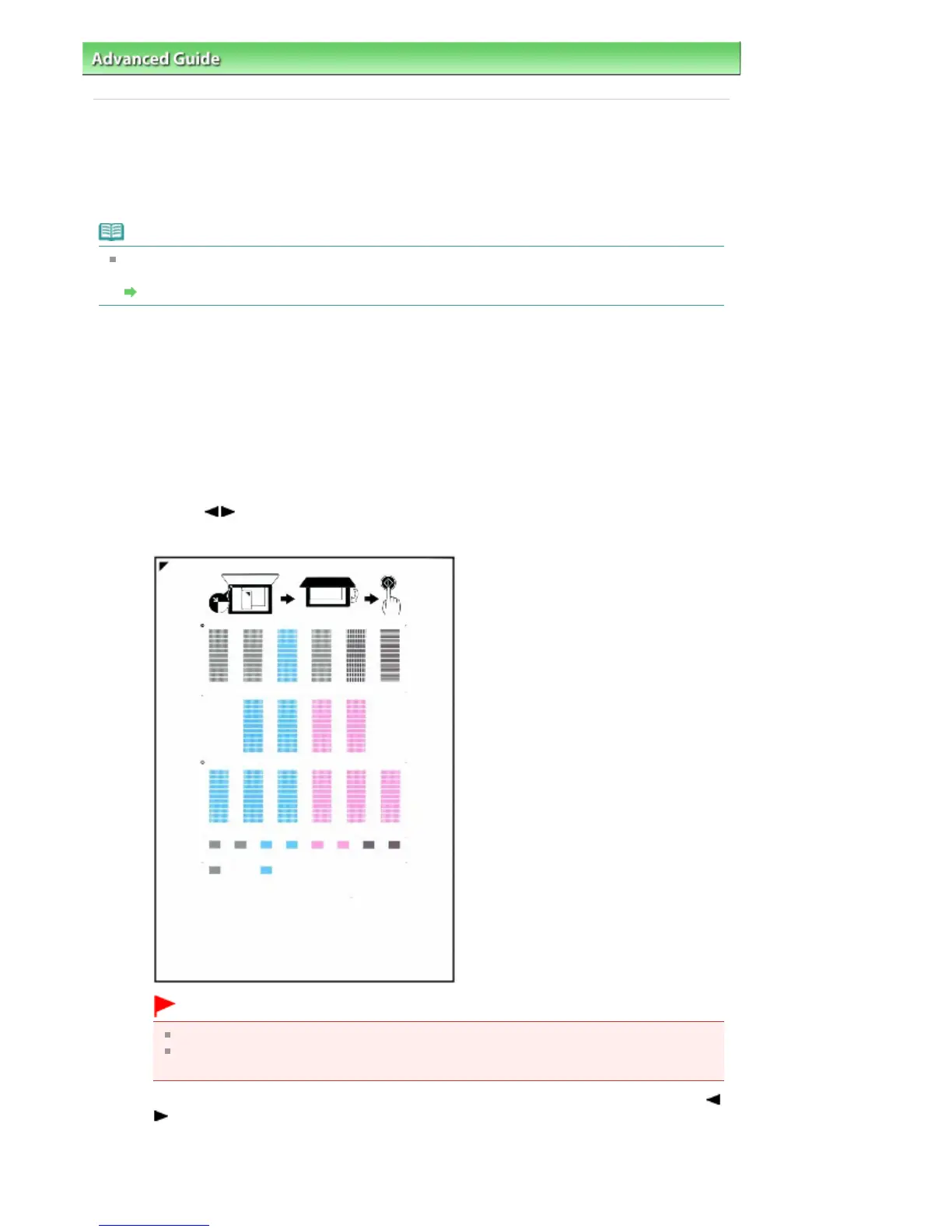
Print the print head alignment sheet.
1.
Press the
Menu
button repeatedly until Maintenance appears.
2.
Use the
button to select Print head alignment, then press the
OK
button.
The print head alignment sheet will be printed.
Important
Do not touch any printed part on the print head alignment sheet.
Be careful not to get the print head alignment sheet dirty. If the sheet is stained or wrinkled,
it may not be scanned properly.
3.
When Are the patterns fine? is displayed, confirm that the pattern is printed correctly, use the
button to select Yes, then press the
OK
button.
5.
Scan the print head alignment sheet to adjust the print head position.
1.
Load the print head alignment sheet on the Platen Glass.
Seite 727 von 922 SeitenAligning the Print Head















 To Next Page