Advanced Guide
>
About Bluetooth Communication
>
Bluetooth Settings
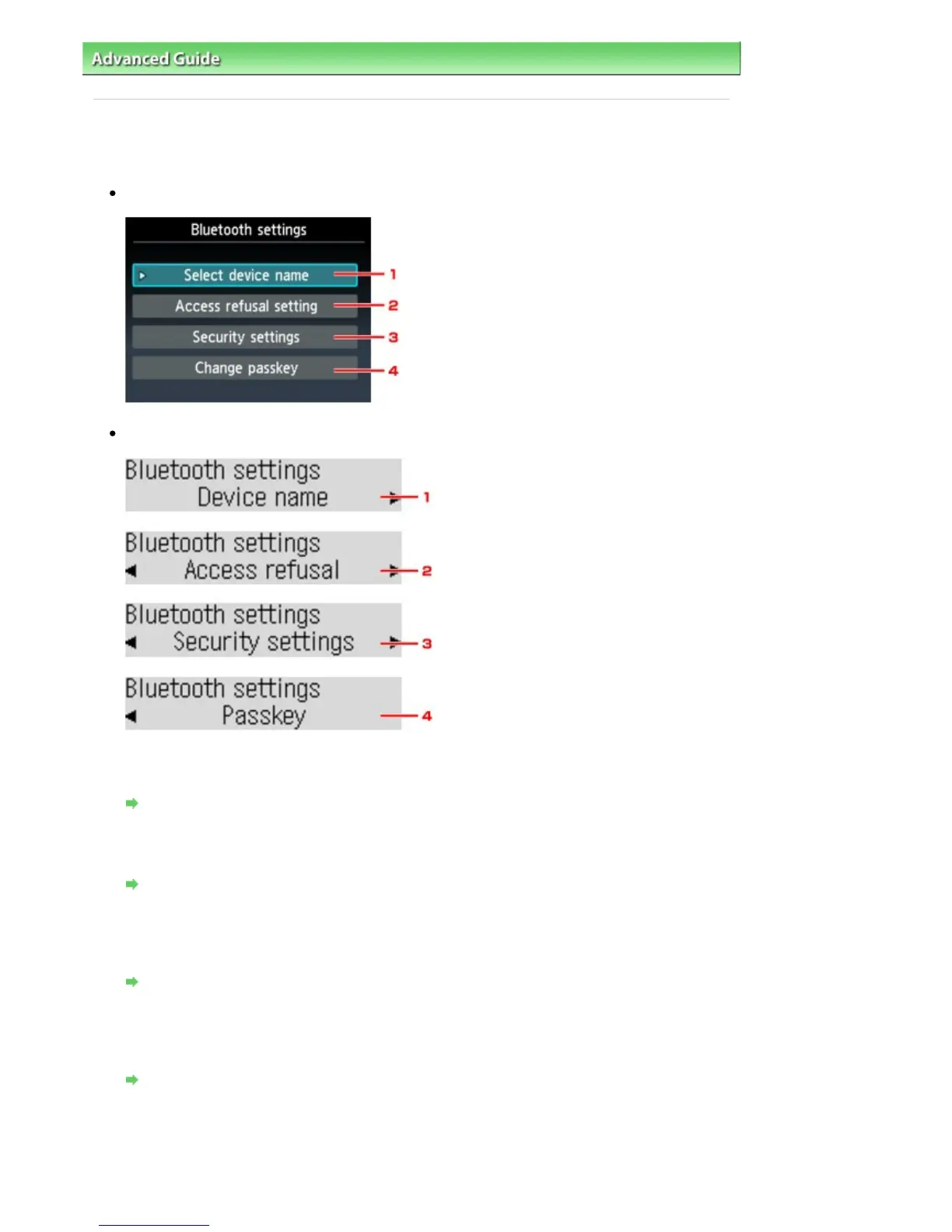
> Bluetooth settings Screen
B014
Bluetooth settings Screen
Graphic LCD
Text LCD
1.
Select device name/Device name
Displays the device name of the printer to which the Bluetooth unit is attached.
Select device name/Device name Screen
2.
Selecting ON will disable searching of this printer by a Bluetooth-compatible device.
Access refusal setting/Access refusal Screen
3.
Security settings
Select Enable and then specify the security mode to activate the passkey set on the Change
passkey/Passkey screen.
Security settings Screen
4.
Change passkey/Passkey
You can change the passkey. The passkey refers to an identification number to be determined. It is
used to prevent unwanted access from other Bluetooth devices. The initial value is set to 0000.
Change passkey/Passkey Screen
Select device name/Device name Screen
Allows you to set the device name of the printer on a Bluetooth device.
In the example used for this explanation, the model name is set to MX420 series.
Seite 765 von 922 SeitenBluetooth settings Screen















 To Next Page