(2)
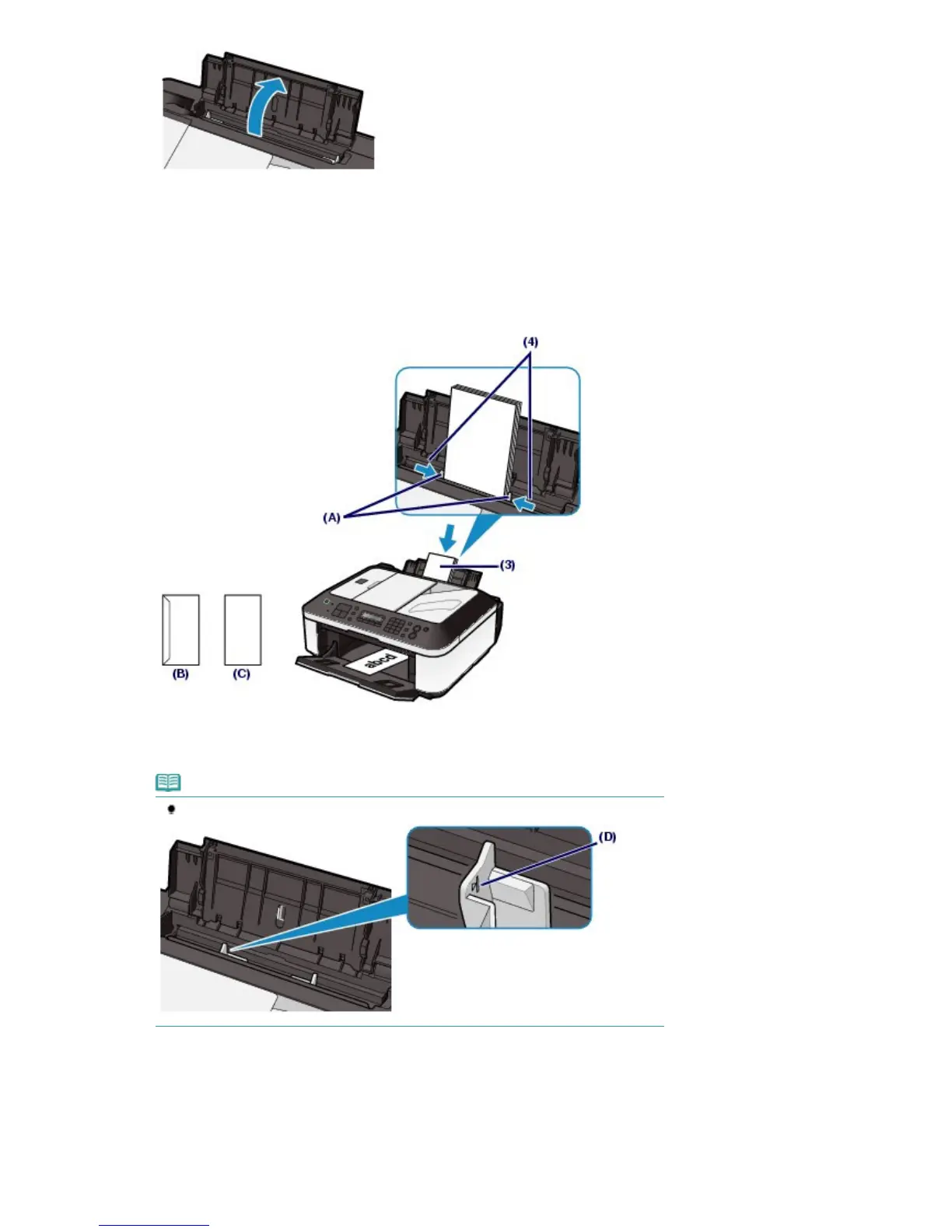
Open the Paper Output Tray gently.
(3)
Slide the Paper Guides (A) to open them, and load the envelopes in the center of
the Rear Tray WITH THE ADDRESS SIDE FACING YOU.
The folded flap of the envelope will be faced down on the left side.
Up to 10 envelopes can be loaded at once.
(4)
Slide the Paper Guides (A) to align them with both sides of the envelopes.
Do not slide the Paper Guides too hard. The envelopes may not be fed properly.
(B) Rear side
(C) Address side
Note
Do not load envelopes higher than the Load Limit Mark (D).
3.
Specify the settings with the printer driver.
(1)
Select Envelope in Commonly Used Settings on the Quick Setup sheet.
(2)
Select DL Env. or Comm. Env. #10 in the Envelope Size Setting window.
(3)
Select Landscape in Orientation.
Seite 81 von 922 SeitenLoading Envelopes















 To Next Page