2.
Double-click Universal Serial Bus controllers then USB Printing Support.
If the USB Printing Support Properties screen is not displayed, make sure that the
machine is correctly connected to the computer.
Check 3: Make sure that the USB cable is securely plugged in to the machine and the
computer.
3.
Click the General tab and make sure that there is no indication of a problem with the
device.
If a device error is displayed, refer to Windows help to resolve the error.
Other Error Messages
Check: If an error message is displayed outside the printer status monitor, check
the following:
"Could not spool successfully due to insufficient disk space"
Delete any unnecessary files to increase the amount of free space on the disk.
"Could not spool successfully due to insufficient memory"
Quit other running application softwares to increase available memory.
If you still cannot print, restart your computer and retry printing.
"Printer driver could not be found"
Uninstall the printer driver according to the procedure described in
Deleting the
Unnecessary MP Drivers , and then reinstall it.
"Could not print Application name - File name"
Try printing again once the current job is complete.
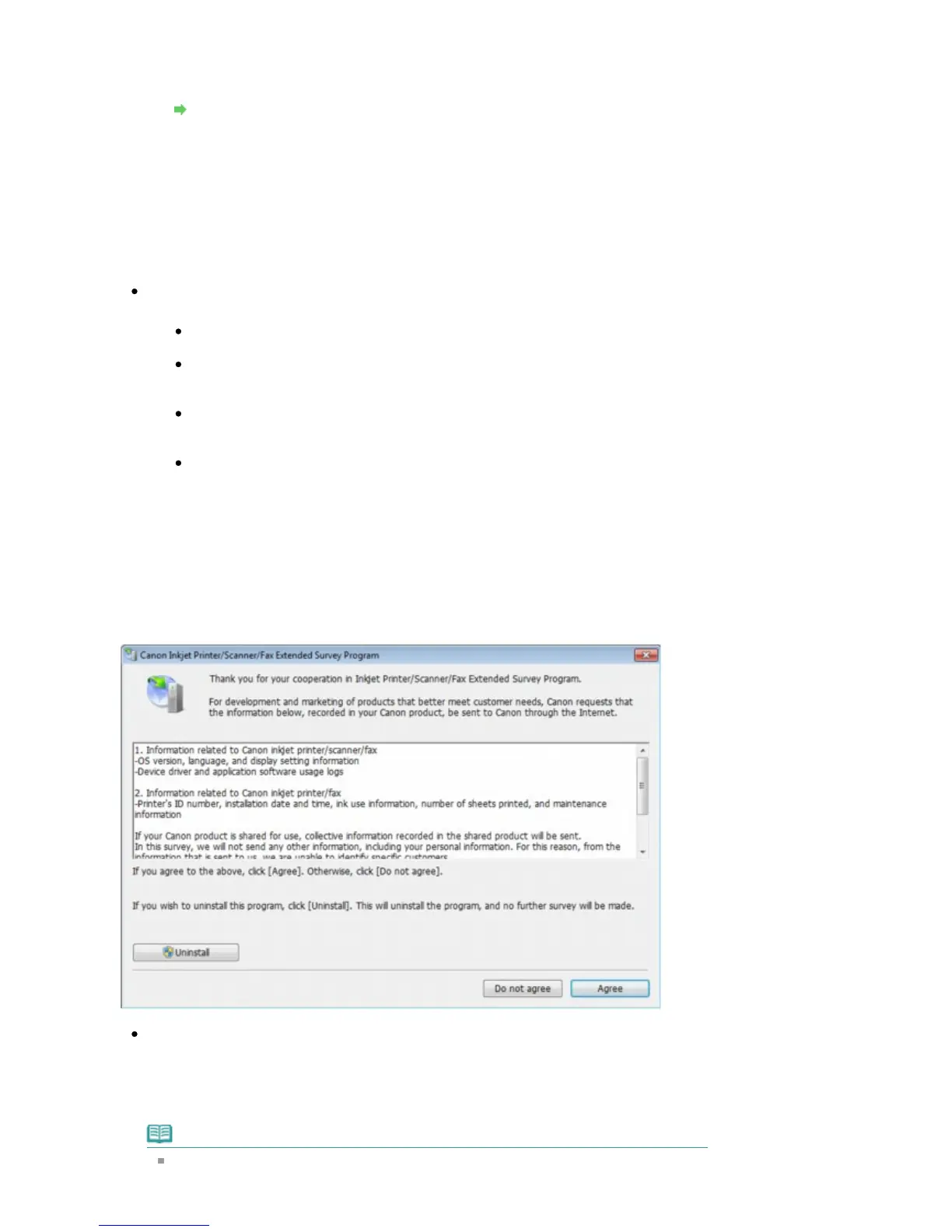
The Inkjet Printer/Scanner/Fax Extended Survey Program Screen Is Displayed
If the Inkjet Printer/Scanner/Fax Extended Survey Program is installed, a confirmation screen
asking for permission to send the printer and application software usage information will be
displayed one month, three months, and then six months after the installation. After that, it will be
displayed every six months for about four years.
Read the instructions on the screen and follow the procedure below.
If you agree to participate in the survey program:
Click Agree, then follow the on-screen instructions. The printer usage information will be sent
via the Internet. If you have followed the on-screen instructions, the information will be sent
automatically from the second time onward and the confirmation screen will not be displayed
again.
Note
When the information is being sent, a caution screen such as an Internet security screen
may be displayed. In this case, confirm that the program name is "IJPLMUI.exe", then
Seite 848 von 922 SeitenMessage Appears on the Computer Screen















 To Next Page