(B) 0.12 inches / 3.0 mm
(C) 0.20 inches / 5.0 mm
(D) 0.13 inches / 3.4 mm (0.25 inches / 6.4 mm for Letter and Legal-sized paper)
(E) 0.13 inches / 3.4 mm (0.25 inches / 6.3 mm for Letter and Legal-sized paper)
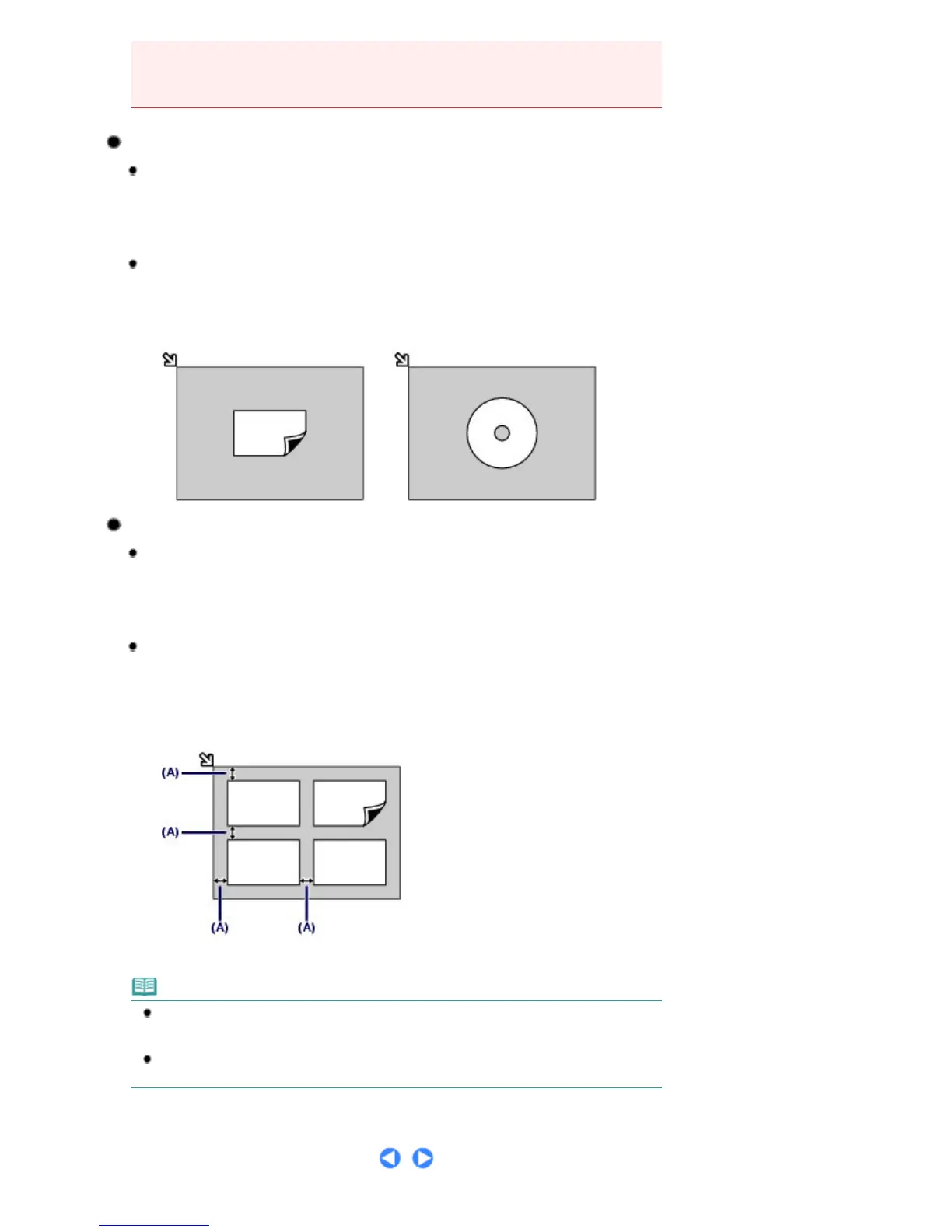
Loading Only One Original in the Center of the Platen Glass
In the scan mode,
-
select
Auto scan
for
Document type
to scan one printed photo, postcard, business card, or
disc
-
select
Photo
for
Document type
and specify
Auto
(Auto crop) for
Scan size
to scan one
original
Scan one printed photo, postcard, business card, or disc with a software
application on a computer
Load the original WITH THE SIDE TO SCAN FACING DOWN and place it at least 0.4 inches / 10 mm
away from the edges of the Platen Glass.
Loading Two or More Originals on the Platen Glass
In the scan mode,
-
select
Auto scan
for
Document type
to scan two or more printed photos, postcards, or
business cards
-
select
Photo
for
Document type
and specify
Multi
(Multi crop) for
Scan size
to scan two or
more originals
Scan two or more printed photos, postcards, or business cards with a
software application on a computer
Load two or more originals WITH THE SIDE TO SCAN FACING DOWN and place them at least 0.4
inches / 10 mm away from the edges of the Platen Glass and at least 0.4 inches / 10 mm apart from
each other.
(A) 0.4 inches / 10 mm
Note
The Skew Correction function automatically compensates for the originals placed at an angle
of up to approximately 10 degrees. Slanted photos with a long edge of 7.1 inches / 180 mm or
more cannot be corrected.
Non-rectangular or irregular shaped photos (such as cut out photos) may not be scanned
properly.
Seite 91 von 922 SeitenHow to Load Originals for Each Function















 To Next Page