Advanced Guide
Troubleshooting
Contents
> Loading Paper / Originals > Loading Originals > Loading Originals in the ADF
Loading Originals in the ADF
You can load documents to copy, fax, or scan in the ADF.
Note
To scan a document at optimum quality, load it on the Platen Glass.
1.
Make sure that any original has been removed from the Platen Glass.
2.
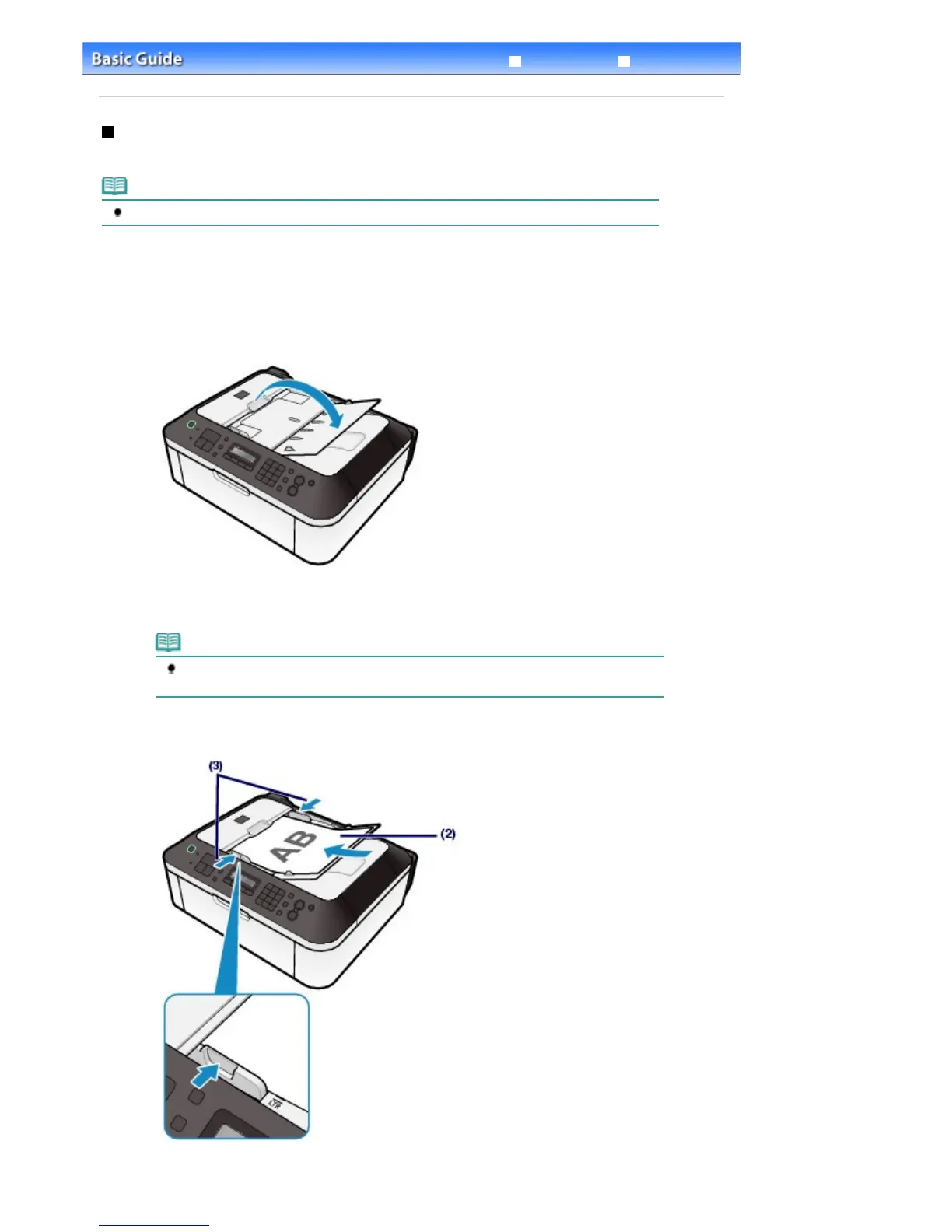
Load a document in the ADF.
(1)
Open the Document Tray.
(2)
Insert the document in the Document Tray until you hear a beep sound.
Load the document WITH THE SIDE TO SCAN FACING UP in the Document Tray.
Note
When you set the alarm to be silent in Device user settings of Device settings, the alarm
(3)
Adjust the Document Guides to match the width of the document.
Do not slide the Document Guides too hard. The document may not be fed properly.
Seite 93 von 922 SeitenLoading Originals in the ADF















 To Next Page