System components
file:///D|/Manuales/Para%20recolocar/MOTOS/DUCATI/DUCATI/M796/wsm/EN/M796_ABS_11_7_6.43.1.html[11/12/2015 18:40:31]
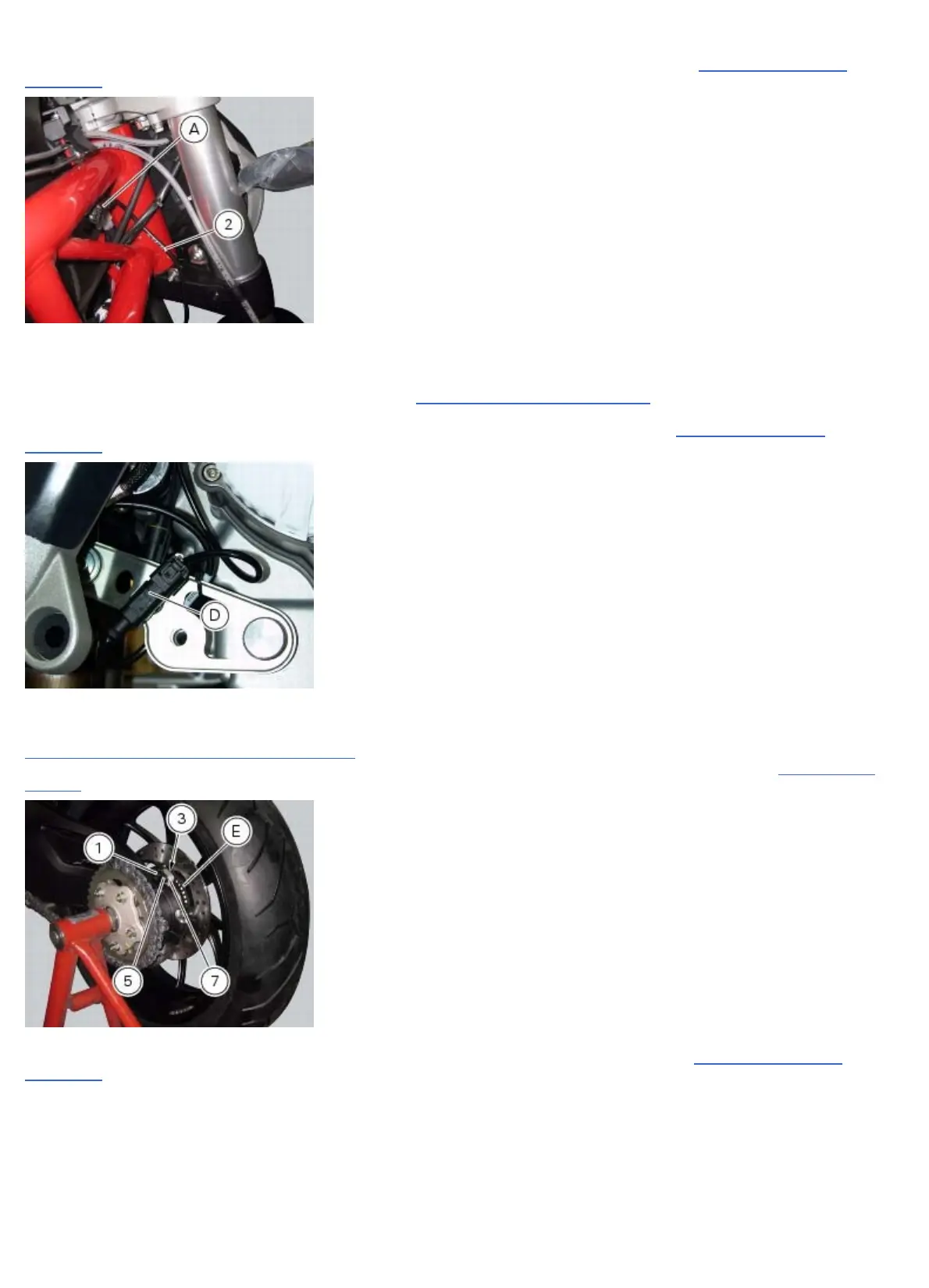
Connect the connector (A) to the main wiring.
Restore all the retainer clamps of the front ABS sensor cable (2): refer to table of Sect. 7 - 6, Flexible wiring/hoses
positioning.
Replacing the rear phonic wheel sensor
Remove the right-hand footrest bracket (Sect. 7 - 15, Removal of the footrest brackets).
Disconnect the rear ABS sensor (5) connector (D) from the main electric wiring.
Open all the retainer clamps of the rear ABS sensor cable (5): refer to table of Sect. 7 - 6,
Flexible wiring/hoses
positioning.
Remove the rear ABS sensor (5) from its seat on the rear calliper mounting bracket (7), undoing the fixing screw (1) and
collect the calibrated gasket (3).
Check the air gap between the new rear ABS sensor (5) and the rear phonic wheel (E) as indicated in Sect. 7 - 7,
Adjusting of the AIR-GAP phonic wheel sensor.
Fix the sensor to the calliper holder bracket tightening the screw (1) to the specified torque (Sect. 3 - 3,
Frame torque
settings).
Connect the connector (D) to the main wiring.
Restore all the retainer clamps of the rear ABS sensor cable (5): refer to table of Sect. 7 - 6,
Flexible wiring/hoses
positioning.












 To Next Page