60
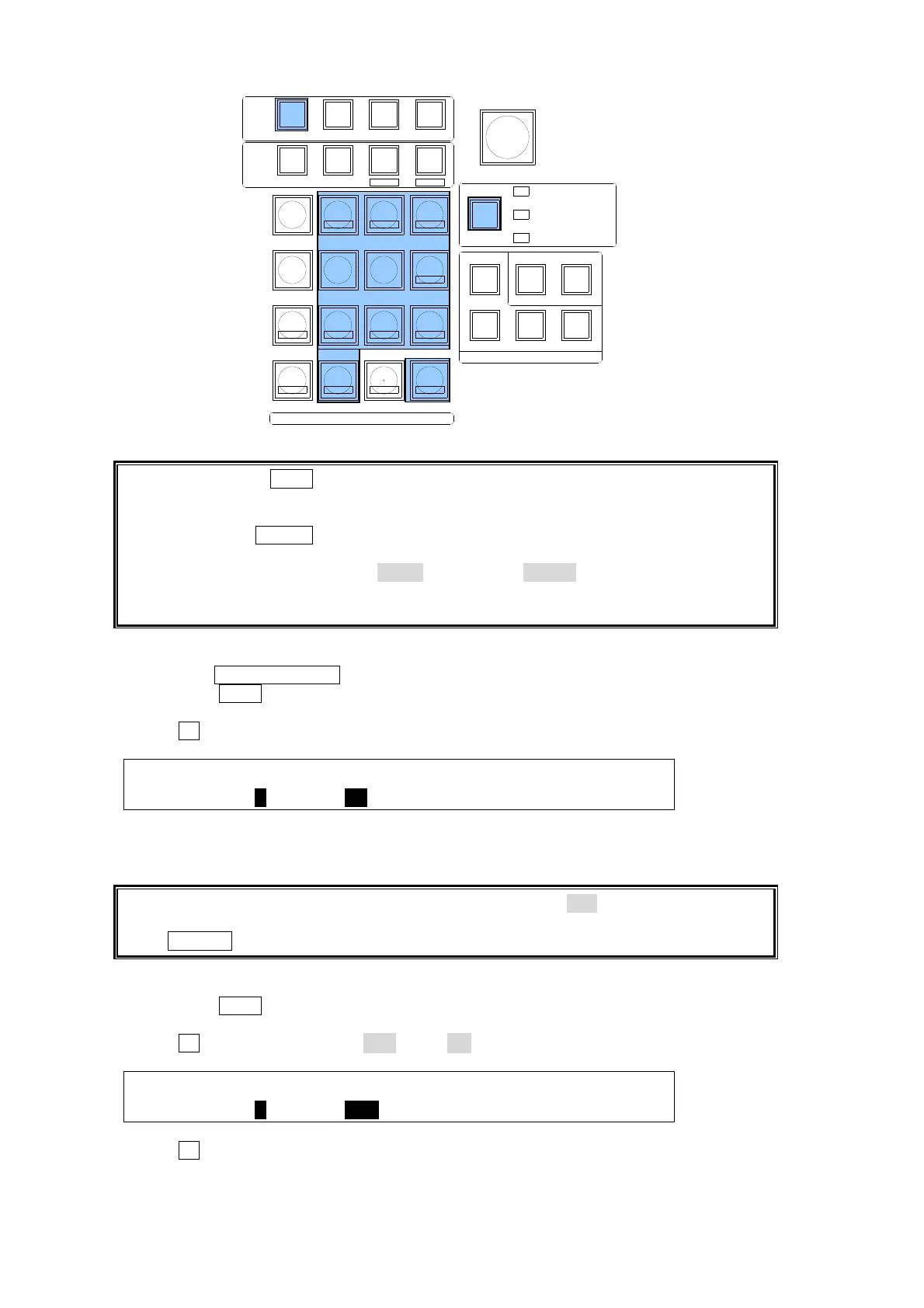
When pressing the WIPE memory button, the number buttons onto which patterns are
already saved light up. If a user presses one of them to save a selected pattern, the
number button blinks. To overwrite the pattern, press the number button again. (To cancel
overwriting, press STORE.)
If users cannot overwrite the number buttons (lit red), cancel the operation and change the
OVER WR (overwrite) item from DISBL (disable) to ENABL (enable) in the [DIRECT
RECALL] menu. The [DIRECT RECALL] menu is automatically displayed when pressing
the number button where a pattern is stored on the KEYPAD.
To Select a Pattern:
(1) Press the WIPE CHANNEL button to select the bus where the pattern is recalled.
(2) Press the WIPE button above the SELECT/KEYPAD block. The [DIRECT PATTERN]
menu is displayed and the keypad changes to DIRECT PATTERN mode.
(3) Turn F1 to select a page of the Direct Pattern memory in the menu.
DIRECT : PAGE :DIRECT :CLEAR : : 1/1
PATTERN : =0 : =ON : >OFF : :
(4) Press the number button where the desired pattern has been saved. The transition type is
automatically switched to WIPE and the current pattern is changed to the new one.
If the DIRECT item in the [DIRECT PATTERN] menu is set to OFF, a direct pattern cannot
be recalled just by pressing a number button. In this case, press a number button and then
press RECALL on the KEYPAD.
To Set Overwrite Protection
(1) Press the WIPE button above the SELECT/KEYPAD block. The [DIRECT PATTERN]
menu is displayed and the keypad changes to DIRECT PATTERN mode.
(2) Turn F1 to change DIRECT to OFF, if it is ON.
DIRECT : PAGE :DIRECT :CLEAR : : 1/1
PATTERN : =0 : =OFF : >OFF : :
(3) Turn F1 to select a page of the Direct Pattern memory in the menu.
(4) Press the number button to be cleared. The [DIRECT RECALL] menu will then be
displayed.
TRANS
BLACK
SELECT / KEYPAD
BKGD
KEY1
KEY2
MENUMENU FINE DEF
ROTPOSWIPE POS
JOYSTICK
KEYER/P IN P
(2D DVE)
WIPE
CHANNEL
MEMORY
CONTROL
WIPE
MENU
INC
DEC
+/-
PLAY
STOP
CLEAR
2D DVE
USER BUTTON
7
4
1
CUT
0
COPY
EVENT
COPY/SWAP
8
SWAPCOPY
5
RECALL
PASTE
SEQUENCE
SEQ EDIT
9
NEW
6
INS
3
ADD
STORE
ENTER
OVWR
SETUP STILL MATT FILE
KEY1 KEY2 P IN P1 P IN P2
DSK1 DSK2 DSK3 DSK4
WIPE
2
DEL



 To Next Page