Garmin G2000 Pilot’s Guide for the Cessna T240
190-01263-01 Rev. A96
Flight instruments
sYstem
OVerVieW
Flight
instruments
eis
AuDiO PAnel
& Cns
Flight
mAnAgement
hAZArD
AVOiDAnCe
AFCs
ADDitiOnAl
FeAtures
APPenDiCesinDeX
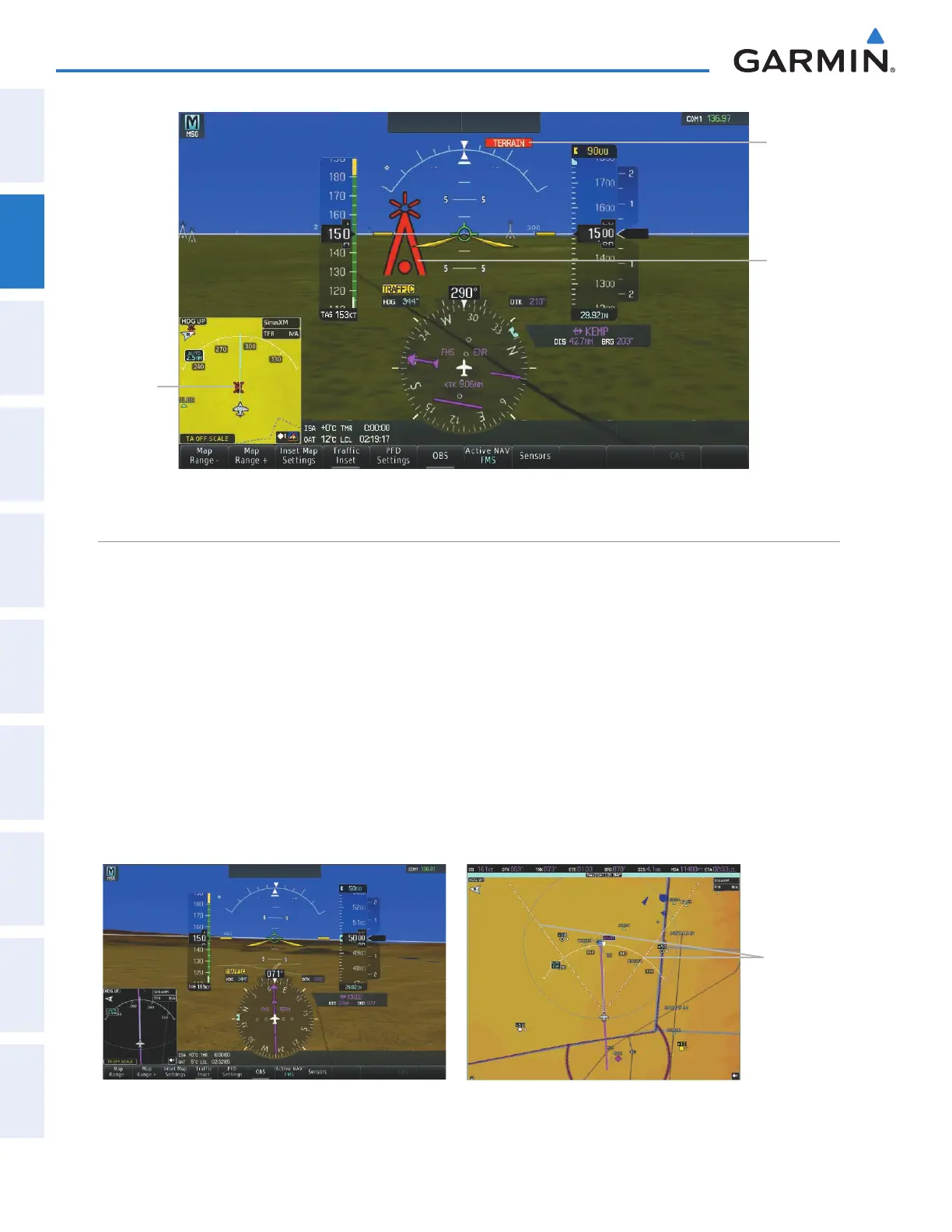
Figure 2-40 Obstacle
Potential
Impact
Point
Obstacle
Warning
TERRAIN
Annunciation
Field oF VieW
The PFD field of view can be represented on the MFD Navigation Map Page. Two dashed lines forming a
V-shape in front of the aircraft symbol on the map, represent the forward viewing area shown on the PFD.
Enabling or Disabling the field of view indication:
1) From the Home Screen on the Touchscreen Controller, touch Map > Map Settings > Map Options.
2) If not already selected, touch the Map Tab.
3) Scroll to display the Field of View Annunciator Button.
4) Touch the Field of View Button to enable or disable the field of view indication. A green annunciator on the
button indicates the field of view is enabled. A gray annunciator indicates the field of view is disabled.
The following figure compares the PFD forward looking depiction with the MFD plan view and Field of View
turned on.
Figure 2-41 PFD and MFD Field of View Comparison
Lines
Depict
PFD Field
of View
SVT View on the PFD
Field of View on the MFD
This manual downloaded from http://www.manualowl.com



 To Next Page