190-01263-01 Rev. A
Garmin G2000 Pilot’s Guide for the Cessna T240
136
Audio And cnS
SySteM
overview
FligHt
inStruMentS
eiSAudio & cnS
FligHt
MAnAgeMent
HAZArd
AvoidAnce
AFcS
AdditionAl
FeAtureS
AppendiceSindeX
AutoMAtic SquelcH
Automatic Squelch quiets unwanted static noise when no audio signal is received, while still providing good
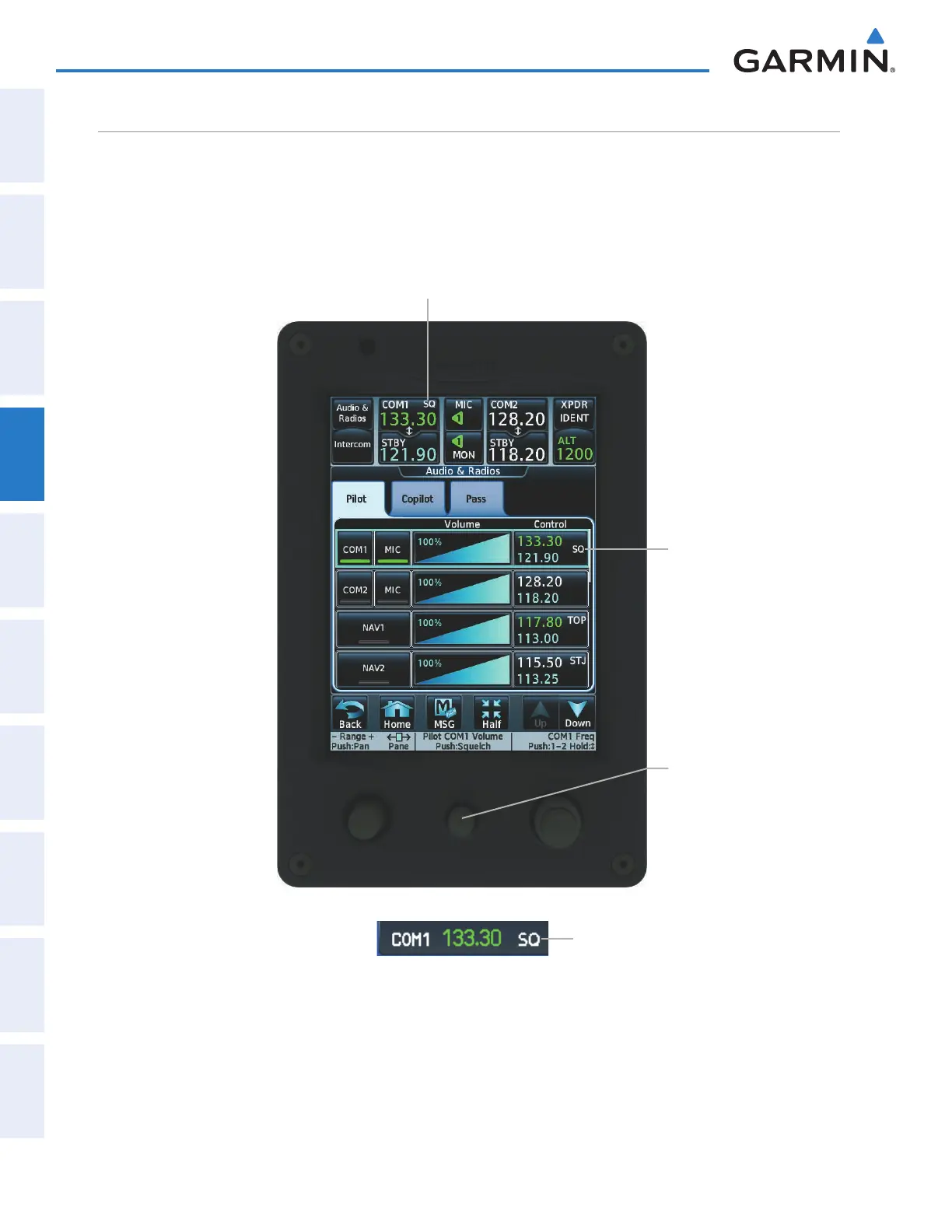
sensitivity to weak COM signals. To disable Automatic Squelch for the selected transceiver, press the middle
knob. When Automatic Squelch is disabled, COM audio reception is always on. Continuous static noise is
heard over the headsets and speaker, if selected. Pressing the middle knob again enables Automatic Squelch .
When Automatic Squelch is disabled, a white SQ appears next to the active COM frequency.
Figure 4-15 COM Radio Automatic Squelch Disable/Enable
Automatic Squelch Off Indicator
Automatic Squelch Off
Indicator
Automatic Squelch Off
Indicator on PFD
Middle knob - Push to
disable/enable Automatic
Squelch
This manual downloaded from http://www.manualowl.com



 To Next Page