190-01263-01 Rev. A
Garmin G2000 Pilot’s Guide for the Cessna T240
253
Flight ManageMent
SYSteM
OVeRVieW
Flight
inStRUMentS
eiS
aUDiO Panel
& CnS
Flight
ManageMent
haZaRD
aVOiDanCe
aFCS
aDDitiOnal
FeatUReS
aPPenDiCeS inDeX
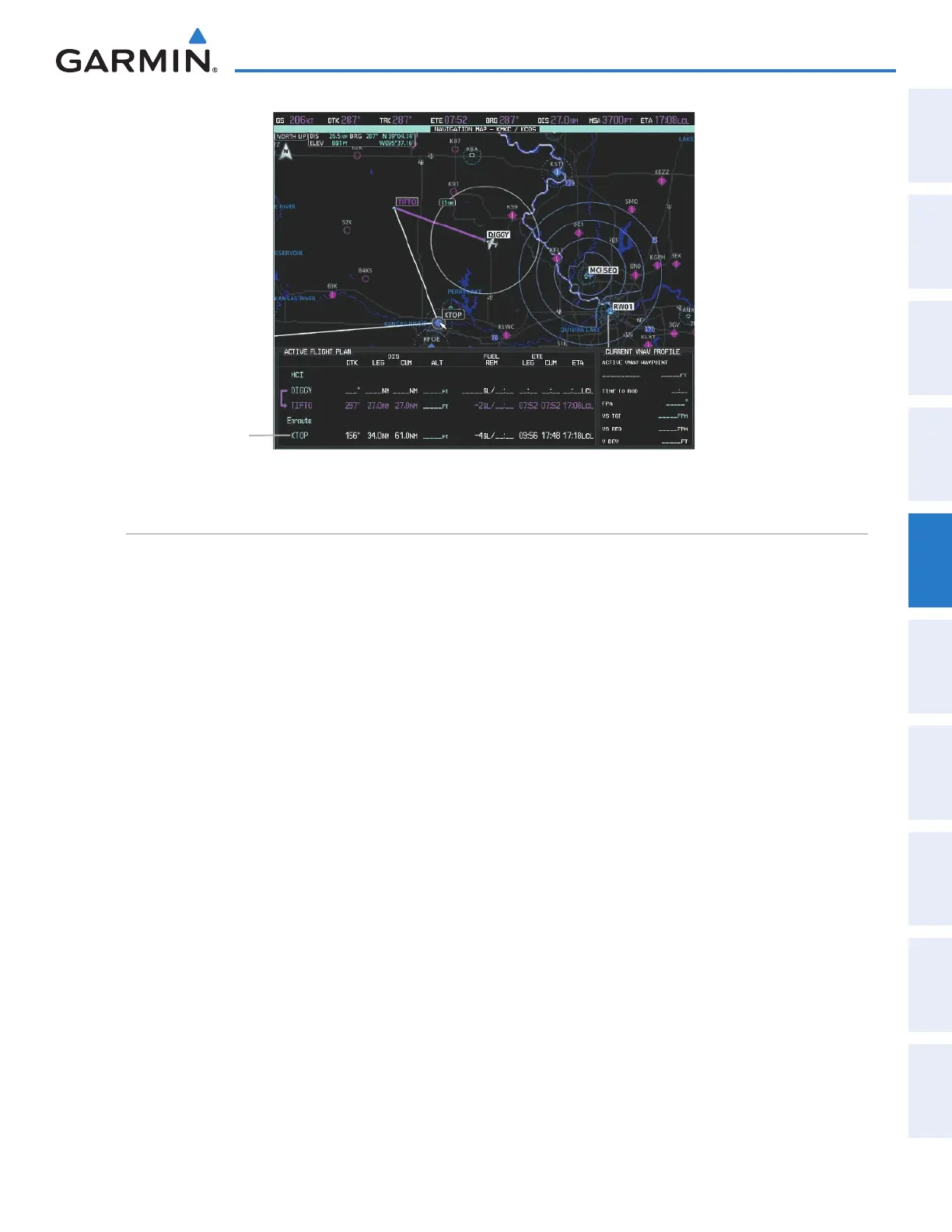
Figure 5-97 KTOP in Flight Plan
KTOP Inserted
adding airwayS to a Flight plan
Airways can be added to the active flight plan or any stored flight plan. An airway can only be loaded if
there is a waypoint in the flight plan that is part of the desired airway and is not part of an arrival or approach
procedure. The system also anticipates the desired airway based on the selected waypoint and the flight plan.
Adding an airway to the active flight plan:
1) From Home, touch Flight Plan.
2) Scroll the list if necessary and touch a waypoint selection button to display the Waypoint Options Window.
3) Touch the Load Airway Button to display the Airway Selection Screen.
4) Scroll the list if necessary and touch an airway selection button to select the airway and display the Select Exit
Window (the airway waypoints are displayed in alphabetical order, not the order they appear in the airway).
5) Scroll the list if necessary and touch an airway exit point selection button to select the airway exit point and
display the Airway Waypoint Sequence.
6) Touch the Load Airway Button to insert the airway into the active flight plan.
This manual downloaded from http://www.manualowl.com



 To Next Page