Garmin G2000 Pilot’s Guide for the Cessna T240
190-01263-01 Rev. A
456
AutomAtic Flight control SyStem
SyStem
oVerVieW
Flight
inStrumentS
eiS
AuDio PAnel
& cnS
Flight
mAnAgement
hAZArD
AVoiDAnce
AFcS
ADDitionAl
FeAtureS
APPenDiceSinDeX
gliDeSlope moDe (gS)
note: Pressing the CWS Button while Glideslope Mode is active does not cancel the mode. The autopilot
guides the aircraft back to the glideslope upon release of the CWS Button.
Glideslope Mode is available for LOC/ILS approaches to capture and track the glideslope. When Glideslope
Mode is armed (annunciated as ‘GS’ in white), LOC Approach Mode is armed as the lateral flight director mode.
Selecting Glideslope Mode:
1) Ensure a valid localizer frequency is tuned.
2) Ensure that LOC is the selected navigation source (use the Active Nav Softkey to cycle through navigation
sources).
3) Press the APR Key.
Or:
1) Ensure that FMS is the selected navigation source (use the Active Nav Softkey to cycle through navigation
sources).
2) Ensure a LOC/ILS approach is loaded into the active flight plan.
3) Ensure the corresponding LOC frequency is tuned.
4) Press the APR Key.
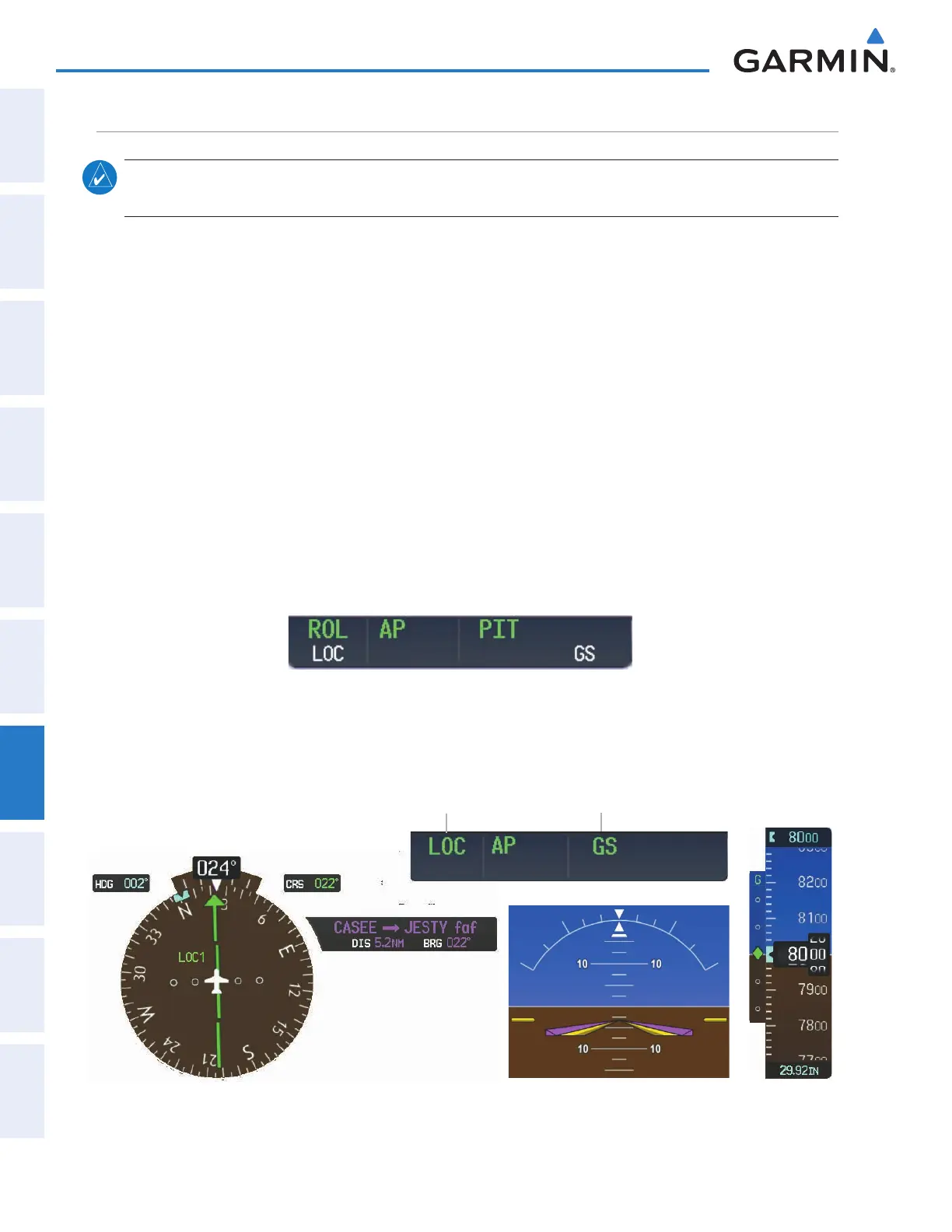
Figure 7-17 Glideslope Mode Armed
Once LOC is the navigation source, the localizer and glideslope can be captured. Upon reaching the glideslope,
the flight director transitions to Glideslope Mode and begins to intercept and track the glideslope.
Figure 7- 18 Glideslope Mode
NAV1 (localizer) is Selected
Navigation Source
Command Bars Indicate Descent
on Localizer/Glideslope Path
Glideslope
Indicator
Approach
Mode Active
Glideslope
Mode Active
This manual downloaded from http://www.manualowl.com



 To Next Page