190-01263-01 Rev. A
Garmin G2000 Pilot’s Guide for the Cessna T240
335
Hazard avoidance
SYSTeM
overvieW
FLiGHT
inSTrUMenTS
eiS aUdio & cnS
FLiGHT
ManaGeMenT
Hazard
avoidance
aFcS
addiTionaL
FeaTUreS
aPPendiceS indeX
5) When the available weather products match the current SiriusXM Weather Data subscription, touch the Lock
Button to save the activation changes, or touch the Cancel, Back, or Home Buttons to exit without saving
changes.
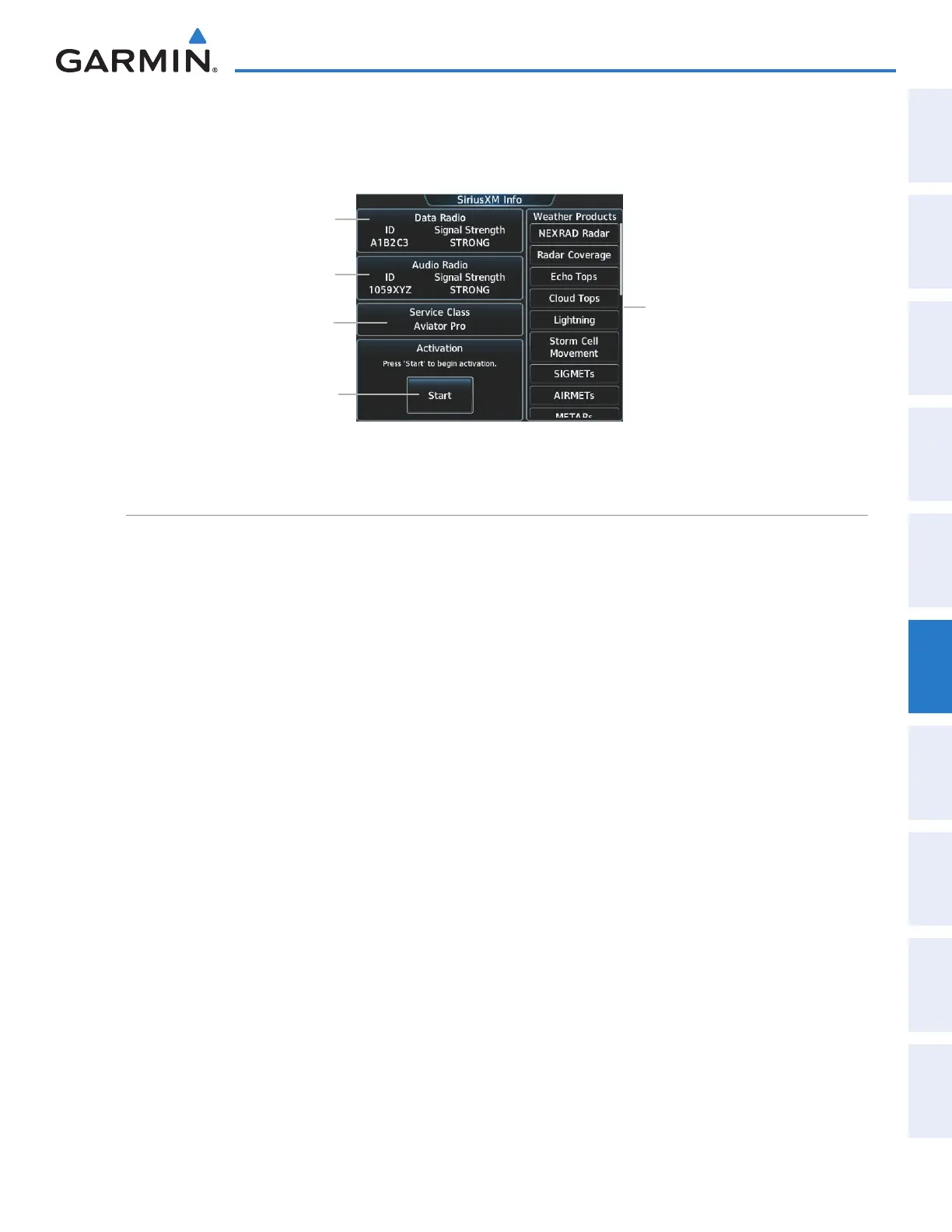
Data Radio ID
(for SiriusXM
Weather)
Audio Radio ID
(for SiriusXM
Entertainment)
Weather Products
(Available Products
for Service
Class Indicated
in White, Not
Available are
Diminished)
Start Service
Activation
Figure 6-1 SiriusXM Info Screen Prior to Activation
Service Class of
SiriusXM Weather
Subscription
ACCESSING SIRIUSXM WEATHER PRODUCTS
The SiriusXM Weather Pane is the principal map pane for viewing SirusXM Weather information (Figure 6-2).
This is the only map pane capable of showing information for all available SiriusXM Weather products.
Viewing the SiriusXM Weather Pane:
1) From Home, touch the Weather Button. Button is highlighted and becomes Weather Selection Button.
Selected pane shows a weather display. If a weather pane other than ‘SiriusXM Weather’ is shown (such as
‘STORMSCOPE
‘or ‘CONNEXT WEATHER’ in the pane title), continue with the procedure to view the SiriusXM
Weather Pane.
2) Touch the Weather Selection Button.
3) Touch the SiriusXM Weather Button. Button is highlighted and becomes SiriusXM Settings Button. The
system shows the SiriusXM Weather Pane.
This manual downloaded from http://www.manualowl.com



 To Next Page