190-01263-01 Rev. A
Garmin G2000 Pilot’s Guide for the Cessna T240
128
Audio And cnS
SySteM
overview
FligHt
inStruMentS
eiSAudio & cnS
FligHt
MAnAgeMent
HAZArd
AvoidAnce
AFcS
AdditionAl
FeAtureS
AppendiceSindeX
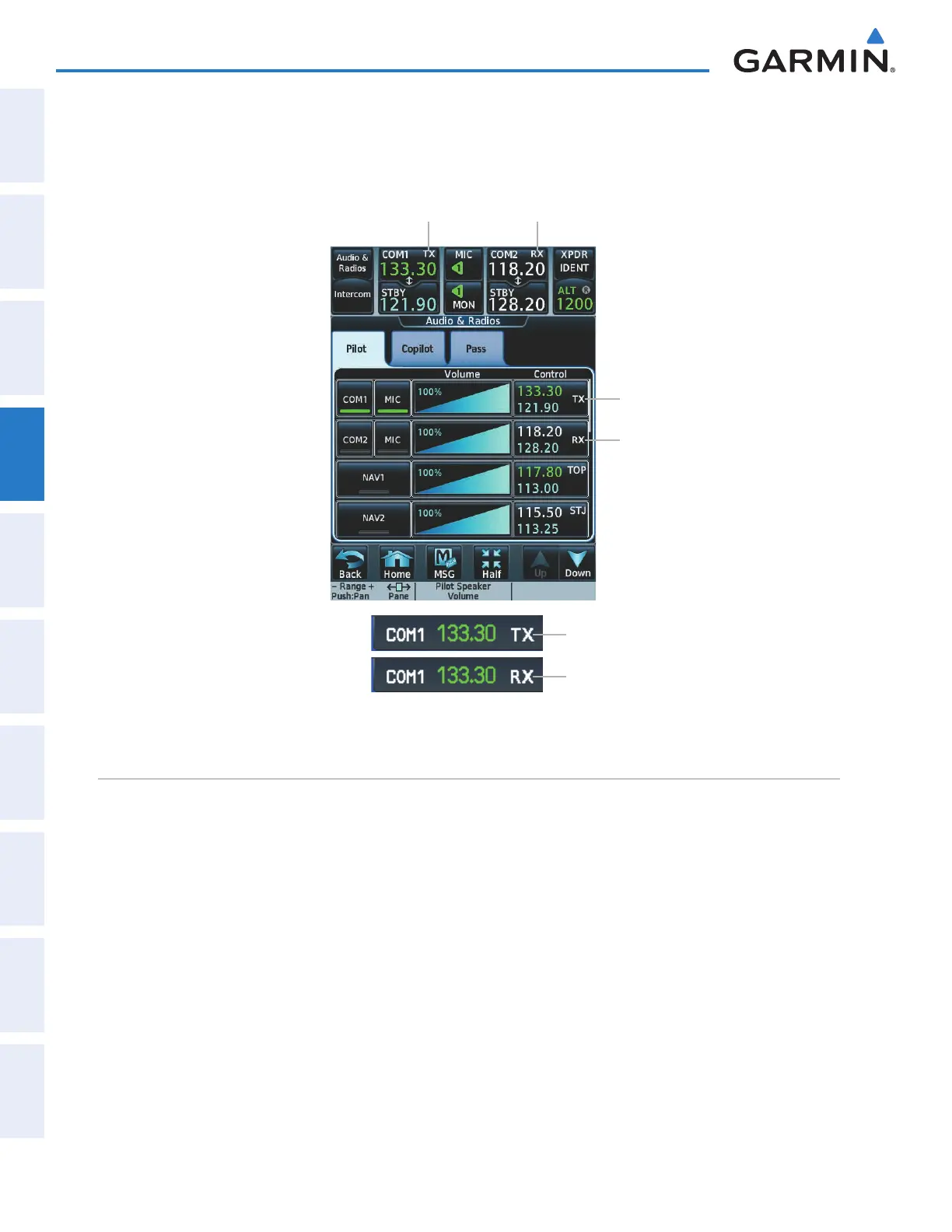
TRANSMIT/RECEIVE INDICATIONS
During COM transmission, a white TX appears by the active COM frequency. During COM signal reception,
a white RX appears by the active COM frequency.
Figure 4-5 COM Radio Transmit and Receive Indications
Transmit Indicator
Receive Indicator
Transmit Indicator
Receive Indicator
Transmit Indicator on PFD
Receive Indicator on PFD
coM Frequency tuning
Selecting a COM frequency using the Touchscreen Controller:
1) Touch the COM1 STBY Button or COM2 STBY Button in the CNS Bar to display the COM1/COM2 Standby
Screen.
2) Use the keypad to select the frequency.
3) Touch the Enter Button to accept the new frequency as the COM1/COM2 standby frequency; or touch the
XFER Button to accept the new frequency as the COM1/COM2 active frequency and transfer the previously
active frequency to the standby frequency.
Or:
1)
Press the small right knob to select the COM desired for tuning (selected standby frequency is light blue).
2) Turn the large and small right knobs to tune the frequency (Large knob increases/decreases MHz; Small knob
increases/decreases kHz).
3) Press the small right knob to enter the new frequency as the standby frequency; or press and hold the small right
knob to transfer the new standby frequency to the active frequency.
This manual downloaded from http://www.manualowl.com



 To Next Page