190-01263-01 Rev. A
Garmin G2000 Pilot’s Guide for the Cessna T240
127
Audio And CnS
SYSTEM
oVERViEW
FLiGHT
inSTRuMEnTS
EiS Audio & CnS
FLiGHT
MAnAGEMEnT
HAZARd
AVoidAnCE
AFCS
AddiTionAL
FEATuRES
APPEndiCES indEX
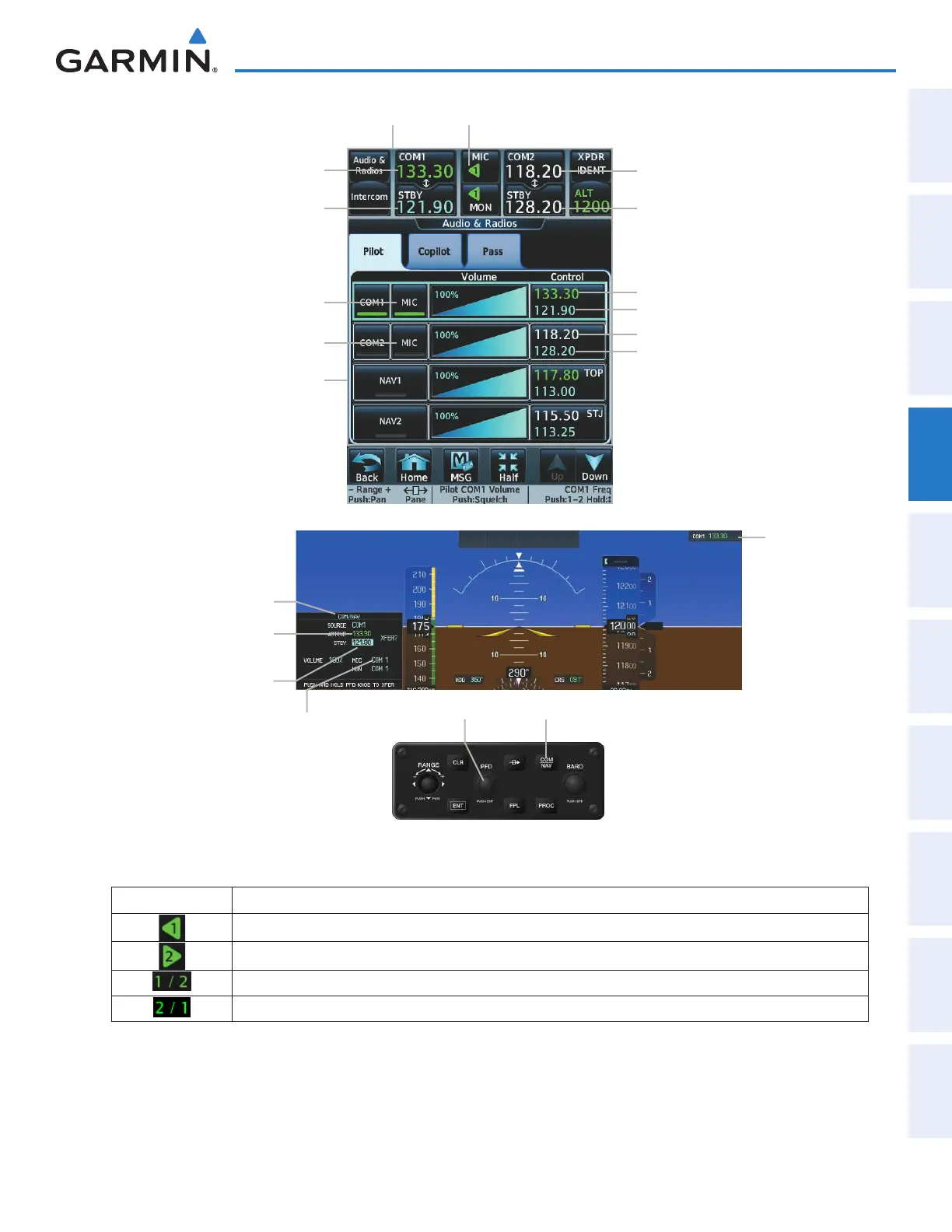
Figure 4-4 Selecting a COM Radio for Transmission
COM/NAV Window
Communication
Source/Primary
Frequency
(COM1 selected
for transmission)
COM1 Active Frequency
(selected for transmission)
COM1 Standby Frequency
COM1 selected for
transmission
COM/NAV ButtonPFD Knob
CNS Bar
Audio & Radios Screen
COM1 Active Frequency
(selected for transmission)
COM2 Primary Frequency
COM1 Standby Frequency COM2 Standby Frequency
COM1 Active Frequency
COM1 Standby Frequency
COM2 Primary Frequency
COM2 Standby Frequency
MIC Button(COM2)
MIC Button (COM1 selected
for transmission)
MIC Button (COM1 selected for transmission)
CNS Bar Symbol Meaning of Symbol
COM1 selected for transmission and automatically selected for monitoring
COM2 selected for transmission and automatically selected for monitoring
Copilot is not synchronized to pilot: Pilot is using/monitoring COM1, Copilot is using/monitoring COM2
Copilot is not synchronized to pilot: Pilot is using/monitoring COM2, Copilot is using/monitoring COM1
CNS Bar MIC/MON Button Symbols
This manual downloaded from http://www.manualowl.com



 To Next Page