190-01263-01 Rev. A
Garmin G2000 Pilot’s Guide for the Cessna T240
499
AdditionAl FeAtures
sYsteM
oVerVieW
FliGHt
instruMents
eis
Audio PAnel
& Cns
FliGHt
MAnAGeMent
HAZArd
AVoidAnCe
AFCs
AdditionAl
FeAtures
APPendiCes indeX
The FliteCharts database subscription is available from Garmin. Available data includes:
• Arrivals (STAR)
• Departure Procedures (DP)
• Approaches
• Airport Diagrams
CHART SELECTION
When a flight plan is active, or when flying direct-to a destination, the initial set of charts made available
pertains to the departure airport. After departing the airport environment, the initial chart set made available
pertains to the destination airport. When no flight plan is active, or when not flying to a direct-to destination,
the initial chart set is made available for the nearest airport.
Selecting Charts using the Charts Screen:
1) From the Home Screen, touch Charts.
2) The airport for which charts will be displayed is shown at the top of the Charts Screen. Touch the Airport Button
to enter another airport.
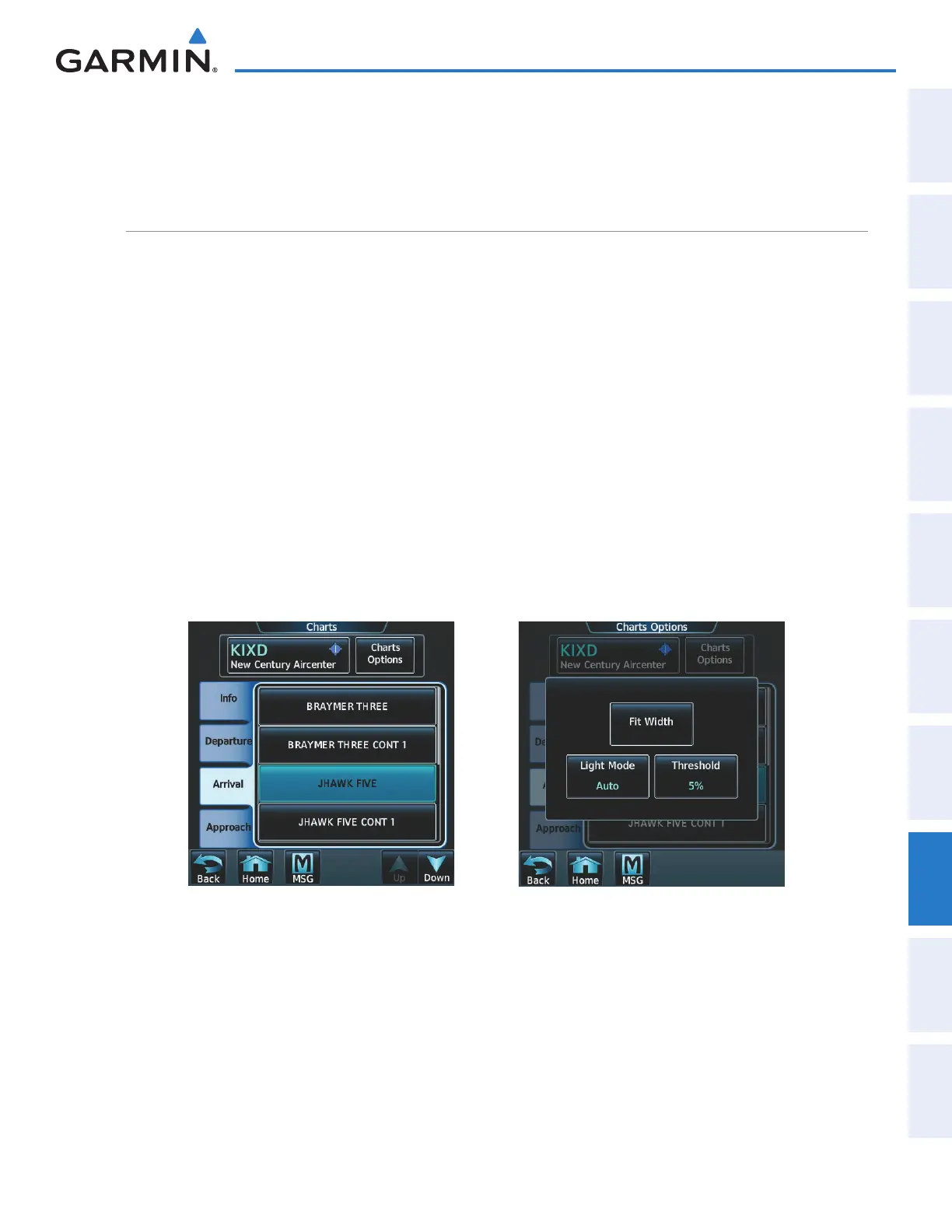
3) Touch the Info Tab to display the airport information selection buttons for the selected airport (Figure 8-21).
• Departure Tab to display a list of possible departures for the selected airport.
• Arrival Tab to display a list of possible arrivals for the selected airport.
• Approach Tab to display a list of possible approaches for the selected airport.
4) Touch the desired information button in any of these lists to display the applicable chart on the MFD.
Figure 8-21 Airport Diagram Selection Figure 8-22 Airport Diagram Viewing Options
5) Touch the Charts Options Button to display the viewing options available for the selected chart (Figure 8-22).
6) Touch All to display the complete Airport Diagram. Fit Width displays the full width of the Airport Diagram.
Plan displays only the diagram portion of the chart. Minimums displays only the approach minimums on an
approach chart. Profile displays only the descent profile on the approach chart. Header displays the chart
heading. Only relevant views are available for the selected chart.
7) Touch Back to return to the Charts Screen.
This manual downloaded from http://www.manualowl.com



 To Next Page