Garmin G2000 Pilot’s Guide for the Cessna T240
190-01263-01 Rev. A
450
AutomAtic Flight control SyStem
SyStem
oVerVieW
Flight
inStrumentS
eiS
AuDio PAnel
& cnS
Flight
mAnAgement
hAZArD
AVoiDAnce
AFcS
ADDitionAl
FeAtureS
APPenDiceSinDeX
verticAl nAvigAtion moDeS (vpth, Altv)
note: VNAV is disabled when parallel track or dead reckoning mode is active.
note: The Selected Altitude takes precedence over any other vertical constraints.
Vertical Navigation (VNAV) flight control is available for enroute/terminal cruise and descent operations any
time that VNAV flight planning is available. Refer to the Flight Management Section for more information on
VNAV flight plans. Conditions for availability include, but are not limited to:
• The selected navigation source is FMS.
• A VNAV flight plan (with at least one altitude-constrained waypoint) or vertical direct-to is active.
• VNAV is enabled.
• Crosstrack error is valid and within certain limits.
• Desired/actual track are valid or track angle error is within certain limits.
• The VNAV Target Altitude of the active waypoint is no more than 250 ft above the current aircraft altitude.
The flight director may be armed for VNAV at any time, but no target altitudes are captured during a climb.
The Command Bars provide vertical profile guidance based on specified altitudes (entered manually or loaded
from the database) at waypoints in the active flight plan or vertical direct-to. The appropriate VNAV flight
control modes are sequenced by the flight director to follow the path defined by the vertical profile. Upon
reaching the last waypoint in the VNAV flight plan, the flight director transitions to Altitude Hold Mode and
cancels any armed VNAV modes.
VERTICAL PATH TRACKING MODE (VPTH)
note: If another pitch mode key is pressed while Vertical Path Tracking Mode is selected, Vertical Path
Tracking Mode reverts to armed.
note: Pressing the CWS Button while Vertical Path Tracking Mode is active does not cancel the mode. The
autopilot guides the aircraft back to the descent path upon release of the CWS Button.
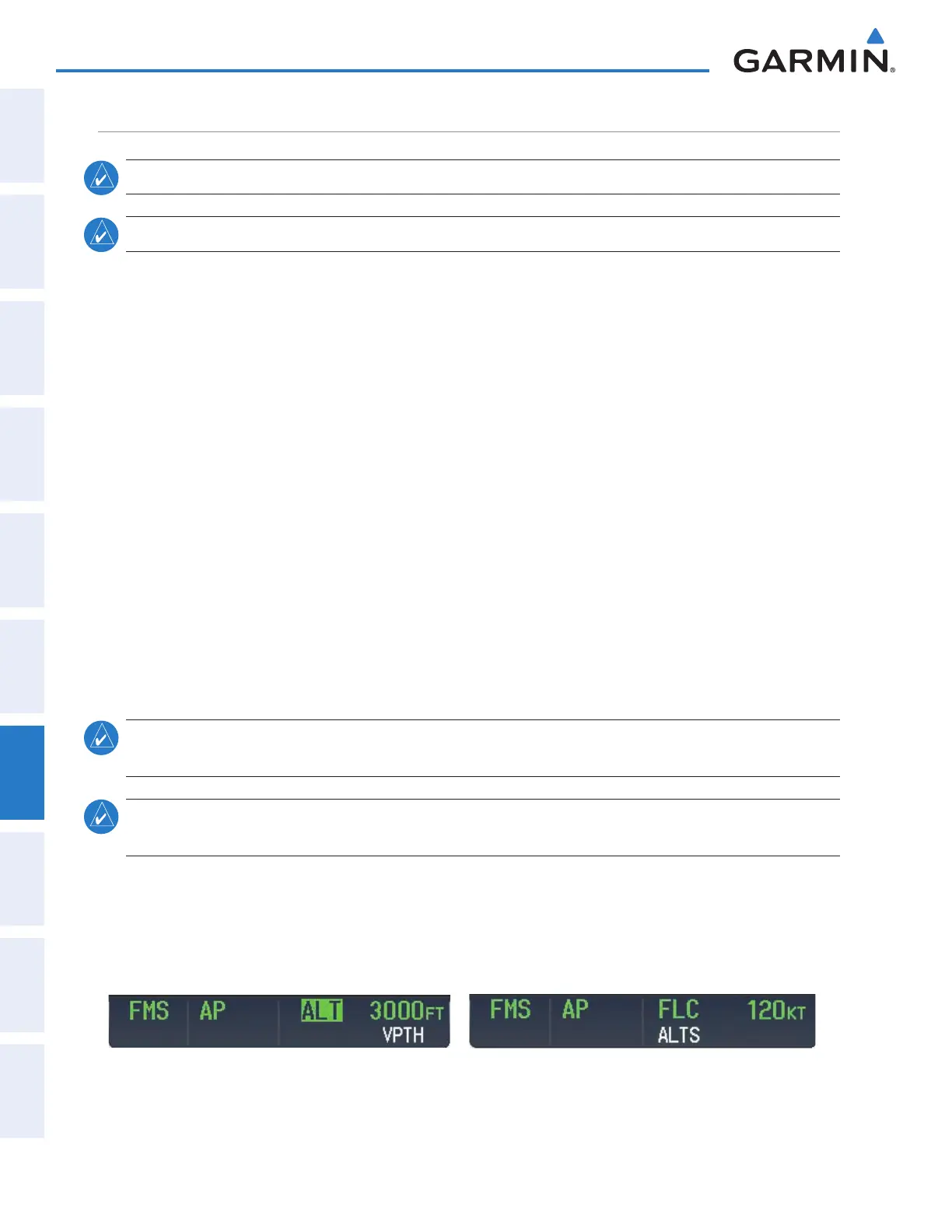
When a vertical profile (VNAV flight plan) is active and the VNV Key is pressed, Vertical Path Tracking
Mode is armed in preparation for descent path capture. ‘VPTH’ (or ‘/V’ when Glidepath or Glideslope Mode
is concurrently armed) is annunciated in white in addition to previously armed modes. If applicable, the
appropriate altitude capture mode is armed for capture of the next VNAV Target Altitude (ALTV) or the
Selected Altitude (ALTS), whichever is greater.
Figure 7-10 Vertical Path Tracking Armed Annunciations
This manual downloaded from http://www.manualowl.com



 To Next Page