190-01263-01 Rev. A
Garmin G2000 Pilot’s Guide for the Cessna T240
170
Audio And CnS
SYSTEM
oVERViEW
FLiGHT
inSTRuMEnTS
EiSAudio & CnS
FLiGHT
MAnAGEMEnT
HAZARd
AVoidAnCE
AFCS
AddiTionAL
FEATuRES
APPEndiCESindEX
entertAinMent inputS
The Audio Controller provides two stereo auxiliary entertainment inputs: MUSIC 1 and MUSIC 2. These
inputs are compatible with popular portable entertainment devices such as MP3 and CD players. Two 3.5-mm
stereo phone jacks are installed in convenient locations for audio connection. The headphone outputs of the
entertainment devices are plugged into the MUSIC 1 or MUSIC 2 jacks.
The pilot can select each of the entertainment inputs independently. The copilot and passengers can also
select each entertainment independently if not synchronized to the pilot. If the copilot and/or passengers are
synchronized to the pilot, they will hear the entertainment inputs the pilot has selected at the volume level the
pilot has selected. Sync to Pilot does not synchronize the copilot or passenger settings for MUSIC 1 or MUSIC
2 mute, and Clicks.
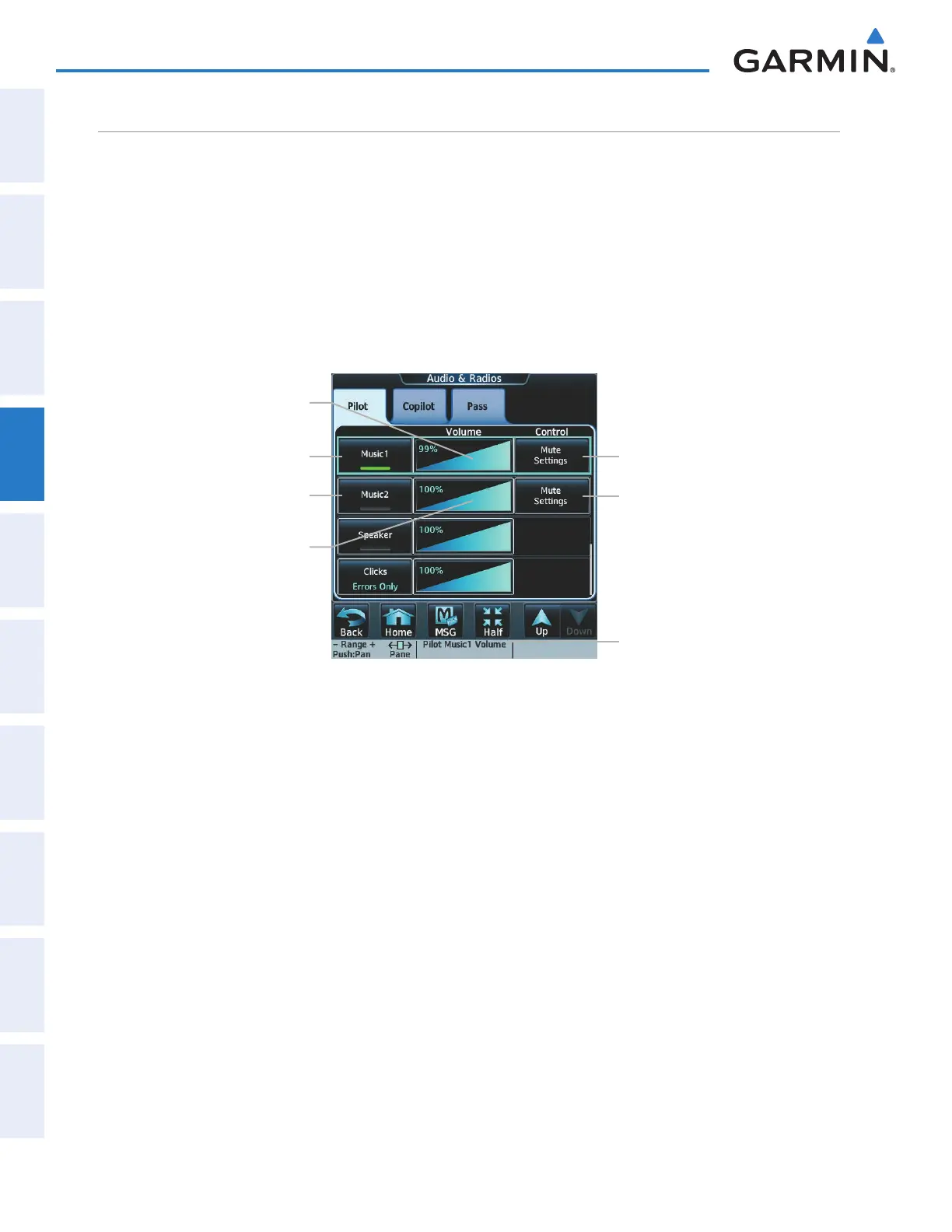
Figure 4-59 Entertainment Audio Control
MUSIC1 Button
MUSIC1 Volume Slider
MUSIC2 Button
MUSIC2 Volume Slider
Mute Settings Button (MUSIC1)
Mute Settings Button (MUSIC2)
MUSIC1 Volume Knob label
Selecting/deselecting MUSIC1/2 input:
1) Touch the Audio & Radios Button to display the Audio & Radios Screen.
2) If selecting for the Copilot or Passengers, touch the Copilot Tab or the Pass Tab. (If necessary, also touch the
Sync to Pilot Button to disable synchronizing selections to the pilot.)
3) Scroll the list to find MUSIC1 or MUSIC2.
4) Touch the MUSIC1 or MUSIC2 Button to select/deselect the MUSIC1/2 input for the selected position (pilot,
copilot, or passengers).
The MUSIC1/2 volume can be adjusted from 0 to 100% on the touchscreen controller by turning the middle
knob or by sliding your finger right or left on the volume slider. Turning the knob clockwise increases volume,
turning the knob counterclockwise decreases volume. Sliding to the right increases volume, sliding to the left
decreases volume.
This manual downloaded from http://www.manualowl.com



 To Next Page