Garmin G2000 Pilot’s Guide for the Cessna T240
190-01263-01 Rev. A192
Flight ManageMent
SYSteM
OVeRVieW
Flight
inStRUMentS
eiS
aUDiO Panel
& CnS
Flight
ManageMent
haZaRD
aVOiDanCe
aFCS
aDDitiOnal
FeatUReS
aPPenDiCeSinDeX
Map SyMBolS
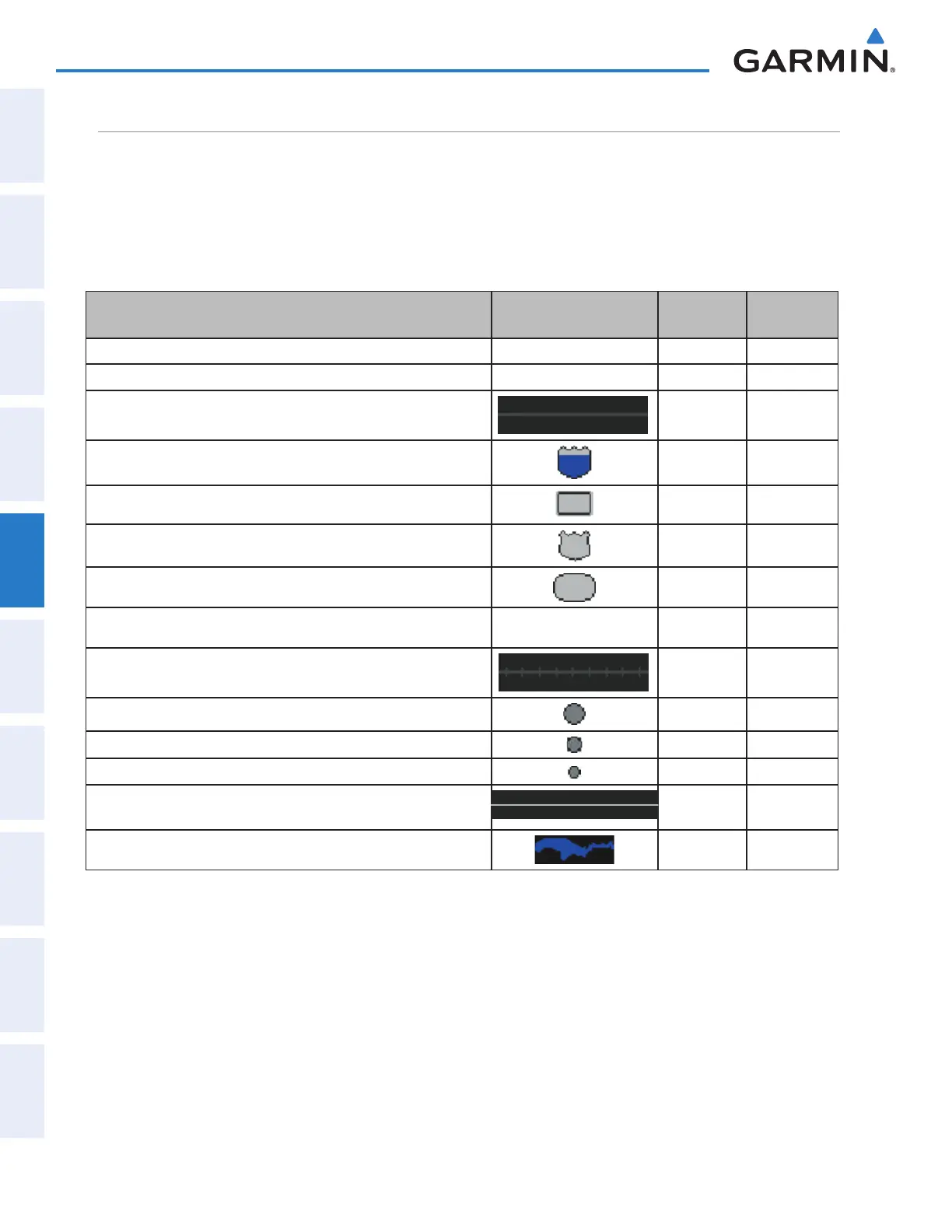
This section discusses the types of land and aviation symbols that can be displayed. Each listed type of symbol
can be turned on or off, and the maximum range to display each symbol can be set. The decluttering of the
symbols from the map using the DCLTR Softkey is also discussed.
LAND SYMBOLS
The following items are configured on the Land Tab on the Map Options Screen:
Land Symbols
(Text label size can be None, Small, Medium, or Large)
Symbol Default
Range (nm)
Maximum
Range (nm)
Topo Data 1000 1000
Obstacle Data See Appendix F 10 25
Roads
Interstate Highway (Freeway) 50 100
International Highway (Freeway)
50 100
US Highway (National Highway)
15 100
State Highway (Local Highway)
7.5 50
Local Road (Local Road) N/A 4 25
Railroad
7.5 25
Large City (> 200,000)
100 1000
Medium City (> 50,000)
50 150
Small City (> 5,000)
25 100
State/Province
400 1000
Rivers and Lakes (River/Lake)
75 100
Table 5-1 Land Symbol Information
This manual downloaded from http://www.manualowl.com



 To Next Page