190-01263-01 Rev. A
Garmin G2000 Pilot’s Guide for the Cessna T240
101
Flight instruments
sYstem
OVerVieW
Flight
instruments
eis
AuDiO PAnel
& Cns
Flight
mAnAgement
hAZArD
AVOiDAnCe
AFCs
ADDitiOnAl
FeAtures
APPenDiCes inDeX
mArker BeAcon AnnunciAtionS
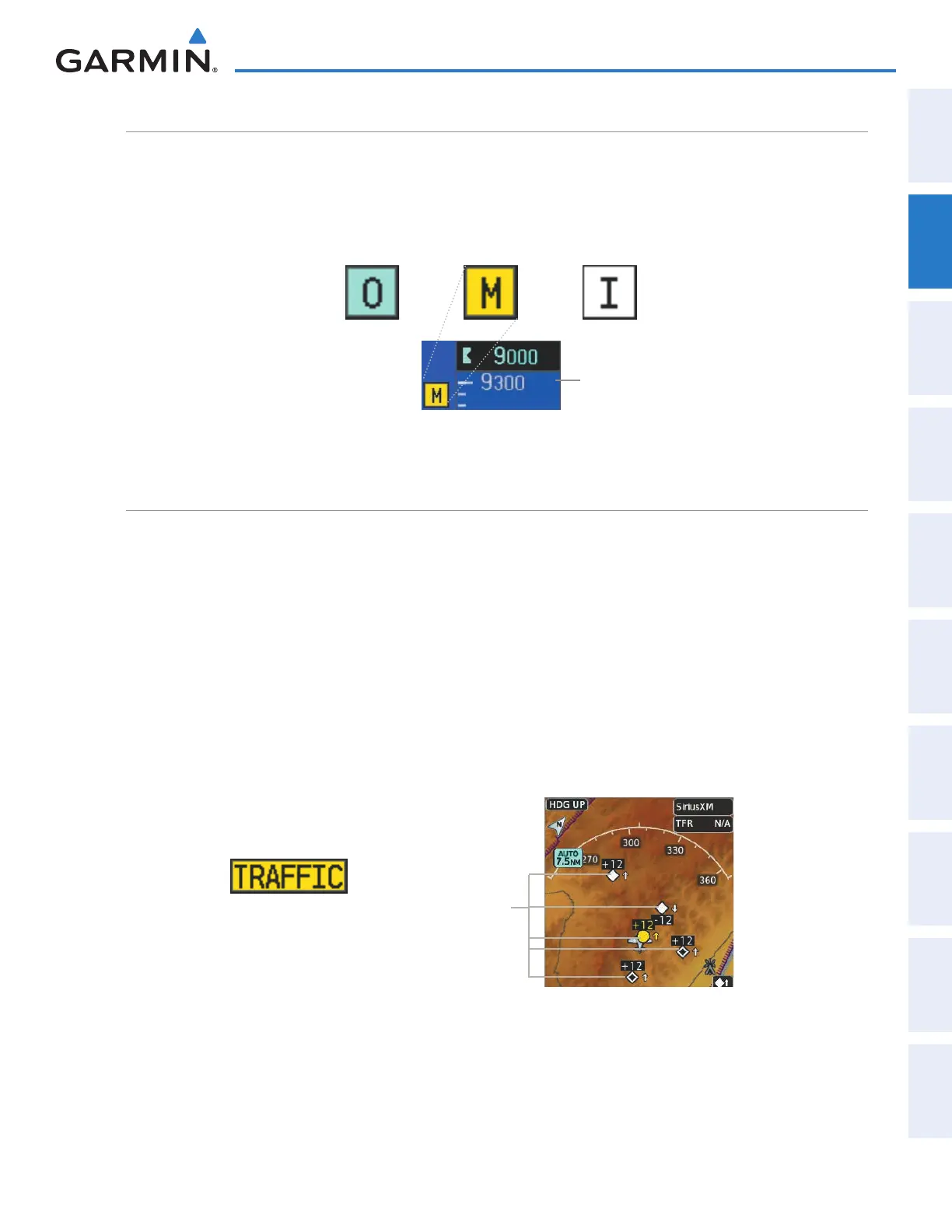
Marker Beacon Annunciations are displayed on the PFD to the left of the Selected Altitude. Outer marker
reception is indicated in blue, middle in yellow, and inner in white. Refer to the Audio Panel and CNS Section
for more information on Marker Beacon Annunciations.
Figure 2-46 Marker Beacon Annunciations
Inner Marker
Middle MarkerOuter Marker
Altimeter
trAFFic AnnunciAtion
Traffic is displayed symbolically on the PFD Inset Map, the MFD Navigation Map Page, and various other
MFD page maps. Refer to the Hazard Avoidance Section and the Appendix for more details about the Traffic
Information Service (TIS) and optional Traffic Advisory Systems (TAS). When a traffic advisory (TA) is detected,
the following automatically occur:
• The PFD Inset Map is enabled and displays traffic
• A flashing black-on-yellow ‘TRAFFIC’ annunciation (Figure 2-46) appears to the top left of the HSI for five
seconds and remains displayed until no TAs are detected in the area
• A single “Traffic” aural alert is generated, unless an optional Traffic Advisory System (TAS) is installed (refer
to the applicable TAS documentation for alerts generated by TAS equipment)
If additional TAs appear, new aural and visual alerts are generated.
Figure 2-47 Traffic Annunciation
Figure 2-48 Inset Map with Traffic Displayed
Traffic
Symbols
This manual downloaded from http://www.manualowl.com



 To Next Page