Garmin G2000 Pilot’s Guide for the Cessna T240
190-01263-01 Rev. A6
SyStem Overview
SyStem
Overview
FLiGHt
iNStrUmeNtS
eiS
AUDiO PANeL
& CNS
FLiGHt
mANAGemeNt
HAZArD
AvOiDANCe
AFCS
ADDitiONAL
FeAtUreS
APPeNDiCeSiNDeX
SyStem
Overview
FLiGHt
iNStrUmeNtS
eiS AUDiO & CNS
FLiGHt
mANAGemeNt
HAZArD
AvOiDANCe
AFCS
ADDitiONAL
FeAtUreS
APPeNDiCeSiNDeX
1.3 G2000 CONTROLS
The G2000 controls simplify system operation and minimize the workload and the time required to access
sophisticated functionality. Controls are located on the PFD bezel, the PFD Controller, the Touchscreen Controller,
and the AFCS Controller. This System Overview discusses the PFD controls and the Touchscreen Controller. The
AFCS section discusses the AFCS controls. See the Audio and CNS Section for more information about NAV/
COM controls.
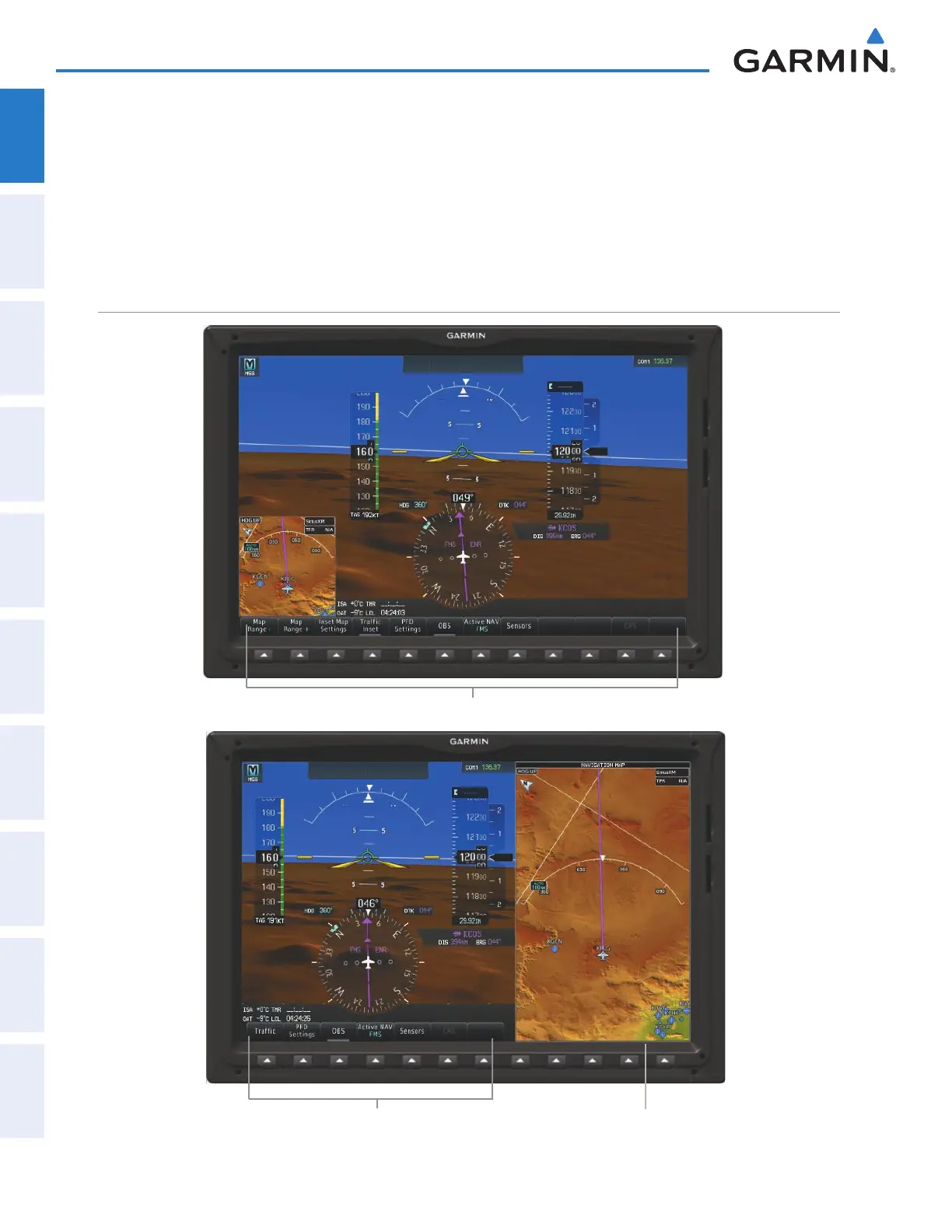
PFD CONTROLS
Figure 1-5 PFD Softkeys in Full Mode and Split Mode
PFD Softkeys (Split Mode)
Display Pane does not
use softkeys
PFD Softkeys (Full Mode)
This manual downloaded from http://www.manualowl.com



 To Next Page