Garmin G2000 Pilot’s Guide for the Cessna T240
190-01263-01 Rev. A184
Flight ManageMent
SYSteM
OVeRVieW
Flight
inStRUMentS
eiS
aUDiO Panel
& CnS
Flight
ManageMent
haZaRD
aVOiDanCe
aFCS
aDDitiOnal
FeatUReS
aPPenDiCeSinDeX
Map panning
The Map Pointer allows the pilot to:
• View parts of the map outside the displayed range without adjusting the map range by panning the map
• Highlight and select locations on the map
• Graphically create user waypoints
• Review information for a selected airport, NAVAID, or user waypoint
• Designate locations for use in flight planning
• Review airspace and airway information
• Measure the bearing and distance from the aircraft present position to any location on the navigation map
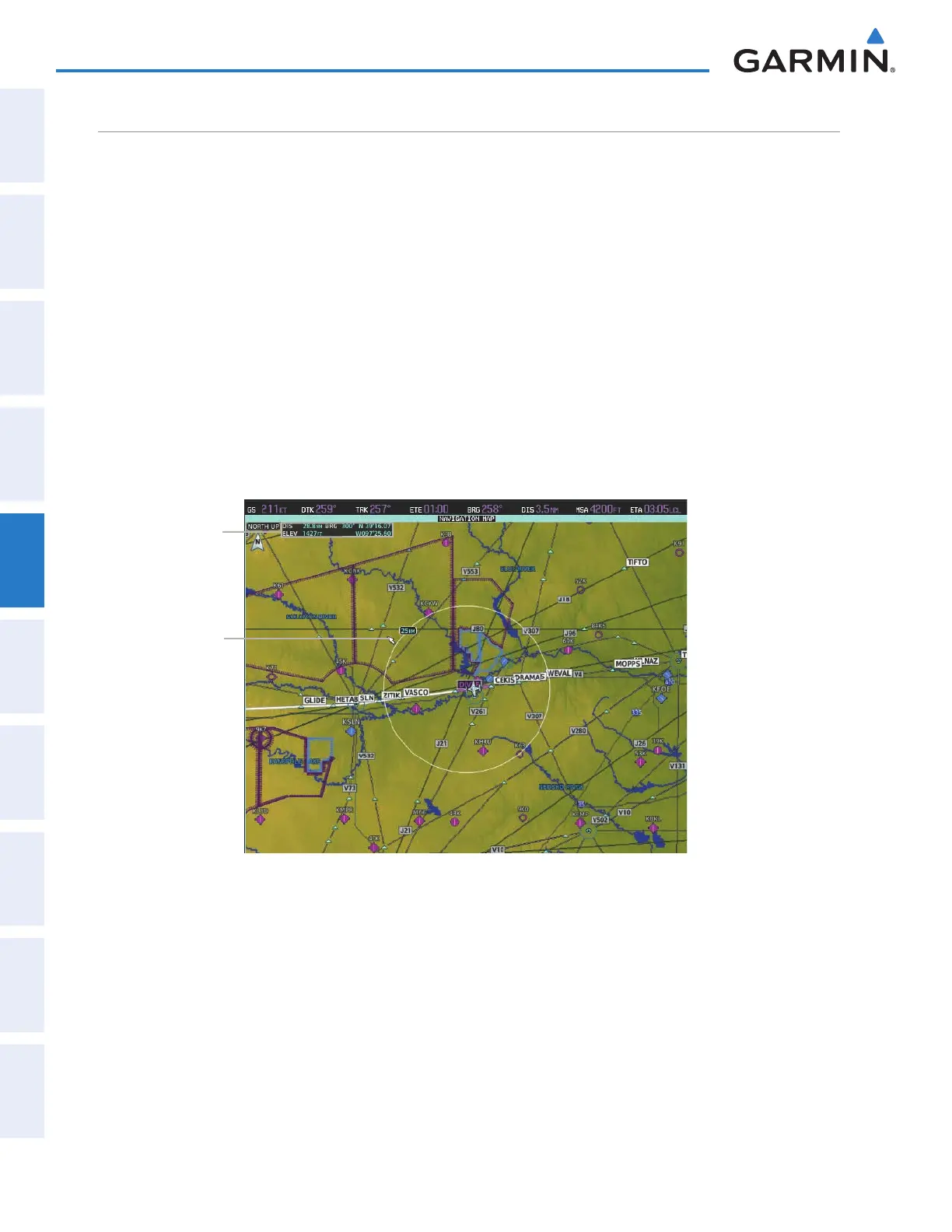
When the Map Pointer function is selected by pressing the Joystick, the Map Pointer flashes on the map
display, and the Map Pointer Options Screen is displayed on the Touchscreen Controller. A window also appears
at the upper left of the map display showing the latitude/longitude of the pointer, the bearing and distance to
the pointer from the aircraft’s present position, and the elevation of the land at the position of the pointer.
Figure 5-9 Navigation Map - Map Pointer Activated
Map Pointer
Map Pointer
Information
Panning the map:
1) Press the Joystick to display the Map Pointer.
2) Move the Joystick to move the Map Pointer around the map.
3) Press the Joystick to remove the Map Pointer and recenter the map on the aircraft’s current position.
This manual downloaded from http://www.manualowl.com



 To Next Page