Garmin G2000 Pilot’s Guide for the Cessna T240
190-01263-01 Rev. A62
SYSTEM OVERVIEW
SYSTEM
OVERVIEW
FLIGHT
INSTRUMENTS
EIS
AUDIO PANEL
& CNS
FLIGHT
MANAGEMENT
HAZARD
AVOIDANCE
AFCS
ADDITIONAL
FEATURES
APPENDICESINDEX
SYSTEM
OVERVIEW
FLIGHT
INSTRUMENTS
EIS AUDIO & CNS
FLIGHT
MANAGEMENT
HAZARD
AVOIDANCE
AFCS
ADDITIONAL
FEATURES
APPENDICESINDEX
1.7 SECURE DIGITAL CARDS
NOTE: DO NOT use the database SD cards for any purpose other than database storage.
NOTE:
Refer to the Appendices for instructions on updating databases.
NOTE:
Ensure that the system is powered off before inserting the SD card.
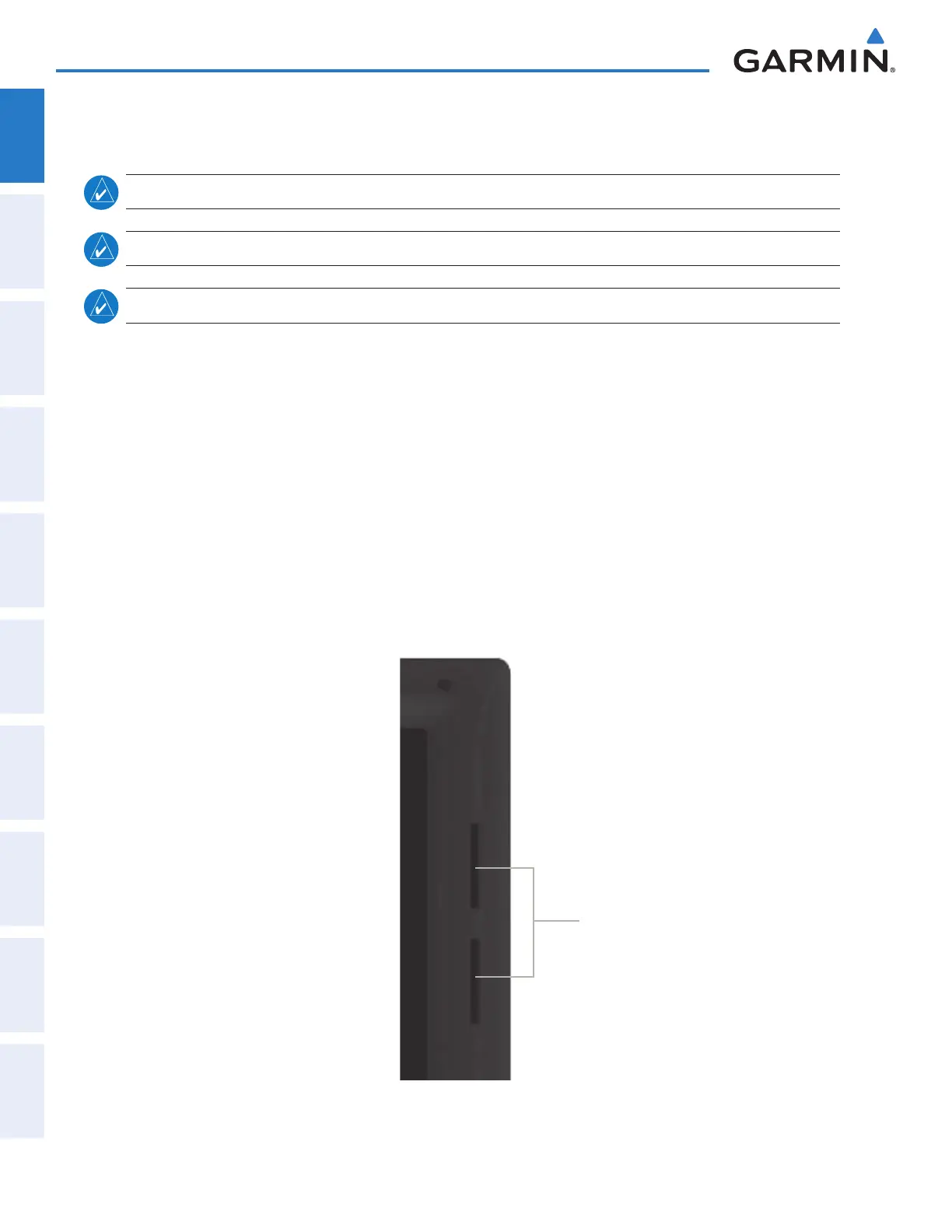
The PFDs and the MFD data card slots use Secure Digital (SD) cards and are located on the top right portion
of the display bezels. Each display bezel is equipped with two SD card slots. SD cards are used for various
databases, system software updates, recording fl ight data, and storing electronic documents.
Not all SD cards are compatible with the system. Use only SD cards supplied by Garmin or the aircraft
manufacturer.
Install an SD card
Insert the SD card in the SD card slot, pushing the card in until the spring latch engages. The front of the card
should remain fl ush with the face of the display bezel.
Remove an SD card
Gently press on the SD card to release the spring latch and eject the card.
Figure 1-42 Display Bezel SD Card Slots
SD Card Slots
This manual downloaded from http://www.manualowl.com



 To Next Page