Garmin G2000 Pilot’s Guide for the Cessna T240
190-01263-01 Rev. A106
Flight instruments
sYstem
OVerVieW
Flight
instruments
eis
AuDiO PAnel
& Cns
Flight
mAnAgement
hAZArD
AVOiDAnCe
AFCs
ADDitiOnAl
FeAtures
APPenDiCesinDeX
unuSuAl AttitudeS
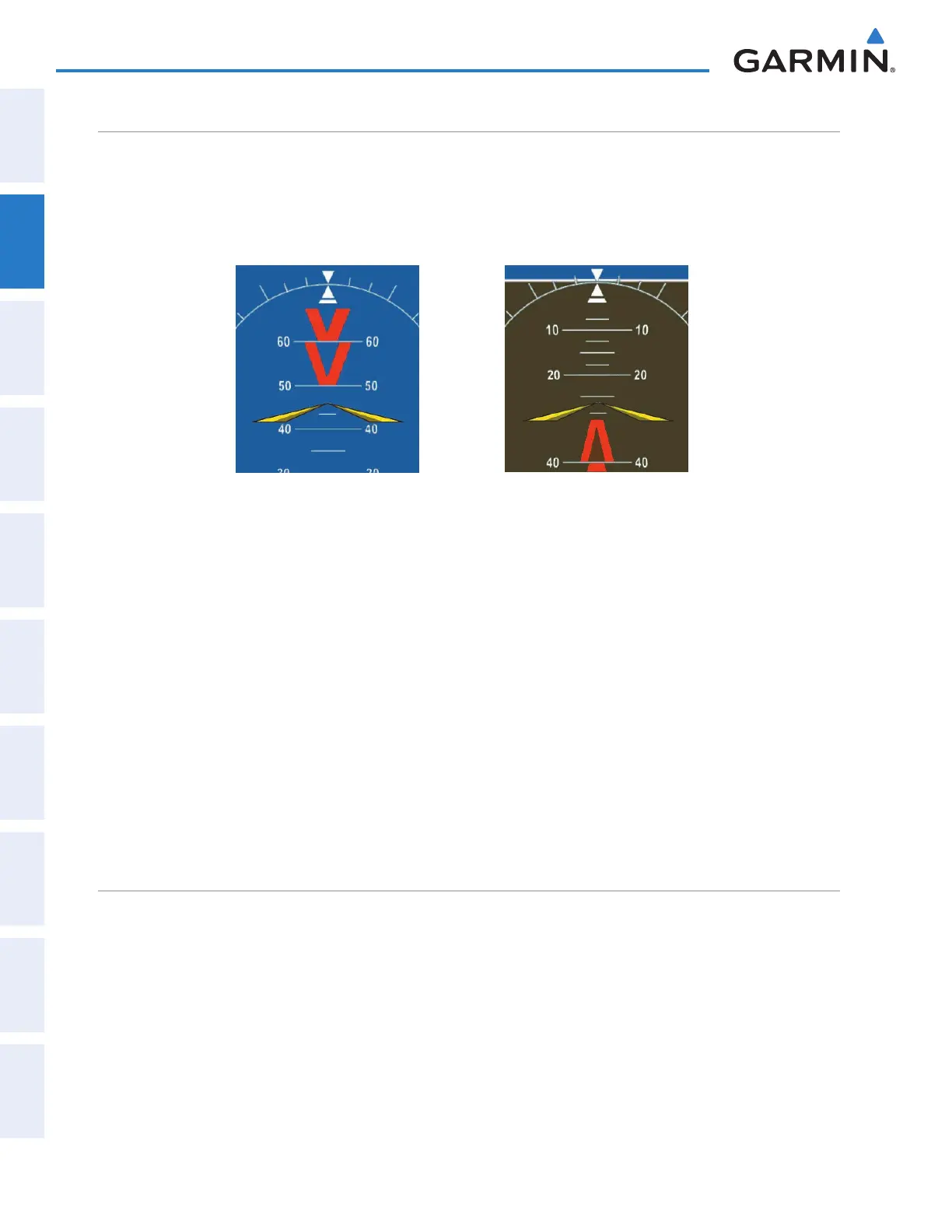
When the aircraft enters an unusual pitch attitude, red chevrons pointing toward the horizon warn of extreme
pitch. The chevrons are displayed on the Attitude Indicator, starting at 50˚ above and 30˚ below the horizon
line.
Figure 2-55 Pitch Attitude Warning
Nose Low
Nose High
If pitch exceeds +30˚/-20˚ or bank exceeds 65˚, some information displayed on the PFD is removed. The
Altimeter, Airspeed, Attitude, Vertical Speed, and Horizontal Situation indicators remain on the display and
the Bearing Information, Alerts, and Annunciation windows can be displayed during such situations. The
following information is removed from the PFD (and corresponding softkeys are disabled) when the aircraft
experiences unusual attitudes:
• Traffic Annunciations
• AFCS Annunciations
• Flight Director Command Bars
• Inset Map
• Outside Air Temperature (OAT)
• ISA Temperature Deviation (ISA)
• Wind Data
• System Time
• Timer
• Minimum Descent Altitude/
Decision Height readout
• Vertical Deviation, Glideslope,
and Glidepath Indicators
• Altimeter Barometric Setting
• Selected Altitude
• VNV Target Altitude
• Selected Heading
• Selected Course/Desired Track
• Navigation Status Box
gArmin SVt trouBleShooting
Garmin SVT
™
is intended to be used with traditional attitude, heading, obstacle, terrain, and traffic inputs.
SVT is disabled when valid attitude or heading data is not available for the display. In case of invalid SVT data,
the PFD display reverts to the standard blue-over-brown attitude display.
SVT becomes disabled without the following data resources:
• Attitude data
• Heading data
• GPS position data
This manual downloaded from http://www.manualowl.com



 To Next Page