Garmin G2000 Pilot’s Guide for the Cessna T240
190-01263-01 Rev. A490
ADDITIONAL FEATURES
SYSTEM
OVERVIEW
FLIGHT
INSTRUMENTS
EIS
AUDIO PANEL
& CNS
FLIGHT
MANAGEMENT
HAZARD
AVOIDANCE
AFCS
ADDITIONAL
FEATURES
APPENDICESINDEX
8.2 CHARTVIEW (OPTIONAL)
ChartView resembles the paper version of Jeppesen terminal procedures charts. The charts are displayed in full
color with high-resolution. The MFD depiction shows the aircraft position on the moving map in the planview
of approach charts and on airport diagrams. Airport Hot Spots are outlined in magenta.
The geo-referenced aircraft position is indicated by an aircraft symbol displayed on the chart when the current
position is within the boundaries of the chart. Inset boxes (Figure 8-6) are not considered within the chart
boundaries. Therefore, when the aircraft symbol reaches a chart boundary line, or inset box, the aircraft symbol
is removed from the display.
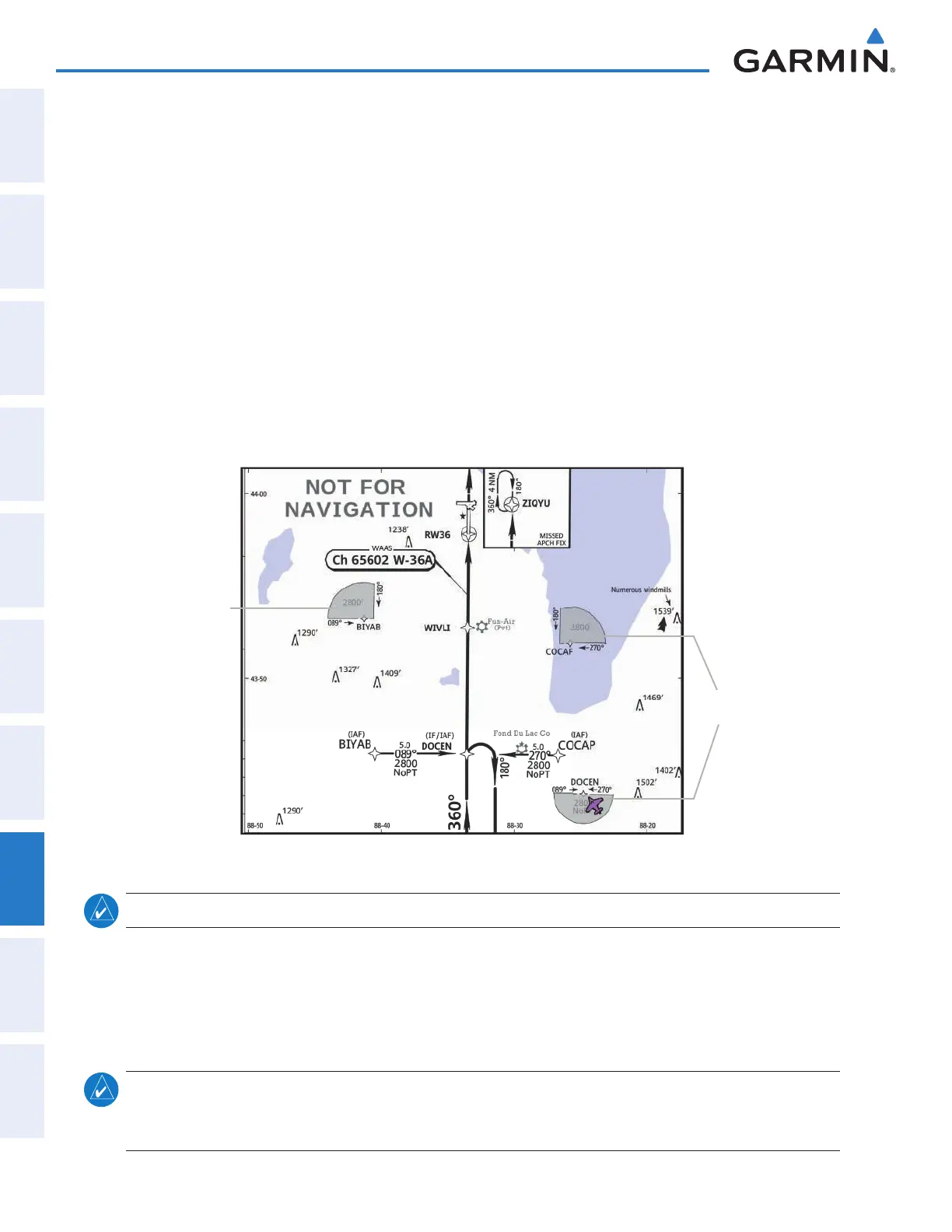
Figure 8-6 shows examples of off-scale areas, indicated by the grey shading. Note, the grey shading is for
illustrative purposes only and will not appear on the published chart or MFD display. These off-scale areas
appear on the chart to convey supplemental information. However, the depicted geographical position of this
information, as it relates to the chart planview, is not the actual geographic position. Therefore, when the aircraft
symbol appears within one of these areas, the aircraft position indicated is relative to the chart planview, not to
the off-scale area.
Figure 8-6 Sample Chart Indicating Off-Scale Areas
Off-Scale
Area
Off-Scale
Areas
NOTE: Do not maneuver the aircraft based solely upon the geo-referenced aircraft symbol.
The ChartView database subscription is available from Jeppesen, Inc. Available data includes:
• Arrivals (STAR)
• Departure Procedures (DP)
• Approaches
• Airport Diagrams
• Chart NOTAMs
NOTE
: Only NOTAMs applicable to specifi c information conveyed on the displayed Jeppesen chart are
available. There may be other NOTAMs available pertaining to the fl ight that may not be displayed. Contact
Jeppesen for more information regarding Jeppesen database-published NOTAMs.
This manual downloaded from http://www.manualowl.com



 To Next Page